Showing posts with label leads. Show all posts

Monday, 20 November 2017

How to Generate and Close More Leads with Email Marketing


Getting out there and generating new leads for your business is all well and good, but those leads aren’t going to do much good if you aren’t able to close those leads. A smart business owner knows how to get the leads, and how to close them to make sales. It really isn’t as difficult as you might think. In fact, there are many ways that you can generate and close leads. One of the best ways is to use email marketing. Let’s take a look at how you can get more leads, and close more leads, by taking advantage of something that most people use every single day.

1. Set Your Goals

You need to know what you want to get out of your email marketing before you can actually begin. Without having a specific goal, there is no way you can get what you want, because you are not being clear about what you want in the first place. Think about who the emails are being sent to, the need of the email campaign, and when to send the email in order to get the best results. Once you set your goals, it’s time to start the email campaign. 

2. Use Graphics

While you don’t want to overwhelm your potential customers, you don’t want to bore them either. A good email campaign includes graphics, video, etc. But, it is still not cluttered or busy. A good video will capture the attention of your readers, and it will help to draw them into your campaign. Be sure to send an HTML and a text version of your email, to make sure that your emails don’t get filtered and end up in the spam box instead of the inbox.

 3. Don’t Overwhelm Potential Customers

When people open emails and they are hit right in the face with a bunch of different fonts, graphics, colors, etc., it does exactly the opposite of what was originally intended. It is recommended that you stick with two to three fonts, and keep things simple. Emails should be easy to look at, and not too cluttered. If it is busy, it is going to turn people off, and you won’t get the sales you want. 

4. Make the Subject Line Compelling

If you want people to read the email, you need to give them an incentive to do so. This means that your subject line should be very compelling. “Converting subject line is very important. When we were doing email marketing for Opporty Inc. it was pretty tough because of its huge 15 million email database, so we created few subject lines for each subscriber’s category,” said Sergey Grybniak from Clever Solution. 

5. Give Something

If you are simply advertising in your email marketing, you are going to lose the interest of potential customers pretty quickly. You need to give them something that they can be interested in, and in the case of email, that something is great content. Give them content that they are interested in, and leave them hanging so they will want to click on the link to learn more. Once they click that link, you are closer than ever to closing the sale. 

6. Offer Incentives

A lot of people see email marketing as junk mail, so yours needs to stand out to get noticed. Offer incentives that will entice people into opening the email, and make those incentives so great so you can close the sale. For instance, you may want to offer a free product, a great discount, etc. This will keep people from deleting your emails, or marking them as spam so no more of your emails can get through at all.


Wednesday, 13 September 2017

5 Social Media Goals Needed For Your Strategy to Succeed

“People with goals succeed because they know where they’re going.” — Earl Nightingale
I don’t think there’s anyone who’d disagree with that.

If you set off in one direction, having no idea where you’re headed, chances are, you’ll never get there. What’s your destination, the point of your quest, your end goal?

You’ve got to get that figured out – before you get going.

Social media planning is no different. When you’re building out your strategy for the coming month, year, etc., you need to decide what you’re looking to get out of the time you invest.

Essentially, what’s the point of the work you’re about to get started on, what’s the ROI you’re seeking?

Keeping these 5 goals in mind while building out your social media strategy can help you get the most out of your efforts:

1. Improve the influence of your brand


With the literally limitless Internet and constant barrage of content on social media, it’s a wonder the human mind can even process it all.

Every brand, personality, article, product, etc. are all competing for attention at any given moment.
So you’ve got your work cut out for you when it comes to finding a way to help your business stand out from the crowd.

How can you make sure your brand voice is heard?

Stay true to your customer base. Before you even begin any kind of social strategy, you should have a firm grasp on who you are as a business and how to speak to your customers, as well as their wants and needs.

If you’re focusing on using the appropriate tone and sharing content aligned with your brand persona, you’ll be better able to reach the right audience, solidify your brand image and strengthen your relationship with your customer.

Ever asked someone an important question…and never received a reply?

Doesn’t make you feel all warm and fuzzy inside, does it?

Make sure your social media strategy includes initiatives to answer questions posted by your audience either to your social channels or within the comments section of your blog.

When you follow up with the individual who left the inquiry in a timely, knowledgeable and professional manner, you not only exhibit your quality customer service skills and attentiveness to that particular person, but also, publicly, to your entire social audience.

This creates a sense of brand loyalty between you and that particular customer and shares a positive example to potential customers who may be watching. Meaning you can earn life-long customers, referrals and new business, simply from a few minutes spent on a thoughtful reply.

With a strong social media presence, you’re going to need great images and pictures to attract and engage your audience.

When you’re sharing original content, reposting external content, following people, asking people to follow you – essentially, with every post, picture and statement – make it your goal to stay true to who you are and focus on getting the word out about your company and products or services you provide.

Your brand is awesome. So make sure people know about it.

2. Generate more traffic from social media


So once you’ve got it on your game plan to make your presence known in the social space, where do you want to direct those interested in learning more about your business?

Your website. Where else?

Wherever you can within your social updates, you’ll want to link back to your website.

This can be via links to articles featured on your blog, customer testimonials, press releases – the options are endless, so long as you have a landing page for it, you can send people there.

At times, business owners tend to view website traffic as the means to an end. More conversion, more sales and ultimately, more business.

They’re right. For the most part. Think about it. Why do brick and mortar stores feature people dancing in hot dog suits out front or offer big flashy coupons in the Sunday paper?

Because they want to drive more traffic into their store and thus, increase the chances that they’ll make a sale, or, more importantly, that they’ll gain a long-term customer.

This same idea is reflected within the online space with your social media updates as your “dancing hot dogs” and your website as your storefront. The difference is, earning website traffic requires less of a customer commitment than driving out to a store.

Benefit? More people come. Problem? It’s also easier to leave.

So you need to make sure that the links you share on social lead to quality content and information, presented in aesthetically pleasing, easy to consume fashion – so visitors want to stay a while.

But keep in mind – website traffic is important on its own as well.

In the same way that you develop brand interest and customer relationships by sharing social updates that speak to your audience, engaging with them and answering their questions, your website helps feature who you are as a business.

Construct your social strategy to focus on driving traffic to your website – for both future business and brand awareness.

If you’re looking to customize your audience, we have a free software that you can grab here.

It is also important to use tracking tools which help you track every movement of every visitor. Then, you can tweak your approach in an effort to increase the number of website visitors coming from various social channels. We recommend ClickPerfect to add tracking to every link you use!

3. Expand your mailing list


One of the major disadvantages of social media is an overcrowded channel where everyone’s competing with the same mass audience for attention.

Sure, you can reach a lot of people at once.

But are they all listening?

Most likely, no.

Ideally, you’d be able to talk to a current or potential customer one-on-one, in a less distracting environment, when sharing a marketing message.

That quiet digital environment is your customer’s inbox.

Your social media strategy should include methods to direct your followers not only to your website for traffic purposes, but also to subscribe to your blog, fill out a form to download content, sign up for digital coupons – by sharing their contact information.

By requesting this information from them, you’ve now got yourself a direct line of communication to potential customers, with which you can share more detailed messages, send out surveys to better understand their needs and advertise your newest offerings.

Remember, social updates are like generic advertising. People take a 2 second look and move on.
But if your social strategy focuses on updates that entice your audience to share their contact information, you can turn that 2 second look into a 2 minute read, and ideally, a sale.

4. Obtain quality leads


Most people aren’t going to seek more information about your company unless they have at least a basic interest in your products or services.

But not everyone that shares their email address with you will be a future customer.

So how do your determine the different wants and needs of individuals on your mailing list and ensure you’re directing the right messages to the right parties?

By attaching different lead nurturing email campaigns to particular pieces of content, based upon the topic, you have a higher chance of putting the right message in front of the right customer.

You can also request additional information from subscribers by asking them to fill out a download form that asks for not only their email address, but also their current challenges, what business they’re in, how old they are – whatever information will be beneficial to your marketing efforts.

Here’s an example. If you are a home décor retailer and offer a downloadable pamphlet showing how to set a table using crystal dishware, the email addresses of those individuals who download the pamphlet will automatically be entered into a lead nurturing campaign featuring a series of three follow up emails about different ways to decorate a home using crystal ware.

The form the individual completes may also include questions regarding age, location and occupation, which offer your company important data that can be used to help better focus future marketing efforts.

Use your social media strategy to earn contact information and customer details. Create a mailing list.
Direct the right content to the right customer. And get them to share more about themselves.

Now you’ve got a lead. Which will hopefully allow you to…

5. Increase your overall sales


At the end of the day, your company’s goal is to make money.

All the social shares in the world, the highest brand awareness possible with the greatest website traffic, longest email list and a sweet collection of leads are all efforts to earn a sale. And ideally, a life-long customer.

All of these efforts must work in unison for your business to reach this goal. It comes down to adjusting this, adding more of that, taking out a little of this, until you find the right formula that works for your business.

Your social strategy must include a system for tracking your conversion rate from interest and click-through rate on social media…all the way down the line to overall sales.

Social tools like Google Analytics, Hootsuite and Sprout Social, among others, can help you determine the value generated by each of your social channels and allow you to test various tweaks to your campaigns and overall strategy, so that you’re focusing on the right things that deliver the greatest return.

In the world of social media, things are constantly changing


No one knows it all when it comes to building out a perfect social media strategy.

In fact, a perfect social strategy doesn’t exist. And never will.

Why? Because no one can predict the future. Or changes in technology. Or customer buying behavior.

But you can ensure that your business stays on track with the right goals in mind and regular adjustments to your overall strategy, based on the information you’ve gathered along the way.

Using these 5 tips with the right tools like Share and Redirect and ClickPerfect can help your social media strategy stay on track and get the most out of your efforts.

Does your social strategy already have these goals? If so, which ones do you feel are the most important to you?

Don’t have your social media goals defined yet? Which ones listed above will you decide to use?
Let us know in the comments below!


Source

Sunday, 10 September 2017

4 Free Ways to Grow Your Website Traffic


LET’S be honest here.
Just because you write great content doesn’t mean people will automatically visit your website – especially if they’re not even aware it exists.
Many bloggers will tell you all you need is amazing content. And while it’s true you do need good content, you also need a strategy that will actually get targeted people to your website.


Why? More targeted traffic means more leads and more sales. Period.
The good news is you don’t need a large marketing budget. There are plenty of free ways to grow your website traffic.
Let’s look at four of them.

1. Be Transparent With Your Readers

Putting yourself and your business out there by being totally open with your audience – while providing exceptional content and value – can create a loyal following of fans.
There’s no room for faking it here, but if you do it right, these people will bend over backwards to buy whatever you sell. They will gladly share your content, link to your site, and selflessly promote and recommend you – simply because they trust you and the value you provide.
Try the following proven ways to increase transparency with your audience.

Income Reports

People are nosey and smart bloggers and entrepreneurs capitalize on this fact. Pat Flynn of Smart Passive Income, for example, builds trust, traffic, and a loyal fan base by posting his income reports online.

Nobody really goes around telling people how much they make in real life, yet Pat, Lindsay from Pinch Of Yum, and countless others open up their online businesses – and their bank balances – to their audience.
You get to follow along their journey, learn about their successes and failures, and hopefully take something away valuable.

Periscope

Periscope is a live streaming app that’s increasingly being used by bloggers, entrepreneurs and marketers to broadcast on the go and interact with their followers. What’s great about this is you can be authentic and true to yourself without any real repercussions because the video by default stays live for only 24 hours, before it expires.
Mariah Coz uses Periscope to show her authenticity to loyal fans by sharing her faults, successes and challenges. This helps Mariah build even greater loyalty from her fan base.

2. Guest Posting

Publishing your content on other people’s sites can help you grow your traffic by:
  • Gaining quality backlinks from authority websites
  • Getting referral traffic back to your website
  • Setting yourself up as an expert
When you guest post, you normally get a link on the owner’s blog back to your own blog or website.
Google considers this a valuable ranking factor and it can help boost your website’s rankings in the search engines – equaling more free traffic.
If the site receives a lot of traffic, your name and content will be exposed to a large audience of targeted visitors. Your goal is to have these people click through to your site, wow them with your content, and convert them into regular readers and mailing list subscribers.
Lastly, by authoring articles on popular sites you’ll increase – or maintain – your reputation as an industry expert.
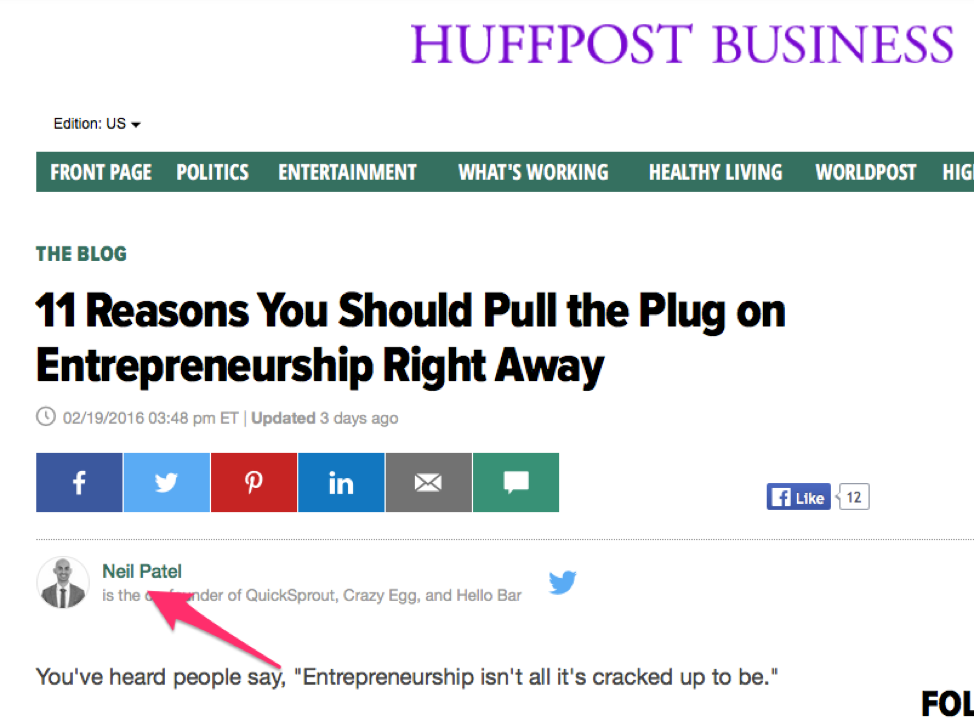
For example, Neil Patel is a well-known content marketer. He’s co-founded several sites including Crazy Egg and QuickSprout, yet he still guest posts on high authority sites.

Why? Because it helps him generate traffic back to his sites and helps solidify in people that he is truly an expert in his field.

3. Capture Emails

Growing your website traffic should always be a main focus, but instead of always having to seek out new visitors or sources of traffic, you can ultimately grow a valuable readership by working hard to retain the visitors you do attract.
If you don’t have an opt-in form on your website to capture email addresses, then you’re missing out.
Instead of adding a boring newsletter subscription box (that most people ignore anyways), why not entice visitors by asking for their email address in exchange for an incentive?
Here’s Boost Blog Traffic’s incentive – also known as a lead magnet – to get people to sign up to their list:

There are many other ways to capture an email. Let’s look at two other ways.

1. Content Upgrade

A content upgrade is a lead magnet that’s post-specific and can help you generate more subscribers. How many more? According to Bryan Harris of VideoFruit, up to 30% more opt-ins.
If you have a post on 8 Ways to Nurture Your Email List, and in the post you offer your readers 10 more ways – in exchange for their email address – they’ve already shown interest in the topic so they’ll likely opt in.
Here’s an example of a content upgrade on Adam Connell’s site Blogging Wizard. His post, How to Get More Twitter Followers: 24 Effective Tips to Grow Your Following Fast, features a content upgrade offering a checklist to grow your Twitter following fast.

2. Webinars

Running a webinar is a great way to grow your traffic and mailing list.
It’s easy to get people to sign up for webinars since they usually consist of high-value content filled with actionable tips. You can do the presentation alone, or collaborate with another entrepreneur for access to their list and audience, and vice versa.
Here’s an example of a branding workshop promoted on Twitter by Cole of Pines Up North:


4. Provide Different Forms of Content

People enjoy learning in different ways; some relate to visuals more than text while others enjoy audio over video.
If you want to attract a wider pool of readers, publish different forms of content. This enables you to more easily use social media platforms like YouTube, Instagram and Pinterest to drive traffic.
And if you’re not interested in creating graphics or videos, podcasts are easy to do and can help you generate traffic.
Sarah Peterson from Unsettle regularly does podcasts for her audience.

When publishing different forms of content like infographics, videos or podcasts, over time you’ll learn which types of content work best for generating traffic in your particular industry – and where to focus your efforts.

Wrapping It Up

Growing traffic is something that takes time but we’ve shown it’s possible to generate traffic to your website for free – good news if you’re bootstrapping and have more time than money.
Through guest posts you’ll be able to build your name and brand recognition quickly and if you go out of your way to be transparent with your audience – by sharing income reports for example – you’ll build trust and hopefully generate loyal followers and recurring traffic.
And by capturing email addresses and publishing different forms of content, you’ll retain more visitors and access a new traffic demographic.
Over to you – what other free ways are you using to drive traffic back to your site?

Wednesday, 12 July 2017

What Is a Content Library? Plus Answers to 9 More Questions about This Innovative Lead Gen Approach


In May 2013, a small company with fewer than 40 unusual employees made a historic lead generation move that resulted in stunning lead generation results. (I stress “unusual” in a good way.)
The company with those odd employees, of course, was Copyblogger Media (now known as Rainmaker Digital). The story of what happened follows.

The historic move:
Up until that point, Copyblogger had been offering an email newsletter to attract and capture email subscribers. Pretty standard in the online business world.

We wanted to up the ante.

So we launched My.Copyblogger.com — a free membership site, where people sign up to access (at the time) 15 free ebooks and a 20-part email course.
Think of a content library as a password-protected source of premium content that you can access once you register with your email address.
That’s essentially what a “content library” looks like. But how did it perform? Let’s look at the results to see.

The historic results:
According to the case study by Marketing Sherpa,
  • Through the first seven weeks, the free subscription page averaged a 67 percent conversion rate.
  • The first week’s growth was 300 percent bigger than the best week of growth for Internet Marketing for Smart People (a previous Copyblogger 20-part email course) — closer to 400 percent, if you include new paid subscribers.
  • The most visited page on Copyblogger at the time was behind the paywall — with almost a third of all traffic logging in after arrival.
Those are some substantial results, particularly in such a competitive space as content marketing.

Now, I can’t promise you the exact same outcome, but I can promise you that a content library will, at the very least, increase the number of subscribers you capture.
The key, as always, is to build trust first by providing a ton of value before asking for anything in return.
If that concept is new to you, then you can review how to build the know-like-trust factor.

In the meantime, let’s dig a little deeper into the common questions surrounding lead generating content libraries.

1. What’s a “content library?”

You’ll hear sales and marketing people refer to a content library as a bank of all the content assets owned by a company that is placed in a central, internal portal so other departments within that company can access that content.

That’s not what we are talking about here.

Yes, a content library is a bank of content, but in the way we will be using the phrase, it is full of resources that your audience can access once they register with an email address.

In other words, the public can access these resources, which makes this type of content library a lead generation tool.

2. What type of content goes into a content library?

You could include:
  • Ebooks
  • Videos
  • Webinars
  • Audio seminars
  • Podcast episodes
  • White papers
  • Infographics
  • Tutorials
  • Data and analysis reports
And more.
The trick is to offer enough value that prospects view signing up for your content library as a no-brainer — an insane bargain.
See Question 5 for some examples of ways you could structure your content library.

3. What makes a content library better than a conventional email newsletter?

When you offer more resources for the same price (in this case, an email address), you are naturally going to get better results.

Our case study is one such example.

With a content library, you are likely to elevate more of your visitors into an ongoing relationship — in other words, a content library will help you convert more prospects into solid leads.

But not just any type of lead.

See, the main difference between a typical email newsletter and a content library offer is that with the content library, you can now identify your site visitors, which ultimately helps you convert more leads into sales.

Let me explain.

4. What’s the difference between an email sign up and website registration?

In both cases, it’s true that the prospect gives you an email address. With a sign-up, you have permission to send that person email — namely, your email newsletter or latest published blog posts.
With a content library registration, you give your prospect access to a site — access to exclusive resources like ebooks, videos, webinars, forums, and more.
In the first situation, the content marketer is throwing stuff at the prospect. In the second, the content marketer is inviting you to his place — which is loaded with useful resources.

And like I said before, when people visit your site as signed-in members, you can customize your promotional messages, which leads to higher conversions.

5. How many resources should you put into a content library?

There isn’t a hard-and-fast rule.

However, you need to include more than one piece of content. Don’t forget: you are trying to create a sense of great value.

For example, a content library with two, five-page ebooks is not going to suggest high value. But four 50-page ebooks and seven 30-minute training videos, however, will suggest high value.

Here’s another way you could structure your content library:
  • 30 exclusive podcast episodes
  • 10 articles
  • 3 worksheets
As you can see, the numbers of ways you can structure your content library is limitless. Which leads us to our next question.

6. Do I give access to all the content at once?

The short answer is to start by giving away a large amount of content to create a sense of high value.
The ebooks in the original My.Copyblogger content library ranged between 31 and 142 pages — and there were 15 ebooks, plus a 20-part email course.

However, you can start small and build as time goes on.

For example, make the promise of adding more content once a month (or the frequency that works for you).

That strategy has a number of benefits.
It brings all those members back to your site every time you release a new piece of exclusive content.
In other words, you don’t need all the resources in place before you launch.

If you only have four ebooks and two podcast episodes, you can launch with that offer. But as you add more resources, don’t forget to update your content library’s promotional copy and alert your members.

7. How do I get people to my content library?

If you already have an email list in place, then promote your content library to that list.

With My.Copyblogger, an announcement was sent out to our general email list, and because there were 15 ebooks, there were 15 unique email promotions sent out, each one customized to that particular topic.

We sent out one of these emails a week, usually on a Friday.

Depending on the number of resources you have, your campaign might end up lasting two or three months.

Before sending each email, suppress the email addresses of people who have already registered, so those members of your community aren’t annoyed by seeing the same pitch multiple times.

If you don’t have a list (or want to continue promoting the content library after you’ve finished the campaign to your email list), the next step is to create high-quality, tutorial-type blog content that leads to a promotion of the content library.
Once people are on your site because of this high-quality, tutorial-type blog content, give them an opportunity to register.
Here are four useful ideas:
  • Include a footer at the end of each blog post that encourages visitors to register for your content library.
  • Add a sidebar that appears on every page of your website.
  • Create feature boxes that appear in the header of your website.
  • Use pop-overs and pop-ups (yes, there is a difference).
Learn more about these strategies in Beth Hayden’s article, 4 Quick Solutions that Spawn Radical Email List Growth.

8. Won’t content that requires a registration hurt SEO efforts?

No.

True, the content behind the registration wall won’t get crawled or indexed by Google (or any search engine for that matter).

However, search “copywriting” on Google and you’ll see that Copyblogger ranks at the top of the first page of search results. The rest of the topics in our content library are also on the first page of Google for terms like “content marketing,” “landing pages,” and “SEO copywriting.”

And every single one of those pages is what we call a cornerstone content page — which drives social and search traffic to register for the content library on My.Copyblogger. 

9. Do I have to call it a “content library?”

Nope.
You can call it whatever you want to call it.
Here are my ideas for different industries like health, fashion, and cooking:
  • The Cross-Fit Foundation
  • 8 Beautiful Wardrobe Basics
  • Your Wok Recipe Essentials
It’s a good idea to mention in the description copy that this is a library of resources — and be very specific about what is in it.

You want to give your prospect the sense that there are some really juicy resources behind that registration wall.

10. Does this mean I’m starting a membership site?!?!

I added all those question marks and exclamation points because what most people say immediately after asking that question is … I’m not ready for that!

You get a real sense they are scared out of their wits.

If that’s you, relax, because registering people as members doesn’t mean you’re suddenly running a full-fledged membership site.
It just means people are joining your community.
However, if you achieve critical membership mass, a nice touch to your content library would be to offer a simple forum where your members could chat, share ideas, and ask you questions.

Our Rainmaker Platform enables someone who is dumber than a bag of bricks when it comes to coding (like me) to set up a password-protected content library — plus a forum — by simply grunting and pointing (like I do).

In the end, what really matters is that members of your community — even if what you offer them is free — benefit from content that’s tailored to their customer journeys.


Source

Saturday, 8 July 2017

4 ways to leverage email marketing with PPC


When it comes to the fast-moving world of internet marketing, everyone is looking for that competitive edge. If SEO and email marketing are already a developed part of your marketing campaign, PPC (pay-per-click) can be another useful tool to help grow both your conversions and your leads.

Use PPC to test email marketing elements

While we can use email marketing to increase leads in a variety of ways, PPC advertising offers a great way to test out the elements of your marketing emails, like landing pages or possible subject lines, before using them in a mass email. PPC gives you ample space to safely test out that edited copy, those new keywords or a new landing page and get an early peek at conversion rates. Using these tools can help optimize your message and increase its rate of success before sending it out to your entire list. That said, PPC ads are not only a great environment to test out elements of email marketing, but are versatile enough to try out nearly any element of your marketing campaign.

Build email lists with PPC

A great way for anyone to start introducing PPC into their campaign is by using it to grow your email list. While email can be used to increase both conversions and leads, PPC is a terrific way to boost both of those numbers even further. In this case, you can measure every email gained from a PPC ad as a conversion and a success toward this goal. Someone clicking on a PPC ad should arrive at a page that shows off the service or product one is offering, but with two possible ways of gathering potential customer information:

First, the primary focus of this page should always be the conversion itself. Part of this process will gather the customer’s email along with other information for things like receipts and contact or shipping information. Simple enough.

Then, you should always include a secondary call to action (CTA) that can still obtain an email conversion even if the person decides not to purchase. This shouldn’t distract from your main objective and should encourage potential customers to give you their email address and offer them something in return. An example of this might be “Sign up to be notified of future discounts” or “Sign up for news and tips” — anything that could appeal to someone interested in the ad but not quite ready to commit to what you’re offering.

Use your email marketing data to optimize your PPC ads 

The information you have gathered via sending conversion emails and looking at click-through rates isn’t just useful for your email marketing. While emails commit to a higher percentage of overall conversions for many businesses, PPC ads can be a powerful tool in gaining conversions themselves. The keywords, subjects, headlines and offers that have been successful in the past can likely be integrated into your PPC ads as well. At the least they are powerful starting benchmarks to help augment your marketing strategy. This can be great information in reaching out to a brand-new audience or wider market, and increasing your numbers across the board.

Plan PPC campaigns to boost email click-through rates 

A large part of successful advertising at its core isn’t just about the message itself and how strong it is, but about the amount of exposure to your message that your potential customers receive. Time and time again research shows us the power of the Exposure Effect, and how customers who are exposed to a product or service multiple times are simply more likely to commit to a purchase. PPC ads can provide more exposure to your message outside of your emails. You can do this by starting a PPC ad campaign that begins a day or a two before your email campaign goes out, and ends a few days afterward. The awareness and exposure of these PPC, ads coupled with your hard-hitting emails, can work well together to increase conversions.


Source

Tuesday, 23 May 2017

Demand Generation: The Complete Beginner’s Guide (2017)


“What is demand generation? Is it different from inbound marketing? How?”
“Why do I keep hearing this term? It sounds like something I should know about…”
Believe me, if you’re reading this article, you already do know about demand generation. You just might not know you know.
Y’know?
This guide will take apart and examine the three pillars of demand generation. I’lll also give you a 7-step walkthrough for how you can start rolling with demand generation today.
Demand generation strategies have driven most of Wishpond’s growth in the past few years. Advertising and PR are great, but since 2013 we’ve prioritized the demand gen strategies I’ll go over in this guide.
So this is something I’m really excited about, and know can have high-impact on your business as well.
Click below to navigate the guide.

What is Demand Generation?


That’s a great question, and one we should get out of the way as soon as possible…
Demand Generation encompasses the marketing strategies designed to drive awareness and interest in a business’ products.
It’s an umbrella term which encompasses social media, inbound marketing, email marketing, real-world marketing and customer retention strategies.
It does not cover advertising or PR.
There’s two points in that demand generation definition that I’d like to pull out and take a look at before we get started:
1. “Drive Awareness”
Part of generating demand for your business’ product is about driving awareness of the fact that you exist.
This can be done through content marketing and SEO, social media, community outreach, affiliate marketing and more.
2. “Drive Interest”
Once people are aware you exist, you need to have a secondary strategy in place to communicate your value.
I don’t care that Salesforce is extremely well-known. If I don’t need a CRM platform (or don’t believe I do), why would I care?
Driving interest can also be done through all the strategies above, but it also involves the other side of demand generation – email marketing and customer retention.
Now that I’ve cleared that up, let’s get rolling with our Guide to Demand Generation…

Demand Generation: Strategies to Reach New Prospective Customers


The strategies I’ll go over in this section are designed to get your business in front of people who might be interested in buying your products.
This can, of course, also be done with Facebook Ads, Google Ads, and a solid public relations strategy. But, for the purposes of this guide (and to align ourselves with the whole idea of demand generation), we’ll ignore those and focus instead on the three most impactful demand generation strategies to drive awareness.

Social Media

Demand Generation: The Complete Beginners Guide (2017)
Social media, if invested in correctly and optimized (with management tools, visual marketing apps, and a well-measured approach, can be profitable without having to pay for exposure.
It’s a challenge, though, for sure. The organic reach on Facebook, Twitter, Instagram and the rest are extremely limited (as the platforms are encouraging businesses to pay-to-play).
Here’s what I recommend to get organic reach and brand awareness on social media:
  • Choose a couple social platforms on which to focus your time and energy. Don’t spread yourself too thin.
  • To get rolling, start off with frequent social media promotions to increase your number of Fans and Followers. Use social incentives (bonus entry rewards for Liking or Sharing your promotion) to spread the word and get more Followers. Exclude past entrants from your targeted posts when promoting a new campaign.
  • Measure the success you see on social media with a comprehensive analytics tool (either within your social media management tool or the platform itself). Measure how much time you’re spending and the dollar value of engagement you receive. Remember that social media, like content marketing is a long-game. It takes several months for anything to happen (though social promotions can help you get a boost).
To learn more about social media marketing, including when you shouldn’t invest in it (and where you should invest), as well as how you can get started, check out my article, “Social Media Marketing Plan: An 11-Step Template.” To see a full guide to the tools necessary to make it profitable, check out “50 Social Media Tools: The Ultimate List 2017.”

Content Marketing

Content marketing is a huge part of driving awareness about, and generating demand for, your business.
Imagine the content you create as a megaphone. When you start out, without content, your business is only able to whisper into the buying world. As you create more and more content, your voice gets a bit louder – because you’re more likely to be found, more successful on social media, and because the more content you create the more respect you’ll get from Google.
STEP 1: SEO
When we’re talking about the content marketing strategies to reach new prospective customers, we’re primarily talking about content’s role in SEO.
SEO, very simply, comprises the strategies that businesses use to get their brand on the first page of search results when someone types in something related to them.
How to start ranking and generating awareness of your brand through search results:
  • Identify key words and phrases associated with your business. For Wishpond’s marketing campaign software, we target tool searches, questions associated with how to use tools like ours, and queries associated with strategies which use our tools.
  • Identify what the competition is for your keywords. If a given keyword is dominated by a competitor, create better content than what they’re produced (longer, higher density of keywords, etc) or go for lower-hanging fruit. Tools like LongTail Pro and BuzzSumo can help identify the types of content you should be creating.
  • Start creating content with those key phrases as the URL and interspersed frequently throughout the content.
  • Create long-form, high-quality content.
STEP 2: PROMOTION:
A big part of content marketing is also promotion. Become more active on communities like Reddit, GrowthHackers.com, Inbound.org and those which are most relevant to your business.
Tap into influencer marketing to increase the organic reach of your content. For a guide, check out “Influence Marketing: How to Amplify Your Content with Social Leaders.”
STEP 3: USING CONTENT TO GENERATE LEADS:
Content marketing is only valuable if you’re able to turn traffic into customers. And once you’re driving readers, for many businesses that means turning those readers into leads.
For a guide to using content to generate leads, check out “The Complete Guide to Gating your Content.”
To learn more about content marketing and how you can build a more powerful inbound strategy, check out my article, “How to Build a More Complete Content Marketing Strategy.” You can also grab a high-value tools guide with “77 Tremendous Tools to Make You a Content Marketing Superstar.”

Real-World Marketing

Real-world marketing still has a place in getting your business out there. Conferences, local meet-ups, job fairs – all these can showcase your business to the people who are there – and therein lies the problem of real-world marketing.
If your business is new on the stage, you need to implement strategies designed to show you to as much of that stage as possible.
This is the problem I see with a lot of early-stage, well-funded tech startups (and perhaps why so many of them fail): If you have a bunch of VC money, you’re going to hire the marketing team with the most proven experience.
Demand Generation: The Complete Beginners Guide (2017)
Unfortunately, that often means you’re hiring people who haven’t had to “break into” their industry. If they have that experience you want, they’re likely corporate marketers who have marketed businesses who are already well-known to the entire business stage. They’re not breaking onto it, needing to try innovative strategies to be seen. They’re people who need to keep their brand top-of-mind – people who need to give buyers a reason to go with their well-known brand over a well-known competitor.
And that’s why digital marketing and the strategies of growth hacking are so powerful. They allow you reach a massive audience with a limited budget. Yes, it’s scarier, but it’s also more powerful in the early stages.
Then again, I’m a startup marketer, so I’m as biased as they come…

Demand Generation: Strategies to Engage Prospective Customers


Now we really get into the nitty-gritty of demand generation – actually generating demand for your business. Creating awareness is only 1/3rd of the battle, we still need to get people to actually buy and then stay with us for more than a week or first purchase.
Let’s dive into those strategies which convince people who know who we are that our product is worth buying. Let’s dive into the strategies which get people to buy. After all, why else are we here?

Content Marketing

Once you’ve created a content funnel based around SEO, promotion and lead generation, you can continue to use it to generate demand for your tools.
Incorporate your content, including how-to guides, case studies, platform walkthroughs, video, “about us-style” pieces and more, into your email marketing campaigns which turn prospective customers (leads) into paying customers.
Content plays a major role in building trust and a relationship with prospective customers. After all, I’m far more likely to buy from someone I know – far more likely to buy from someone I trust.
Here’s an example of an article from the CEO and founder of Buffer, in which he is completely open about why a couple of the other co-founders are moving on:
Demand Generation: The Complete Beginners Guide (2017)
To learn more about using content marketing to engage with the prospective customers who already know you check out my article on Content Marketing Institute, “Transparency Reveals Great Content Opportunity.”

Email Marketing

Before we dive into how you can use email marketing and where it fits within the demand generation sphere, I think it’s worth it to introduce you to a few statistics…
  • For every $1 spent on email marketing, some businesses can get an average return of $38.
  • People are twice as likely to sign up for your email list as they are to interact with you on Facebook.
  • 72% of consumers would rather receive email than any other source of business communication.
  • 61% of consumers are happy to receive promotional emails on a weekly basis, so long as those emails actually deliver value.
  • Personalized emails (even the ones which you automate) receive transaction rates that are six times higher than others.
In short, email isn’t dead.
Here’s a few best practices that will enable you to succeed with email marketing right off the bat:
  • Personalize where possible. It’s going to very quickly become impossible for you to send an email to every one of your prospective customers, but the more personal you can be the higher your response rates and the more frequently people will convert to a paid purchase. As a result, it’s worth learning how to incorporate merge tags and liquid code as soon as possible.
  • Automate where possible. Your sales team might be able to, predominantly, email customers and prospective customers manually. But getting people from blog subscriber to sales lead takes a serious effort. My recommendation is to use a email automation tool to help you set up triggered workflows and drip campaigns which automatically turn new prospective customers into sales leads.
  • Segment. Let’s say you write on a couple different blog topics (like Wishpond, who writes on more advanced growth marketing stuff as well as social media). It’s far more effective for us to email growth marketing subscribers content which is relevant to them and their business’ goals than it is to email them everything about a new Twitter algorithm.
Here’s a snapshot of a few of Wishpond’s own segments, including our three newsletter segments:
Demand Generation: The Complete Beginners Guide (2017)
To dive into email marketing, particularly the automation side of it, check out “10 Steps to Email Automation Success.” We also have a resource giving you 19 of our highest-performing email marketing templates.

Demand Generation: Strategies to Engage Existing Customers

You need to keep people engaged with your platform or product to keep the demand for it high. Whatever your product is, it needs to be valuable enough to buyers that they keep coming back.
Recommended for You
For software, this is done with several elements (which I’ll go over in this section). But, in general, think of it as based around three primary factors:
  1. Education: If your users don’t know how to use your tool or service, they won’t see the value in it. For some software providers, especially, this may mean you need to require people attend a training call.
  2. Value: If your users don’t get value from your tool, they won’t re-subscribe the next time they’re prompted.
  3. Positive Opinion: If users don’t like you or have a negative experience when they interact with you, they’ll leave far faster than if they have the same experience of the tool but a positive relationship. This is where customer success and customer support work.
Let’s break down a few actionable strategies you can use to better onboard users and keep customer retention high.

Customer Onboarding

The first few weeks (or months, in some industries) are the most worrisome for any business. Once you get people over that hurdle of signing up, you need to ensure their first few experiences with you are positive ones.
This is where user onboarding comes in.
Here’s an example of a questionnaire we’re testing, which would show as soon as people enter our platform.
Demand Generation: The Complete Beginners Guide (2017)
Information given to us from this questionnaire (it’d be five concurrent forms) allows us to better understand what our users are looking to achieve and frames how we can contact them.
Here’s an example of the video which shows up as soon as someone arrives in our landing page builder. It gives them a 26-minute walkthrough on everything they need to know about our tool:
Demand Generation: The Complete Beginners Guide (2017)
For more on user onboarding, check out the fantastic resources at UserOnboard.com. You can also check out (and download) the emails we send our new users at “19 Proven Email Marketing Templates We Use to Sell, Nurture, Onboard, and Reach Out.”

Customer Retention

Customer retention is all about ensuring that your customers enjoy their experience with your platform or product. Keeping their demand for your product high is as important as getting them to use it in the first place.
And there’s a few elements of this…
1. A Strong Product:
Nothing else matters if your product or tool sucks. No customer support team is possibly awesome enough to make people happy if they can’t use your software or hate your UX.
Here’s an example from our own landing page builder, with everything visible, large buttons and clear choices:
Demand Generation: The Complete Beginners Guide (2017)
2. A Strong Brand: This is actually a big one. I know I kind of belittled those corporate marketers who focus only on brand reputation over brand growth, but once you hit a few customers you need to put a bit of time into what they think of you as a company.
I’ll use your tool if it’s awesome, even if I don’t know who you are. But I’m less likely to stick around if you have a bit of downtime, I experience a bug, or I’m disappointed by a new feature.
Users are more likely to forgive their friends than they are a faceless company who has never responded to their emails.
A big part of this can be social media, particularly Instagram. Here’s an example from Hootsuite where they showcase their brand identity:
Demand Generation: The Complete Beginners Guide (2017)
And here’s an example from Buffer, whose transparency efforts go a long way to create trust with their customers:
Demand Generation: The Complete Beginners Guide (2017)
3. Customer Support:
This is a no-brainer. Your support team needs to be competent. They need to know your system, know your product. And that doesn’t just include the FAQs.
A good support team has more training sessions than any other team in your company. And don’t just fob this off to your most recent recent college grad. These are the people who have the most contact with your existing users, and the most potential to stop them if they want to leave.
Pay these people.
Note: A huge part of a successful customer support team is communication. If your growth team decides to run a pricing page test, your support guys need to know before it’s run. Otherwise, when they’re approached with someone asking “Yesterday I saw your product as being 49.99. Why is it now 54.99?” they won’t know how to answer. This might seem like a no-brainer, but creating solid lines of communication between product development, marketing, sales and your customer support team isn’t something to skip over.
4. Customer Success:
Whether through mandatory demos, extensive email onboarding, in-platform tool-tips or a comprehensive help center (or all of those things), you need to be showing and telling your users exactly how they can find success with your platform.
They won’t last half an hour if they don’t succeed.
Here’s an example of an automatic chat window which is shown to our platform users as soon as they launch a landing page:
Demand Generation: The Complete Beginners Guide (2017)

How to Start Rolling with Demand Generation


Here’s a 7-step walkthrough of actionable steps you can take today to start with demand generation for your new business.
Step 1: Start with a website you love
Start by establishing a website that you want people to see.
Don’t attend a single conference unless you know that the card you hand over has a website URL which you’ll be proud people visit.
Your website is the face of your business online. Don’t go to any parties (including advertising, blogging, PR, anything) until that face is a smiling one.
Step 2: Get rolling with blogging
Even if nobody is reading your content for the first few months, you’re establishing a digital footprint (we could get into domain authority and SEO for years, but I’d recommend you buy SEO for Dummies and go from there instead).
Step 3: Start engaging on social media networks and with online communities in your industry.
The place to start with social media really is a social promotion. There’s no better way to build your Follower list quickly and start generating engagement.
For communities, check out Wikipedia’ list of virtual communities or social networking sites to see what’s relevant to your sector.
Step 4: Start building your list
Add a list-building plugin to your blog. Create content that people might want to subscribe to.
A great strategy for this is to do something similar to Groove’s “Journey to 100k,” where they released a weekly article tracking the strategies they used to they grow.
Step 5: Start creating email-gated content
This is a big part of building your list beyond subscribers. Check out my Complete Guide to Gating your Content for a comprehensive look.
Step 6: Automate
For a while, you can do your outreach manually, but (hopefully) that’ll quickly become impossible.
Use a marketing or email automation platform to make it easier for you to effectively email your subscribers and prospective customers.
Check out “How to Create Email Drip Campaigns to Nurture Leads” for more on automating email.
Step 7: Optimize
Once you’ve started to automate, you officially have a sales funnel in place.
You’re creating content which is driving traffic; you’re collecting lead and contact data from email-gated content or a subscriber list; and you’re emailing that list either with information that encourages them to buy or a prompt to get on a call.
So you need to start thinking about optimizing that funnel.
This is where A/B testing and site optimization comes into play.
For a walkthrough on how we optimize our site and drive reliable growth, take a look at my article “How We Drive Massive Growth by Running Calculated, High-Risk Tests.”
To learn more about how to structure your sales funnel, check out “The Foundational Guide to Your Online Marketing and Sales Funnel.” For a walkthrough on creating a sales funnel focused on content marketing, you can read “A Proven Blueprint for Creating a Sales Funnel with Content.” For optimization, check out “The Ultimate Guide to Conversion Rate Optimization.”

Wrapping it Up


Hopefully this article has given you a better idea of what demand generation is and how you can use it to grow your business.
It’s a pretty massive topic, but I hope I’ve covered it and illuminated some of the confusion you had.
If you have any questions whatsoever about any of the tactics or strategies you’ve seen in this article, don’t hesitate to let me know in the comment section!