Showing posts with label courses. Show all posts

Friday, 6 October 2017

Get More Email Subscribers (Or, how to convince someone to join your email list)


Growing your email list is no easy task, but if you’ve been around bloggers long enough, you’ve probably heard just how important building your email list is. That direct communication and permission to meet a reader in their inbox is your number one mission whether you’re new to blogging or have been around the block a few times.
It’s in those personalized moments that you can send targeted, directed, and specialized content to urge your subscribers on a journey that hopefully ends in you making money. But before you can get to any of that, it all starts with that email list.

Eight lead magnets you can use to convince a reader to join your email list

It’s a great privilege for someone to allow you to pop up in their inbox, and you should treat it like the honor that it is. Most people aren’t just going to give you their email address. Sure there are people who love signing up for anything and everything because they either love information or just want to be a part of it all.
But more often than not, you’ll find a resistance, and rightfully so! Too many people have been burned by joining an email list and then receiving countless spam messages without the ability to unsubscribe. To break down those protective walls, you need some strategies to help you convince people to trust you enough to join your email list.
There are infinite tactics passed around on the subject of growing your email list. Some work, some don’t, and some are just super scammy. But you just can’t go wrong if you’re bringing readers into your fold by providing them with excellent content that solves their problems.
Whether you’ve heard them called lead magnets or incentives, these bonus materials are something you can give a reader in exchange for their email address. That way, if they’ve never heard of you before or are hesitant but still liking what they see on your blog, you can give them an extra nudge of confidence in you by giving them something completely free. It’s that extra step that helps you build trust with a reader and show them a little more about what you know about your topic.
Here are eight lead magnets you can use to convince a reader to join your email list:

newsletters are lead magnetsNewsletters

Let’s get real for a second. If you’re going to offer a “newsletter” as your opt-in incentive, you better be one of the most interesting bloggers in the world. Your content needs to speak for itself if you’re going to use this as your call to action.
Newsletters are the old standby of email marketing. Whether you release them weekly, monthly, or just whenever you have something to announce, a newsletter (we call them Broadcasts) is the standard way for bloggers to directly connect with their audience right in their inbox.
While any blogger certainly has the ability to create their own newsletter and use it as an incentive, I wouldn’t recommend this channel as the end all be all to a beginner blogger. For a newsletter to really be worth the while of a new audience member, there has to already be a large amount of trust and authority between reader and blogger.
Newsletters will only work as a true incentive to opting into your email list if you are at the level of authority where people want to read everything you write. I’m talking Maria Popova, James Clear, and Marie Forleo level. That’s not to discourage you, but just to be clear: if you’re just promising content they could read on your blog, it needs to be great. So follow through.
If you’re a mere mortal like the rest of us, a promise of a newsletter probably won’t be enough of an incentive for a reader browsing your blog to hand over their email address. You still need to prove yourself worthy of their interest and time. For you bloggers that fall into this category, the rest of this article is how you can make it happen.

downloadable giveaways are lead magnetsDownloadable giveaways

Readers signing up for your email list generally want something in return– it’s just the way the blog-o-sphere works these days. And one of the most popular means of incentives is the downloadable giveaway.  
These free downloads can take many different forms. When deciding what kind of download to create you should consider what type of content your reader most wants from you, what your business is and does, and what content and assets you already have on hand. For example, if you blog about graphic design you can create a font bundle or if you blog about wedding cakes you can create a video teaching how to create flowers with frosting.
Other examples of downloadable giveaways are:
  • eBooks


eBooks are an example of downloadable giveaway for people to join your list.
eBook from WayneStiles.com

  • Video files


Video files are an example of downloadable giveaway for people to join your list.
Video training from TheOrganisedYou.com

  • Worksheets


Worksheets, Cheat Sheets, and the printables are examples of downloadable giveaways for people to join your list.
Cheat sheet from Successfulblogging.com

  • Templates


Templates are an examples of downloadable giveaways to join your list
Template from StartUpGeist.com

  • Tools (calculators, budget sheets, etc)


Apps are an example of downloadable giveaways to join your list
App toolbox from LearnAppMaking.com

content upgrades are lead magnetsContent upgrades

A content upgrade is a bonus piece of content that you can offer your readers in exchange for their email address. Sounds just like a downloadable giveaway, right? They are very similar, but the major distinction between the two is that content upgrades are linked to a specific blog post where as downloadable giveaways can be found statically throughout your site.
This form of incentive works well because you can capitalize on the fact that your reader is already interested in that particular blog post. By upselling and elaborating with more information on that topic, you’re giving your reader more of what you already know they want. Just make sure your upgrade is perfectly aligned with the original article and keep it evergreen so that a reader who sees that post months from now will see the same value as someone who sees it tomorrow.
To start implementing content upgrades to your blog, find the five to 10 most visited posts on your blog and think about what you can create to add even more value to that post. Would your readers benefit from a checklist of your actionable steps, a printable of your design to hang on their office wall, or a bundle of your stock photography images? Some more examples of content upgrades are:
  • List of top resources or tools
  • Checklists
  • Timelines
  • Transcripts of a podcast
  • Report/whitepapers
  • Assignments

email courses are lead magnetsEmail courses

One of the most powerful ways to build your email list is through a free online course. Courses are a handy, timely, and effective medium your readers can access at any time to buck up on the topic at hand. And as for you, courses help you grow your email list by being seen as the authority that you are.
To make your course as effective and beneficial as possible, make sure your number one focus is on your audience. What are they struggling with and how can you/your business help them overcome that struggle to reach their goal? The more valuable information you can pack in your giveaway course, the more likely your new reader is to trust you on your subject matter and buy your products when you pitch them later on, like a full course on the same subject.


A free email course is an example of a downloadable giveaway to get people to join your list
Email course from TrainECommerce.com
A free email course is an example of a downloadable giveaway to get people to join your list
Email course from 42yogis.com

discount for products are lead magnetsDiscounts for physical products

If you sell products on your blog, sometimes offering a discount is well worth the small dip in revenue. First, making your product more available to the reader is a sign of good will, but you can also exchange that discount for their email address. Often these discounts come with a limited time offer messaging to create scarcity and urge readers to act quickly.
You can let the reader know about the discount with a pop up (also called a modal) window. Understanding that this type of offer works best for readers who are already browsing your products and reading your blog, you could set your pop up to engage either after a certain scroll percentage or after a certain amount of time on the page.

webinars/workshops are lead magnetsWebinars/workshops

Webinars are your best bet to clearly communicate to your audience and add a personal touch to your marketing strategy. Getting your face and personality out in front of your audience helps you build the trust and credibility you need to be known as an authority on your subject. That’s why webinars are an incredible way to convert casual readers into devoted subscribers.
They’re also a go-to for list growth because anyone who wants to attend your webinar must register with their email address. You can move those emails right on over to your list after your webinar and now you know you have a list of people who are interested in whatever topic your webinar covered.
Make sure to record each webinar as well to use as downloadable giveaways later on. You can keep them as a limited time run to create a little scarcity or turn them into an evergreen piece of content. Either way, you’ll have high-quality video you can continue to give your readers in exchange for their email address.

personalize content delivery is a lead magnetPersonalized content deliveries

Everyone enjoys consuming content in their own way. We noticed this need in our own readers when we published our first issue of Tradecraft. Version 1 was available on the blog or through an email sequence, but we had so many people email in asking us to create a PDF version they could download and read when they had time.
By doing this, we were not only giving our readers what they wanted, we were also creating an extra way for us to gather emails. Just as we had previously done for sequences, we create forms on the blog for the PDF download so readers can opt-in for their personalized experience.
You can easily do this with the content on your blog as well. Whether it’s a PDF, an email sequence, a podcast transcript or even an audio file of you reading your blogs out loud, giving your readers a choice in what format they want most is a great way to incentivize them to join your list.

contest/giveaways are lead magnetsContest/giveaways

Contests and giveaways are a great interactive way to grow your email list. When they’re constructed well with clear communication, ease of use, and exciting prizes, people are always happy to volunteer their email address to enter.
To enhance the contest for your list building benefits, make sure your prize is something that can help you validate readers. It should be niched down to something that your ideal reader is already looking for or wanting. So again if you’re blog is about wedding cakes, your prize or giveaway could be a set of high-priced piping tips. The more specific your prize, the more likely the people entering to win will stick around your blog after the contest is over.
Just be ware, there will be people who could care less about what your mission is and are just after the freebies. So when you’re considering a giveaway, either make sure that what you’re giving aligns with your mission and values to attract the niched down audience you desire, or don’t worry about it all and know that you’re going to get quite a few unengaged subscribers.

Delivering your incentives

Now that you have eight ways you can convince someone to join your email list, you can go out and start creating interesting and valuable content that blog browsers just can’t resist. But your job isn’t done when the reader opts in for your incentive. There’s one more major step to follow through on that can make or break your entire opt-in user experience– the delivery.
You have to make sure you can deliver on those promises. How quickly, easily, and efficiently your readers receive their downloads, discounts, and upgrades can either create a raving fan or stern critic. But if you’ve done your job well with creating valuable content on your blog and can honor your word to deliver, these exclusive pieces will continue to set you up as a trusted blogger and an authority on your topic.
Setting up an incentive email form
If you’re using ConvertKit, we’ve made delivering your incentives extremely easy! Here are some quick steps to upload your content:
  1. Simply create opt-in forms in popular areas of your blog, website, and other entities for your readers to come across. Obviously, for content upgrades you should create in-post forms in the corresponding posts and upgrades, but for all these other incentives, you can place your forms throughout your site.
  2. In the Settings tab of your form, click on Incentive Email in the left toolbar.
  3. Customize the content for your subject line and message. That can include what you’d like your button to say as well.
  4. Upload your incentive by clicking the URL button to redirect your reader to a site you’ve set up or click the Incentive download and upload the file you created.
  5. Click Save and you’re ready to go!
It’s as easy as that. Your readers can have their incentive and you’ll have a new email list subscribers in minutes.

Take the challenge

Choose one of these incentives and implement it on your blog this week. Think about what your readers are struggling with and create a valuable asset that they just can’t pass up. Let me know how it goes or if you have any questions about what type of incentive would work for you.

Tuesday, 26 September 2017

Are Online Courses the Right Move for Your Online Business?


 As online entrepreneurs, we’re all looking for ways to increase our profitability. With only so many hours in the day, having multiple streams of income in your business can help you quickly level up your online business.
You probably have noticed a significant rise in the sheer number of business owners who are offering online courses to their audience. You’d have to be living under a rock not to!
What you may not know is exactly what goes into an online course, or why it’s revolutionizing the way we learn and earn an income online.
To start understanding the what and why, we first need to define what an online course actually is.

What is an online course?

An online course is essentially a collection of lessons on a central topic that can be accessed on the web from anywhere and is often broken into modules with in-depth lessons underneath each umbrella topic.  Many educators call this “distance learning” because there are no location limitations.  
While online education is nothing new, its influence in the world of online business in the last two to three years has been staggering.
We’ve seen many online business owners go from full-time freelancing to solely selling online courses. Years ago, that would have seemed risky, but today it’s become almost a new normal.
Now anyone with a computer and Internet access can sign up for an account and start selling an online course. And while it may seem like the marketplace is already oversaturated with online courses, we’re really only at the beginning.
There’s still so much room for you to grow your online business through online courses. But you still might be wondering what the big deal really is. So why are they worth working into your current business model?

What can an online course do for your online business?

Online courses provide the unique opportunity for you to teach a wide audience about a topic in your particular skillset. And not only do online courses generate more revenue, they also build your online business’ credibility and authority. This is important in building trust with your audience as the go-to expert in your field, all of which lead to better conversion.
Here are a few additional reasons why online courses are worth incorporating into your online business:

Online courses are scalable

When you’re solely providing services, how much you earn is largely tied to how much time you put into a project. This is true even if you’re pricing on a project-to-project basis vs. hourly rates.
Time is the great equalizer in online business. We can’t buy additional hours, so we want to make the most productive use of the time we have.
Online courses help you scale not only your income but also your thought leadership. In a sense, you’re getting paid to share your knowledge and build your platform as an expert in your field. Solidifying yourself as an expert is invaluable and well-worth the investment, especially if you’re able to generate revenue along the way.

Online courses fit lower budgets and create niched-down audiences

If you’re a service-based entrepreneur, some people in your audience may not have enough room in their budget for your services. It’s understandable, but you’ve spent all this time building your audience from scratch that it’s worth looking into options on how to further monetize your influence.
While these audience members may not work with you one-on-one, they might have an interest in a lower-budget option that helps them DIY what you do. Maybe they want to dip their toes in before they make a larger investment. This is where creating an online course comes in.
Let’s say it costs $100/hour to work with you as a consultant. If you sell a course for $200 with four hours of content (not to mention all the bonus material and freebies you’d include), the student gets double the value of hours. If you include a course community, which I highly recommend, they’d get even more value from connecting with other students.
Online courses at a lower budget (often priced around $100-$500) create a stronger connection with your audience. One of your online course students may even turn into an ideal client down the road. They’ll already know how much value you provide so when they have the budget to outsource, you’ll be top of mind.

Online courses give you flexibility and freedom

Have you always dreamed of working from anywhere as a location-independent entrepreneur? Do you fantasize about not having to ask for permission to take time off? Do you want to be more hands-off with your work?
This can become a reality with online courses. When you’re creating an online course, you can set your own schedule and work at your own pace. If you know you have a busy month, you can work ahead or pause your schedule when you need to.
Online courses can be created at any time during the day, too. No one has to know that you recorded one of your online course video trainings at 11 p.m. or wrote your sales copy at 5 a.m. This flexibility can be especially helpful for side hustlers.

Most common content types within online courses

Now that you’re warming up to the idea of weaving online courses into your business model, let’s chat about what kinds of content go into an online course. With the recent rise in multi-media, there’s more options than ever to create a unique course in multiple formats.
As we all know from our time in traditional school, not everyone learns from reading a textbook or listening to a lecture. That’s why including different content types ensures that all types of learners– from visual to auditory– feel like they’re comprehending the material.
Let’s break down the most common content types that are used within online courses:

Email content- Types of content for your online courseEmail or plain text

Although there are multiple visual and audio formats that can be incorporated into online courses, plain text is still widely used. Some online course creators create their course solely using plain text. More often than not, online course creators mix plain text with other visual formats.
With the flexibility and creative freedom of plain text-based online courses, you can mold and shape your lessons to fit your audience’s needs. You may wish to create a separate PDF worksheet your students can print out and fill in on their own to test their knowledge, or include step-by-step written instructions within the text of your email or lesson web page.
Want to test plain text course creation for yourself? You can start creating an email course using only ConvertKit and Gumroad. This can be a great way to test the market with free, user friendly tools.

Video content- Types of content for your online courseVideo

Including high-quality, engaging videos within your online course raises its perceived value. In a sea of long-form blog posts and eBooks, online courses provide concise videos for maximum learning.
Video engagement drops after six to nine minutes so it’s best to keep your videos around this length. This gives you enough time to prime your students for the subject, answer any important questions, and share an actionable activity.
But if you’re thinking “I can’t boil down all this information into a five minute video”, don’t worry. Your best option is to take longer videos and break them into smaller, bite-sized chunks. This will help your content become more digestible for your students.
To help you film and edit your online course videos, our friends at Teachable have some best practices for getting started:
  • Best file types: mp4 or mov
  • Recommended resolution: 720p (1280 x 720px)
  • Recommended frames per second (fps): 24-30
  • Supported file size: 1.5GB or smaller
  • Audio specifications: H.264 + AAC audio (advanced users)
  • Compress videos when possible

Audio content- Types of content for your online courseAudio

Maybe your audience wants to learn on-the-go or your topic doesn’t need visual instructions. Audio can be a great option for this type of audience.
For the best audio quality, invest in an external mic (usually priced around $40-$90) and a pop filter (usually $9-$20). You can record your audio files using free software like QuickTime, and edit them using GarageBand or Audacity all on your own.
Also, don’t worry about being weirded out by the sound of your own voice. You’ll get used to it after a few times, trust me.

Slideshow content-Types of content for your online courseSlideshow viewers

If your students want to go through your slide deck on their own time, embedding a slideshow viewer is a great option. This way students won’t have to watch your video with commentary if they want to pull out a quick quote from a slide or go through an activity after the lesson.
Some online course platforms like Teachable have slideshow viewers built into their software so you can be up and running in a few clicks.  Another option is to create a slideshow on Slideshare. It acts as a public slideshow viewer so you can share it with a wider audience if so choose.

Quiz content- Types of content for your online courseQuizzes

Want to test your student’s knowledge of what they’ve learned so far? Many online course platforms give you the option to create custom student quizzes with select lessons. We recommend looking into Teachable and Thinkific if you’re interested in including quizzes.
How do you know if you’re really testing your student’s knowledge? Here’s a few tips:
  • Use multiple question formats. Most quiz builder tools allow you to ask multiple choice questions, rating questions, or even simple yes/no questions. Use a variety of question types to keep your students interested.
  • Ask open-ended questions. These are used for answers to larger themed questions that can’t be summed up in a simple sentence. Think of it like a mini-essay for students. These answers will also give you great qualitative feedback.
  • Be concise. Clarity is more important than cleverness so keep your questions short and actionable. Also, determine how many questions are needed by how much content you’re covering. Does it make more sense to ask five questions every lesson or give a 25 question quiz at the end of the module? You can decide depending on your format.

Downloadable content-Types of content for your online courseDownloadables

Along with quizzes, you may want to give your students what Regina of byRegina likes to call “adult homework”. These worksheets and workbooks give your students an opportunity to complete exercises and apply what they’ve learned. You can give online course students the option to print them out or create fillable PDFs in Adobe Acrobat Reader.
Some examples of downloadables include:
  • PDFs
  • Worksheets
  • Workbooks
  • Checklists
  • Timelines
  • Calendars
  • Spreadsheets
  • Trackers
  • Planners

Are online courses the right move for your online business?

The first step is to survey your audience to discover what they want to learn about. We’ll talk more about this in our next article on How to Find the Problem Worth Solving for Your Online Course Audience.
In the meantime, share your thoughts about online courses with us in the comment section below. Are you intrigued by the idea of creating and launching an online course? Is there anything specific holding you back? Let’s talk about it below.

Sunday, 24 September 2017

[Free 30-day Masterclass] Time to get serious about your business


Maybe you have a blog of your own. Maybe you’ve even used your blog and audience to help you develop and sell some type of product like an online course, digital downloads, or a physical product.

If you do, pat yourself on the back.

Really. Go ahead. I’ll wait.

Writing a blog with even a small audience is an excellent first step toward having a full-blown side hustle (or maybe even a full-time gig).

And if you haven’t done any of the above, chances are you’ve thought about it – either just for fun, or maybe because you know a blog or online product could become a meaningful income generator one day.

But there’s still a problem: A blog alone is not an online business.

A successful online business is much more.

It starts with having an actual mission for what you want to accomplish and a thoughtful approach to how you’ll carry out that mission to have a meaningful impact on your corner of the world.

Beyond that foundation, you still need to very deliberately choose a business model, select a content promotion channel, setup your website, and seed it with places where your audience can opt into your email list. And we haven’t even gotten to creating content, launching it to the world, and getting your first few raving subscribers.

I know this sounds like a lot, because it is a lot. But if you’re ready to start a real online business, I’ve got a plan for you to do all of the above in 30 days. For FREE!

Introducing the Launch an Online Business Masterclass


Launch an Online Business Masterclass is a 30-day course that will take you step-by-step through every box you need to check on your way to launching your own, sustainable online business.

Organized by the team at ConvertKit, this course will take you through four weeks of foundational training, with each week covering a core pillar of launching your online business:
  • Week 1: The Essential Elements of an Online Business
  • Week 2: Building a Platform
  • Week 3: Creating Your Launch Content
  • Week 4: Launch Time

This course is specifically designed so that, at the end of 30 days of training and lessons, you will have launched your own website, content, and essentially, your online business.

If you put in the time your business deserves with this masterclass, you’ll finish with own online business built the right way, on a foundation you can confidently share with your audience and the world.

What’s this going to cost me?

Even though this course content is better than what many others charge for, this is a FREE four-week course. The team at ConvertKit knows what it’s like to have that big idea or half-started business and just need that little shove in the right direction. Did I mention this includes daily lessons Monday - Thursday, and a big live training on Fridays?

If you’re waiting for permission to quit putting off your idea, fledgeling website, or standalone product into an online business built to last, I’m giving you that permission right now.


Sunday, 10 September 2017

4 Free Ways to Grow Your Website Traffic


LET’S be honest here.
Just because you write great content doesn’t mean people will automatically visit your website – especially if they’re not even aware it exists.
Many bloggers will tell you all you need is amazing content. And while it’s true you do need good content, you also need a strategy that will actually get targeted people to your website.


Why? More targeted traffic means more leads and more sales. Period.
The good news is you don’t need a large marketing budget. There are plenty of free ways to grow your website traffic.
Let’s look at four of them.

1. Be Transparent With Your Readers

Putting yourself and your business out there by being totally open with your audience – while providing exceptional content and value – can create a loyal following of fans.
There’s no room for faking it here, but if you do it right, these people will bend over backwards to buy whatever you sell. They will gladly share your content, link to your site, and selflessly promote and recommend you – simply because they trust you and the value you provide.
Try the following proven ways to increase transparency with your audience.

Income Reports

People are nosey and smart bloggers and entrepreneurs capitalize on this fact. Pat Flynn of Smart Passive Income, for example, builds trust, traffic, and a loyal fan base by posting his income reports online.

Nobody really goes around telling people how much they make in real life, yet Pat, Lindsay from Pinch Of Yum, and countless others open up their online businesses – and their bank balances – to their audience.
You get to follow along their journey, learn about their successes and failures, and hopefully take something away valuable.

Periscope

Periscope is a live streaming app that’s increasingly being used by bloggers, entrepreneurs and marketers to broadcast on the go and interact with their followers. What’s great about this is you can be authentic and true to yourself without any real repercussions because the video by default stays live for only 24 hours, before it expires.
Mariah Coz uses Periscope to show her authenticity to loyal fans by sharing her faults, successes and challenges. This helps Mariah build even greater loyalty from her fan base.

2. Guest Posting

Publishing your content on other people’s sites can help you grow your traffic by:
  • Gaining quality backlinks from authority websites
  • Getting referral traffic back to your website
  • Setting yourself up as an expert
When you guest post, you normally get a link on the owner’s blog back to your own blog or website.
Google considers this a valuable ranking factor and it can help boost your website’s rankings in the search engines – equaling more free traffic.
If the site receives a lot of traffic, your name and content will be exposed to a large audience of targeted visitors. Your goal is to have these people click through to your site, wow them with your content, and convert them into regular readers and mailing list subscribers.
Lastly, by authoring articles on popular sites you’ll increase – or maintain – your reputation as an industry expert.
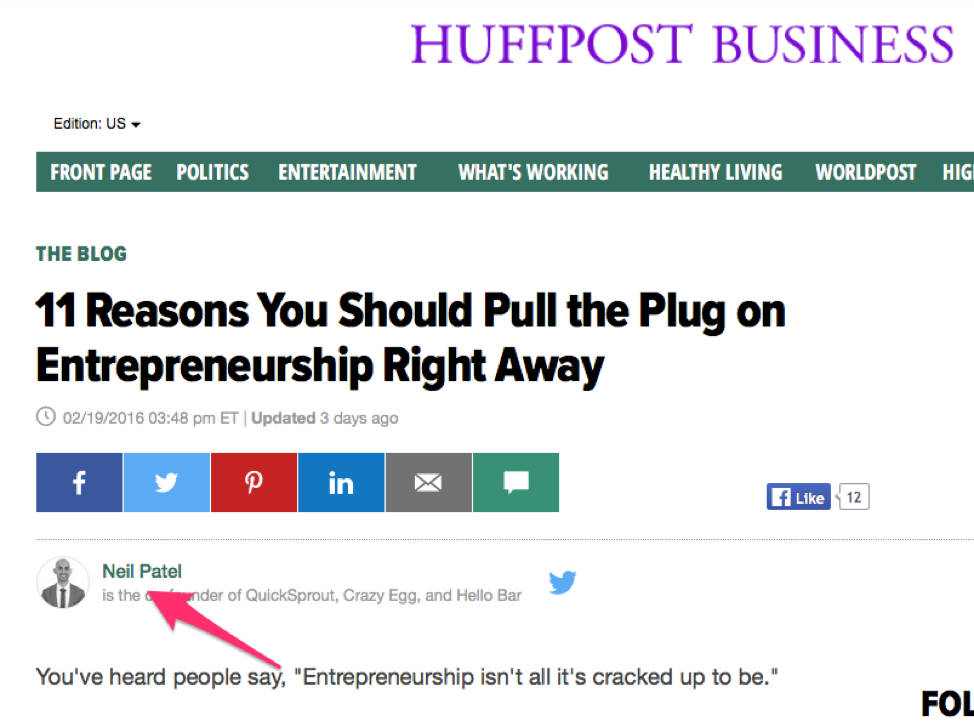
For example, Neil Patel is a well-known content marketer. He’s co-founded several sites including Crazy Egg and QuickSprout, yet he still guest posts on high authority sites.

Why? Because it helps him generate traffic back to his sites and helps solidify in people that he is truly an expert in his field.

3. Capture Emails

Growing your website traffic should always be a main focus, but instead of always having to seek out new visitors or sources of traffic, you can ultimately grow a valuable readership by working hard to retain the visitors you do attract.
If you don’t have an opt-in form on your website to capture email addresses, then you’re missing out.
Instead of adding a boring newsletter subscription box (that most people ignore anyways), why not entice visitors by asking for their email address in exchange for an incentive?
Here’s Boost Blog Traffic’s incentive – also known as a lead magnet – to get people to sign up to their list:

There are many other ways to capture an email. Let’s look at two other ways.

1. Content Upgrade

A content upgrade is a lead magnet that’s post-specific and can help you generate more subscribers. How many more? According to Bryan Harris of VideoFruit, up to 30% more opt-ins.
If you have a post on 8 Ways to Nurture Your Email List, and in the post you offer your readers 10 more ways – in exchange for their email address – they’ve already shown interest in the topic so they’ll likely opt in.
Here’s an example of a content upgrade on Adam Connell’s site Blogging Wizard. His post, How to Get More Twitter Followers: 24 Effective Tips to Grow Your Following Fast, features a content upgrade offering a checklist to grow your Twitter following fast.

2. Webinars

Running a webinar is a great way to grow your traffic and mailing list.
It’s easy to get people to sign up for webinars since they usually consist of high-value content filled with actionable tips. You can do the presentation alone, or collaborate with another entrepreneur for access to their list and audience, and vice versa.
Here’s an example of a branding workshop promoted on Twitter by Cole of Pines Up North:


4. Provide Different Forms of Content

People enjoy learning in different ways; some relate to visuals more than text while others enjoy audio over video.
If you want to attract a wider pool of readers, publish different forms of content. This enables you to more easily use social media platforms like YouTube, Instagram and Pinterest to drive traffic.
And if you’re not interested in creating graphics or videos, podcasts are easy to do and can help you generate traffic.
Sarah Peterson from Unsettle regularly does podcasts for her audience.

When publishing different forms of content like infographics, videos or podcasts, over time you’ll learn which types of content work best for generating traffic in your particular industry – and where to focus your efforts.

Wrapping It Up

Growing traffic is something that takes time but we’ve shown it’s possible to generate traffic to your website for free – good news if you’re bootstrapping and have more time than money.
Through guest posts you’ll be able to build your name and brand recognition quickly and if you go out of your way to be transparent with your audience – by sharing income reports for example – you’ll build trust and hopefully generate loyal followers and recurring traffic.
And by capturing email addresses and publishing different forms of content, you’ll retain more visitors and access a new traffic demographic.
Over to you – what other free ways are you using to drive traffic back to your site?