Showing posts with label keyword. Show all posts

Wednesday, 27 June 2018

11 Reasons Why Every Affiliate Marketer Should Learn SEO


 As an affiliate marketer, you probably spend a LOT of time thinking of ways to drive traffic to your site.
After all, no traffic = no affiliate sales.
The two main sources of traffic for most websites are usually:
1. Organic Search
2. Paid Advertising
Social media and other sources will also bring visitors to your site, but these are usually your two best bets for consistent, ongoing traffic.

Why Should You Care About Organic Search? 

Of these two main sources of traffic, search always comes out on top. In fact, a recent study by Experian Marketing Services found that on average, 87% of a website’s traffic comes from organic sources. This percentage of course, varies by industry. However it doesn’t change the fact that the majority of traffic in almost every industry comes from people typing their queries into Google or another search engine and clicking on the links in the results. 
This means if your website is not optimized for search, you are potentially losing out on large amounts of traffic. 
But what do I mean by "optimized for search"? I mean, your website should be created and maintained according to several widely accepted best practices for search engine optimization. You should also implement your other marketing efforts (especially content marketing and social media marketing) keeping your SEO goals in mind.

Why Should You Learn SEO?

OK, so we know SEO is important. But, there are thousands of SEO experts in the world. Wouldn’t it just be easier to hire someone to do your SEO instead of trying to understand it all?
Yes, of course. I definitely think it’s a good idea to hire someone with SEO expertise to help you out. However, if you develop an understanding of how search engine optimization works, your affiliate marketing efforts will ultimately benefit from it. In fact, by understanding what your SEO provider does, you may be able to get more out of the services they provide. 
But if you're still not convinced the additional SEO knowledge will do you any good, here are 11 reasons why every affiliate marketer should learn SEO. 
(By the way, our free lesson, Introduction to Affiliate Marketing SEO, is a great place to get started with your SEO learning.)

1. Understand Search Engines

You get that search traffic is important, but do you understand what it takes for your website to do well on a search engine? How do GoogleBing and Yahoo even work?
google
When you learn SEO, you don't just learn a new marketing skill. You actually start to understand how search engines work. This is hugely useful when you're in the business of driving traffic to your site.
Search engines consistently crawl the web for new content (links) and index them so when a person performs an online search, Google/Bing/Yahoo can deliver the most relevant results for their search query. The results are ranked so the most popular link for a search term (or the one most likely to give an answer) appears at the top (number 1 position). 
But how does a search engine determine the most popular and relevant site for a search term? 
Well, we don't actually know. Search engines rely on secret algorithms to decide what pages to show. SEO experts make educated guesses about what goes into those algorithms based on common factors in high-ranking websites. And Google occasionally drops little hints about what's important, too. These have led to best practices and general guidelines for SEO that make it possible for website owners like yourself to build sites specifically to get found by the search engines.  
I recommend checking out Google's website on How Search Works to get a deeper understanding of what really goes on behind the scenes of the number one search engine. 
If you're interested in learning more about best-practice recommendations for ranking on the major search engines, check these out: 
By developing a more thorough understanding of search engines and terms like crawling and indexingpage rank and more, you will become more aware of what it takes to optimize your website and benefit from increased search traffic.

2. Improve Your Website's Design

Once you begin to understand how search engines work, you will see that a good website is not just about a pretty design and some clever content. While the focus of modern SEO is to make websites human-friendly, it's important to remember that how you and I see a website is different from how search engines view it. 
For your website to be truly search engine friendly, it must follow some pretty technical specifications for design and development.
Learning SEO will help you grasp the importance of aspects of website creation, such as:
  • Creating quality content.
  • Making your content indexable. 
  • Organizing your website into a proper structure.
  • The proper use of keywords in your site content.
  • Having quality inbound and outbound links for your website
Here's some advice from Google on how to create a Google-friendly site.
An understanding of SEO will ensure you don't waste your time making website changes that don't deliver results. Plus, for any new websites you launch, you will also know how to structure your site and optimize it right from the start.

3. Optimize Your Content

You don't need me to tell you this, but... content is king.
On your site, on your blog, on social media... everywhere you look, the web is overflowing with millions of pieces of content.
But, how much of it is actually good quality?
In the early days of the web, it took very little to get your website to do well on a search engine. In 2015, that has completely changed. The major search engines are heavily focused on the quality of your website now, and your content has a lot to do with it. 
Quality content is not just about creating a great blog post or a fun infographic. It's about building an entire website that delivers that same quality. For search engines, good content is a sign of a site that is considerate of its visitors; one that tries to anticipate and answer questions. It's all about a good user experience.
11 types of contentCheck out this really helpful e-book by SEO.com on 11 Types of Content You Should Be Creating For SEO Right Now.
Here are some guidelines from the major search engines on how to create quality content for your site:
If you're hiring people to do your content, it's important that they create something that won't get you penalized by search engines. When you learn SEO, you also learn what makes for good content so you can guide your writers, designers, bloggers and other content creators in the right direction. Or, if you're doing it all yourself, you'll know how to produce content that will impress your site visitors and search engines.

4. Figure Out What to Do with Keywords

Most people, even if they don't quite get SEO, understand that keywords play a big role in the world of search engines. This is true.
Keywords are fundamental to the search process. It's how users communicate what they're searching for. The search engines deliver results based on these keywords. 
Search engines measure how keywords are used within your website. This helps them determine how relevant your website is for particular search queries. So, it's essential that you use specific, highly relevant keywords to maximize your opportunities for appearing in search results.
But, be careful of keyword abuse. In the early days of the web, stuffing as many keywords as possible onto a page was a common practice. This no longer works and in fact, will count as keyword abuse and will probably get you penalized. Now, it's more important to use your keywords in a relevant, natural way.
keyword stuffing
Don't be this person! Write naturally so your visitors feel you're having a real conversation. 
Understanding how keywords work will be very helpful for you because:
  • You can identify which keywords are relevant for you.
  • When you do keyword research, you now know what to look for.
  • If you hire a writer for your web content, you can guide them on proper keyword usage.
  • You will understand where keywords need to be used, e.g., on page content, in title tags, in meta descriptions, etc. 

5. Understand How Link-Building Works

Links are another big part of the SEO puzzle. 
Search engines use links to analyze a website's popularity, trustworthiness, authority, and much more.  However, not all links are made equal. A trustworthy site is likely to link to another trustworthy site — not to spammy sites. This often helps a search engine determine the quality of links.
The more popular and trustworthy a site, the more significant it is to have a link from them. 
So, to make the most of your link-building efforts, you need to make sure you're acquiring links from other relevant, popular and trustworthy sites. These will be helpful for your website's SEO. Paying for 1,000 irrelevant links will do you no good.
link building
Link-building is an important task for SEO. Whether you're doing your own link building or hiring someone else to do it, you need to understand how it works to make sure you're only building quality links. 

6. Build Your Online Reputation

When you learn SEO and do it right, your site will start to show up in more search results, thus boosting your brand's online visibility. 
How does a boost in your visibility help you? When you start to show up in the results for all the relevant search terms for your industry, your audience and customers will start to think of you as a leader in the industry.
I'm not making this up. People trust organic search engine results more than paid ads.
On average, people believe organic results are more likely to be current and relevant. They want the most authoritative sources. In short, they believe they are getting the best information via search engine results. 
So when you understand SEO, you can figure out how to optimize your site to appear in the results for more queries that are relevant for your customers. The more they see you, the more they will start to trust your site. 

7. Get More Traffic to Your Website

A website optimized for search engines is definitely going to start getting you more traffic.
Another experiment also found that 60% of "direct traffic" reported in your data may actually be attributed to organic search.
With people more likely to click on search results than paid ads, it's only natural that if your website is more visible online, you will start to see more people visiting your site. 
Search engines are the first point of contact for most people looking for information. SEO helps you understand how to make your site more visible to the right audience, which in turn results in more traffic to your site.

8. Make More Money

make more moneySay your website currently gets a 100 visitors a day. Let's also say that 2% of your visitors click through to your ads and this makes you $2 a day. 
Now, your website is getting a 1,000 visitors a day thanks to solid SEO. You have the same 2% click-through rate. This means you're now making $20 a day!
If you experience a jump in traffic thanks to your SEO efforts, this is eventually going to boil down to increased revenue from your website — especially if your website is optimized to make your traffic convert to sales. Who doesn't like more money?
But to make this extra money, you really have to develop an understanding of what SEO is, how it works and how you can make it work for you.

9. Market Yourself for Free

SEO is free marketing.
Pay-per-click advertising requires you to set daily/monthly budgets that you are willing to spend to buy advertising space on search engines. Each click on an ad will cost you money, and if you're in a particularly competitive industry, clicks can sometimes cost $40-50! 
free marketing
Clicks on organic results don't cost you any money. All you have to do is maintain your position in the rankings, and the traffic you get is completely free.
Of course, you will be spending time and energy optimizing your site in the first place. It's going to cost you some hours, even if it costs you no money. You can also hire someone else to do the initial work, which will put a dent in your budget. But then you can save money by doing your ongoing SEO maintenance yourself — because you'll understand how SEO works! 

10. Protect Yourself From Sketchy SEO Practices

If you're working with an SEO expert, it's doubly important to at least have an idea of what they're going to do for your site. 
There are thousands of SEO providers out there, and while a lot of them are very good, some will engage in sketchy practices. Their aim is to show you results right away, but there's a few problems with that:
  1. These results will be short term.
  2. Your site could end up with a penalty. 
  3. Google could de-index you for spammy SEO practices.
By learning a bit about search engine optimization, you'll learn the difference between what is good (white hat SEO) and what is bad (black hat SEO). Avoid black hat tactics, and if your SEO provider tries to suggest anything sketchy that falls into this category, you know to send them packing straightaway. SEO takes time, so don't be frustrated if you don't jump in the search rankings overnight!  

11. Become a Better Affiliate Marketer 

Your end goal is not to become better at SEO, but to become better at affiliate marketing...right?
By gaining an understanding of SEO, you will:
  • Make better, more SEO-friendly websites, right from the beginning. 
  • Get better at driving traffic to your website.
  • Create better, more relevant content for your site.
  • Build high quality links to your site. 
  • Improve your website's authority in the industry. 
  • Outdo the competition (especially if they're not doing SEO).
  • Spot more opportunities for growing your site and business.
Nobody knows your business better than you, and SEO will only help to enhance that. 
Does this make you want to learn SEO to improve your affiliate marketing efforts? 
If you already do SEO for yourself, what do you think has been the number one benefit of learning SEO for affiliate marketing?
P.S. If you're looking for a tool that shows you whether your SEO efforts are getting you anywhere, we have something for you: AffiloTools automatically tracks your rankings in great detail and in multiple search engines so you can see real results.

Thursday, 29 March 2018

The Top 25 Tools Every Successful Blogger Needs

If you’re trying to make money by blogging, you need to promote and drive traffic to your website through an online marketing strategy. Add these 25 tools to your blogging arsenal to create quality content and accomplish your marketing goals.

Blogging Tools

First and foremost, you need to craft content your audience will enjoy and share. These tools will help you create, edit, and analyze your content.

Google Drive

As a blogger, you’ll have several files, drafts, and ideas floating around your computer. Keep all of your media, documents, and content in one place with Google Drive. If you work with other bloggers or colleagues, this is an excellent tool for collaborating and organizing campaigns, as well.

Grammarly

No one is perfect, not even top bloggers. We all make mistakes, but we don’t want to publish our errors online. Before you hit the looming “Publish” button, run your content through Grammarly. This free grammar checker will catch glaring spelling, grammar, and punctuation mistakes and also offer suggestions to improve your work.

Hemingway App

In the world of blogging, you want your writing to stand out from the crowd. The Hemingway App helps you fine-tune your content and cut out the fluff. Those who want to improve their writing chops derive a great deal of value from using Hemingway.

CoSchedule Headline Analyzer

Arguably one of the hardest parts of blogging is finding the perfect headline. A headline must be catchy, SEO-friendly, and intriguing enough to drive traffic to your blog. Rely on CoSchedule’s Headline Analyzer to discover headlines that work for your audience and search engines alike.

BuzzSumo

Understanding what topics and types of content generate top social media engagement is vital information for bloggers. BuzzSumo is an in-depth blogging tool designed to help writers discover relevant topics, top influencers, and other key data including social media insights. Bloggers also use this tool for content inspiration by researching competitors and trends.

Canva

Everyone knows blog content must also be intriguing to the eye. Canva allows bloggers to easily create stunning visuals for blog posts, social media, and other content. The tool also provides simple tutorials for those who need help along the way.

SEO Tools

Once you’ve created your content, you must optimize it to rank well on search engines. These SEO toolsare used by blogging professionals to increase website traffic, improve search rankings, and analyze their content’s performance.

Google Analytics

Every blogger must have a Google Analytics account. This versatile tool offers insight into your website’s performance, traffic acquisition, and audience. Bloggers use Google Analytics to discover what channels their traffic is coming from, how long people stay on their website, and where their readers are located.

Yoast SEO

Yoast SEO is a popular WordPress plugin used to optimize a website and blog content for search engines. Everything from the technical aspects of SEO to improving the readability of a page can be accomplished using this handy plugin.

Google Keyword Planner

If you want to rank on Google, Bing, and DuckDuckGo, you need to know what your audience is searching for. Google Keyword Planner provides expansive information about keywords, search trends, and more to amplify your content marketing efforts.

Keywordtool.io

Another popular keyword research tool is Keywordtool.io. Using Google’s autocomplete feature, this tool assists bloggers in identifying potential keywords for their blog content. Best of all, this tool is completely free!

Moz Open Site Explorer

To generate a wealth of traffic to a blog, you must have quality backlinks directing people to your website. However, some of these links may also be malicious or damaging. Moz Open Site Explorer shows bloggers what links are pointing to their website along with other crucial link information.  

SEMRush

Bloggers looking to advance their search engine optimization efforts should subscribe to SEMRush. As one of the leading SEO tools, SEMRush provides in-depth analytics, competitor research, display advertising information, and so much more. Bloggers will have an abundance of search marketing information at their disposal with this tool.

Social Media Tools

Bloggers are especially active on social media platforms such as Pinterest, Twitter, Instagram, and Facebook. To maximize their audience engagement and content distribution on these platforms, bloggers rely on these tools:

Social Sharing Bars

With the goal of offering readers a simple way to share content, the majority of blogs use a social sharing bar or buttons embedded in or near their content. If you look to the left of this article, you’ll notice a social sharing toolbar on our blog. These widgets entice readers to share the content with their friends and followers online.
To add this capability to your blog, use one of these social sharing tools and WordPress plugins:
Once you install any of these social sharing tools on your blog, remind readers to use it!

Social Media Scheduling Tools

Bloggers are also responsible for distributing their own blog content and engaging with fans on various social media platforms. As you might imagine, this can be quite cumbersome. To speed up the process, bloggers schedule their social media posts in advance using a variety of tools. These social media scheduling tools allow you to create posts for specific platforms and assign when you’d like it to publish.
Top social media scheduling tools include:
Take advantage of these tools by scheduling as much content in advance as possible. This leaves you with ample time to create more content and interact with your followers.

Email Marketing Tools

Another way to drive readers to your blog content is through email marketing. From regular newsletters to announcements, email marketing keeps your audience informed and engaged.
To start your email marketing campaigns, you must collect email addresses from interested readers. WP Subscribe and Optin Forms are both excellent choices for creating subscriber forms for your blog. These forms should be strategically placed throughout your website to entice readers to sign-up.
Once you’ve collected enough subscribers, you can create and send emails through tools like Constant ContactRemember to only send your subscribers top quality content—never spam!

Bonus Tool: WordPress

We recommend that all bloggers use WordPress to create and manage their blog. WordPress is a versatile content management system that gives bloggers complete control over their content, tools, and website design.
Over to you! What blogging tools do you use? Share your thoughts in the comments below.


Wednesday, 17 January 2018

Take 5…Video Marketing Tips That Is!


We talk a lot on our blog about marketing your business through different mediums (email, blogging, social media,etc.). One medium that often gets left out of the discussion is video marketing. Video marketing has been gaining momentum due in part to the meme/viral phenomenon that has taken effect lately. Many businesses are interested in taking advantage of the rising meme popularity in order to emulate the viral effect. However, your video doesn’t have to go viral to be a powerful marketing medium. Why should you use video to market your business and how should you do it? Read on my friends…
Video marketing, like email marketing, is a great way to succinctly deliver information to customers. We are all used to taking in information from video (TV, movie, meme, YouTube). As a result, many of us have become more comfortable learning visually. Delivering information on a product, service or company through video can help to keep your audience’s attention longer and make what you have to say more easily understood.
You can also build rapport with viewers by introducing your CEO, a satisfied customer or other individuals within your organization and allowing them to deliver useful information. This puts a friendly face to a name and customers are able to meet who they are doing business with, making you and your company appear more accessible and present.
Now you have the why, let’s get to the how. Check out these 5 video marketing tips, then break out the smart phone, digital camera or other recording device and get posting!
  1. Make it useful – Whether you address frequently asked questions, deliver a how-to, give tips, make viewers laugh or entertain them in some other way it’s important to add value to your video. There is no point in creating a video without giving customers incentive to watch.
  2. Give it a purpose – Much like creating an email with a clear call-to-action, you’ll also want to give your video a purpose. Focus on one theme or purpose such as answering a specific question, delivering an “about us” or offering information on one of your products or services.
  3. Keep it brief – We’re all crunched for time and looking for the quickest and easiest way to get the information we need. Video can be a perfect way to quickly and efficiently communicate; a good length is between 30 seconds and one minute. If you have more to say or are finding it difficult to keep your video succinct, break it into two parts or multiple videos.
  4. Publicize – Link to your video in email (linking a screen shot of the thumbnail works well) and post it on your blog, website and social pages. And, set up a page on your website, a YouTube channel or any other video hosting account where you can compile all of your business’ videos for easy sharing access.
  5. Identify – Title your video with relevant keywords and descriptive words both to make it easier to stumble upon in search engines and to make it easier for customers find and forward. Take advantage of built-in keyword suggestions, category selections and tags by hosting companies like YouTube. And, always include a URL at the end of the video to allow viewers to copy and save or share with others.
Do you have any videos you’re proud of? Do share. We’d love to see them!


Thursday, 21 December 2017

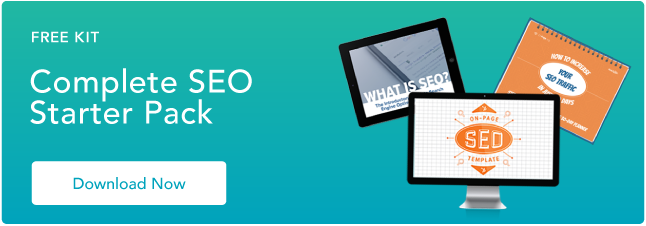
The Complete SEO Starter Pack [Free Download]


Think about everything you’ve bought in the last six months, specifically the big purchases. When was the last time you didn’t start a shopping trip with a Google search? If your answer is anything close to “I can’t remember,” you’re in good company. Every year, over 2.8 trillion search queries are made on Google alone.

A strong SEO strategy will help your business generate more leads and get found by potential customers, but search engines are constantly switching up and tightening up their criteria for high rankings. If you’re not familiar with the ins and outs of search engines and their algorithms, how will you know what steps to take to help your business get found?

Click here to get everything you need to get your website ranking in search.


Ryte and HubSpot have joined forces to bring you the answers you’re “searching” for with a 3-part Complete SEO Starter Pack. The kit includes everything you need to get your website and blog ranking on search engines, specifically:
  • A 30-day SEO planner (with tips and strategies for each day of the month)
  • Beginner's guide on "What is SEO" and the new era of search engines
  • A template for on-page SEO tips in excel
  • The keys to gaining inbound links to your site for improved off-page SEO
  • Which performance indicators to track when analyzing SEO performance
  • How to structure your web pages for maximum on-page SEO
  • How to identify the keywords your target audience is searching for
  • And much more on a successful long-term SEO strategy 

Click here to download your Complete SEO Starter Pack

marketing


Saturday, 16 September 2017

Out of Blog Post Ideas? We got you covered!


If you’re looking for a new way to come up with blog post ideas, you’re in the right place.  You may not know this, but writing blog posts without conducting keyword research FIRST is pretty much the biggest waste of time since Laser Discs!!


You’re essentially HOPING that people will find your content interesting. It’s a gamble with high stakes. If you don’t know what your audience likes and wants, you begin to become irrelevant to them.

You lose your credibility as an authority in your niche and your income and reputation takes a beating.


If your content strategy is to rely solely on your “intuition” and “gut feeling,” you’ll not last long in a competitive environment. It’s a no brainer really – you cannot serve your customers unless you know what they crave most. So don’t even bother writing your next blog post before researching your keywords thoroughly.


But What Exactly is Keywords Research?


Keywords are like billboards – they help search engines to direct people to your website or blog.

Imagine that you own a fried chicken joint. In order to make good money, you need to get customers flocking to your place. The logical thing to do is to serve some really kick a$$ chicken.

However, even if you make the best freaking chicken in the world, you’ll remain broke as a joke if your place is located in the middle of the desert!

You need a road leading up to your place and you need advertisements so that people know you exist in the first place. Similarly, even if you write some really useful and engaging content, your blog will never become popular unless it attracts a good amount of traffic.

You can have the NICEST looking website in the world, BUT if nobody knows about it, it’s only going to be worth the $9.99 you paid to register the domain.  One way to attract traffic is through paid advertising. However, this method can make a pretty good dent in your wallet and it is often unpredictable when you’re just starting out.

If you want to receive organic traffic, you simply cannot ignore the importance of good ol’ keyword research and backlinks. These two methods may sound old school, but they are the two indispensable ingredients in the recipe for online success.

In simple terms, keywords are the queries that people type into search engines. If you hope to be a good blogger, you MUST know what your potential audience is searching for. Keyword research enables you to learn what’s HOT in your niche. It makes it easier for people to find you and it supplies you with GREAT TOPICS for your next blog post.


A Step-By-Step Guide to Keyword Research


Most bloggers are very good at content creation. However, they struggle with the technical aspects. Whether you are a newbie or a seasoned pro just brushing up on your knowledge – check out this fool-proof approach to keyword research.


1. Make a list of the most important topics in your niche


Let us say that your blog is related to the topic – weight loss. Hence, your list will contain the basic topics such as nutrition, diet, fitness, workouts etc. Consider the most common questions that people ask you. Imagine that you are creating a navigation map for your website – this will help you to come up with logical categories and subcategories.


2. Now write down all the possible keywords for each topic and subtopic


For example; The topics “weight loss” or “lose weight” will contain keywords like:


  • how to lose weight in a day
  • how to lose weight in a month
  • how to lose weight in your thighs

Don’t be afraid to include long tail keywords like – does eating fat make you fat?, how much protein to eat to lose weight?, are carbs bad for weight loss?, lemon juice for weight loss, protein shakes etc.
These long tail keywords are easier to rank for than generic terms.

The list for the topic “diet” will include keywords like:


  • the best diet to lose weight
  • atkins diet
  • paleo diet
  • ketogenic diet
  • the raw food diet
  • vegan diet

Nutrition is too vague, not enough long tail intent keywords, so in this example, I’ll look at “exercise,” and the list of keywords will go something like this:


  • is cardio bad for joints
  • muscle training
  • pull ups
  • push ups
  • squats
  • running
  • jogging

If you already blog regularly, do include topics that you’ve already written about. They will help you to come up with new ideas and to keep track of your content strategy. Keep writing until you have exhausted all keyword possibilities. At this time, you’ll think that you’re done but you’re just getting started.


3. Now go to google and start typing the keywords that you’ve written down


This will open up another treasure trove of keywords that are currently trending. For example: When you type in “how to lose weight,” google will come up with a list of suggestions that include “how to lose weight in 10 days” and “how to lose weight fast without exercise.”

It will probably take years of hard work for you to rank highly for something generic (and competitive) like “how to lose weight,” but other long tail keywords are (relatively) easily winnable. These keywords will help you build your brand and establish a fan following – they may seem odd but they are your first stepping stones towards success.


As a “provider of information,” you’re bound to think things out very logically and in an orderly fashion.  However, you’ll notice that your audience tends to think in a rather irrational, highly emotional and unrealistic manner.

Searches like “how to lose weight fast” and “how to lose weight in a week” will be ridiculously popular. If you write about making money, you will come across keywords such as “how to become a millionaire in a year?” and so on.

Instead of ignoring these types of non-realistic queries & questions, try to address them in a realistic manner, and guide people in the right direction with your killer content!


4. Look out for the related keywords at the bottom of the page


These are pure gold!

By now, you probably have at least 50-100 keywords or more (depending upon the depth of your niche). Some of these are long tail and some are generic. You may have noticed that you need no special talent to gather these keywords. You just need to be proactive.

Keep your list of both specific and longer tailed keywords, and remember: long tail (more specific) keywords generally convert better.

For example, Somebody searching for “weight loss” could be doing anything, they could be casually browsing, doing a research paper, who knows – it’s a very generic phrase & they’re not likely to do anything with any information they find.  On the other hand, somebody searching for “how to lose weight in the stomach” or “how to lose weight in the face” is VERY specific as they know EXACTLY what they want.

Pro Tip: Now that you understand how this process works, check out InstaKeywords (100% Free) to help automate this process!

Step 1: Enter your Keyword and choose “Full” (Trust me on this)


Step 2: View and/or download your data, sort by keyword volume & more!


Check out this quick video I filmed showing this process in action, easy!!


5. Evaluate your competition


How are other bloggers ranking for the keywords on your list?

You can gather a lot of information about this by performing simple google searches for your keywords and checking out where your competitors are ranking. You can ALSO download the SEOBook ToolBar & Rank Checker for FireFox and use that. Come up with list of WINNABLE keywords that have reasonable demand and low to moderate competition.


You can use Google Adwords keyword planner to check the search volume and supply of keywords.
It won’t give you the EXACT volume unless you’re a paying customer, but it’s still good data to have!  As long as you have a google adwords account (free, don’t worry), you’ll be able to use it. If not, get signed up at Google Adwords.


Another option is Traffic Travis, there is a paid version, HOWEVER, the free version is plenty enough for now, and something I use on almost a daily basis.  It’s also great for newbies and nor the not-so-technically-savvy!

You should target the winnable keywords for next blog post. However, do not make the mistake of ignoring the generic keywords – they form the substance of your blog. Use the winnable to keywords to pull customers to your blog. If your content is any good, people will stick around for more.

Ideally, most of your niches and content should be evergreen – it should be useful even ten, twenty or thirty years from now. However, it is a good idea to make use of current and upcoming events to spike traffic to your blog.

For an awesome list of evergreen niches, check out my blog post on The Most Profitable (and evergreen) Niches for 2017.


Source