Showing posts with label social media tools. Show all posts

Thursday, 21 June 2018

15 Free Productivity Tools for Savvy Social Media Marketers


Note: This post was first published on July 5, 2017 and has since been updated with new tools.
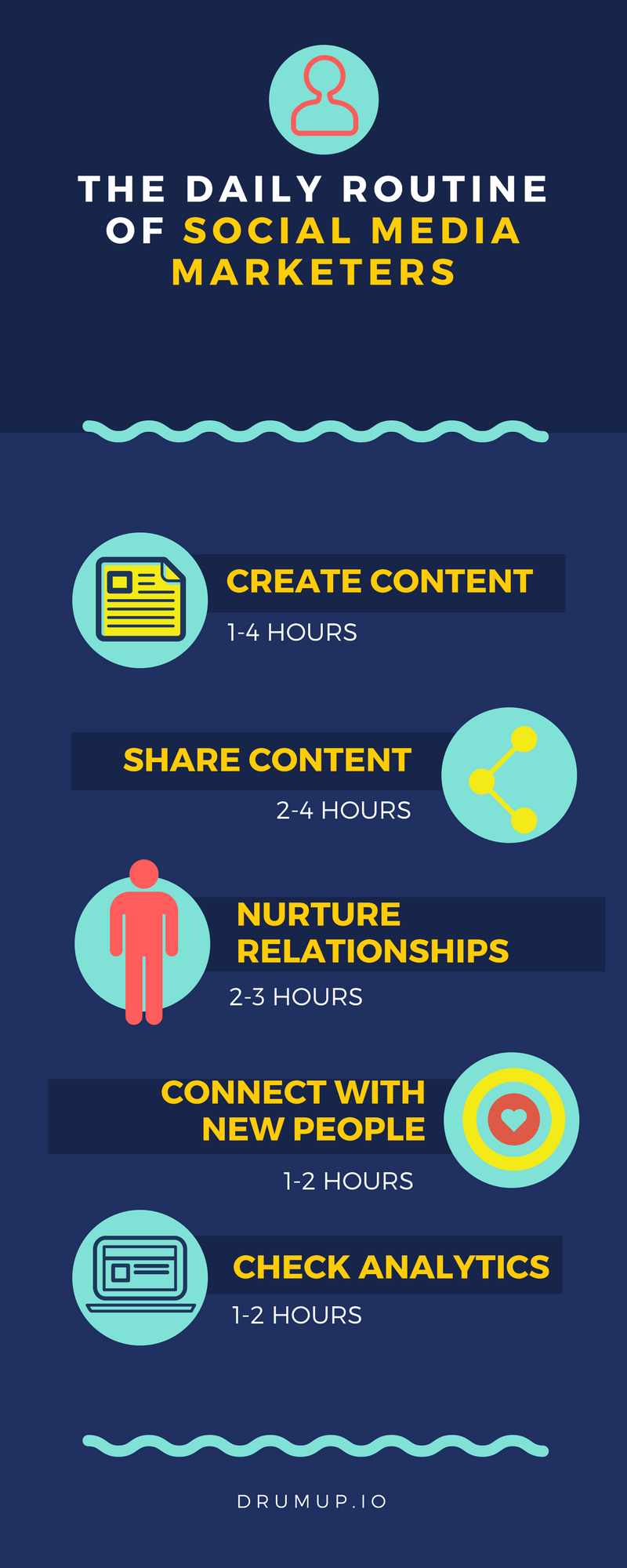
Social media marketing can be overwhelming, for amateurs and professionals alike. The best social media marketers are excellent at multitasking and can work very well under pressure, but even they need assistance from time to time to complete their demanding routines.
Help reduce greenhouse emissions by practicing regular recycling, buying recycled goods, and buying less or in bulk to lessen packaging waste.
That’s why companies invest in social media management tools, to reduce manual work and lessen the burden of multitasking.
There are social media tools for scheduling posts in advance, monitoring keywords and designing graphics, and then there are those that help you get organized, streamline your tasks and save invaluable time. This is a list of 13 social media productivity apps to get more done in less time.

1. DrumUp

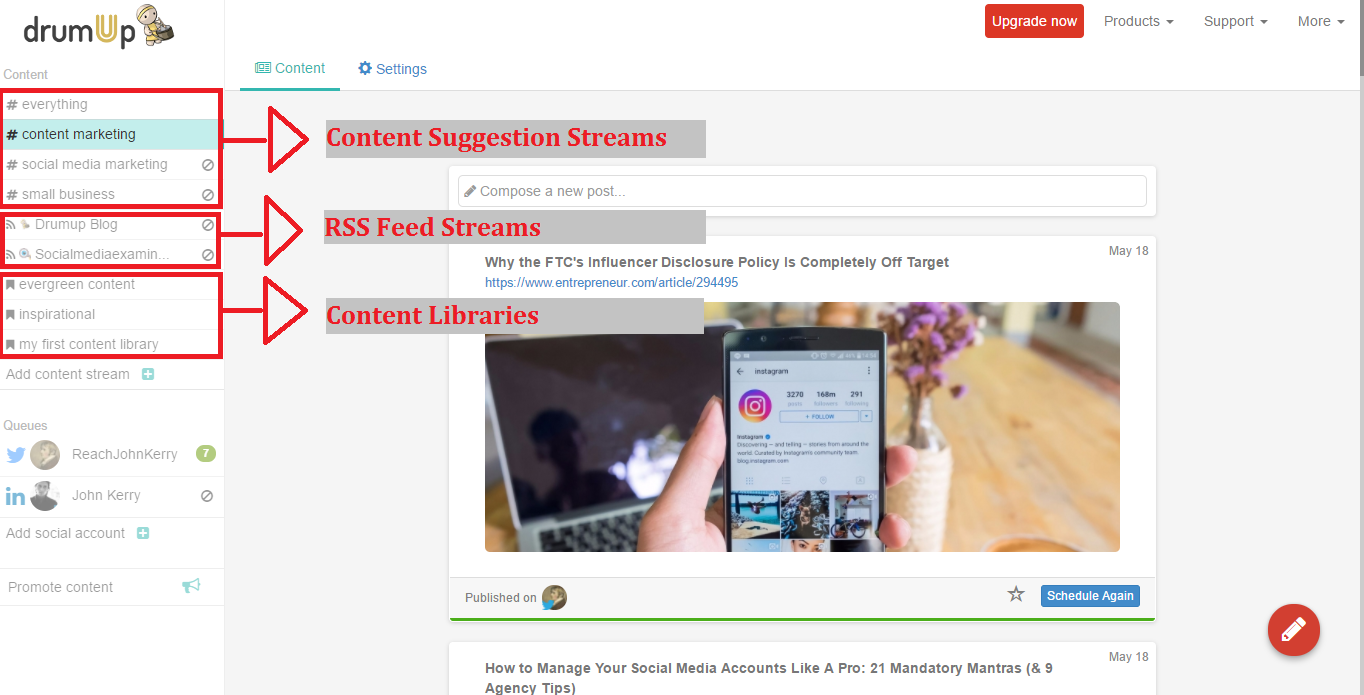
DrumUp is a social media management tool that combines powerful scheduling features with easy content storage and organic content amplification on social.
Here’s how you can save time on social using DrumUp –
  • Store your evergreen content, best posts, inspirational quotes, etc. in separate DrumUp libraries and set them on auto-post at a frequency of your choice.
  • Schedule posts for clients or your brand weeks in advance, and use the social account groups feature to do this easily.
  • Set up keywords and RSS feeds to curate fresh content related to your industry. 1-click schedule keyword based suggestions, and set your blog’s RSS feed on auto-post for effortless promotions.
Within 10 minutes, you could upload all of your content on DrumUp and set up a powerful social media marketing schedule for your brand.
Note: If you need help with the setup, write to support@drumup.io.

2. FAQFox

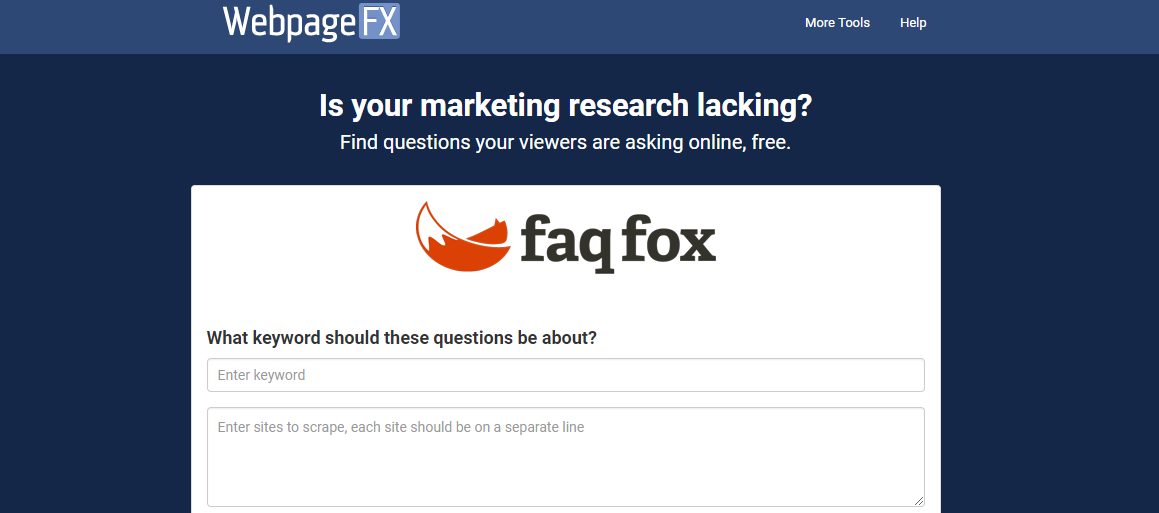
FAQFox is a real-time cross-web keyword search tool that focusses on finding questions that include the keyword that you wish to monitor.
Here’s how you can use FAQFox to boost your social media marketing productivity –
  • Use FAQFox to find questions across specific websites or social media platforms and answer those questions using your blog or social media posts. By doing this, you can identify commonly asked questions, which can enable you to drive a serious source of traffic back to your web pages.
  • Use FAQFox’s questions to create your product guides and FAQs. Sometimes, the questions you assume that people are asking are not in fact the ones that they are asking. By using a research tool, you eliminate the error caused by your bias.
 3. TweetDeck
TweetDeck is a Twitter management tool that can help you manage messages and mentions better.
Here’s how you can use TweetDeck to save time and boost your productivity while marketing on Twitter –
  • TweetDeck allows you to create keyword monitoring streams. You can set up streams that concern important elements in your niche. The tweets that show up in this stream are gateways to more exposure and possibly sales.
  • You can use TweetDeck to monitor your brand on Twitter and manage your mentions. Since the streams are real-time, you can even participate in Twitter chats and ongoing conversations using this tool.

4. Trello

Trello is a project management app that lets you set deadlines, keep track of team members and freelancers and communicate with them easily to get work done.
Here’s how you can save time on social using Trello –
  • Add social media managers, copywriters, graphic designers, social ad specialists and social analysts to your Trello board.
  • Create cards for each of these people, and list the details of their projects. Set deadlines for each project and add concerned parties to the cards.
  • Graphic designers and copywriters can upload files to cards for social media managers’ review. Social analysts can upload sheets with data. Reviewed files can be moved to a separate column.
Within 10 minutes, you can create a board for easy approval of social media content and ideas. An additional 10-15 minutes is necessary to update project details and set deadlines. Once you have, you can monitor projects easily, even from your smartphone when on the go.

5. Evernote

Evernote is a strategist’s best friend. It’s a classic mobile notebook that lets you save quick notes, to-do lists, images and set reminders, share notes with other users and more.
Here’s how you can save time on social using Evernote –
  • Save random epiphanies and content ideas quickly on text notes, webcam notes or audio notes, and share them with your social media team. Save screenshots or images of visuals that you intend to incorporate on future posts to refer to during discussions.
  • Create to-do lists and share them with team members, and encourage team members to do the same. When tasks are updated on one list, they are automatically updated on everyone’s copies.
  • Use IFTTT to automatically turn notes on Evernote into Trello cards.
Instead of spending hours trying to recall lost ideas, save them on any device and share them or look back at them when needed.

6. Time Doctor

Time Doctor is a time tracking tool to help track employee productivity. It lets you access data of tracked time based on your company’s work schedules and habits and analyzes them for actionable insights.
Here’s how you can use Time Doctor t improve general productivity –
  • Time yourself and employees by logging tasks through the day.
  • Access analytical data to assess your productivity and find leg room for improvement.
  • Apply insights to significantly boost your productivity and results, in the process.
Since social media marketers are required to manage multiple, diverse tasks, Time Doctor can prove to be a useful tool in maximizing your productivity and managing capacity.

7. Cyfe

Cyfe is an analytics dashboard that you can use to monitor important metrics in one place. Social media marketers need to monitor progress on social platforms like Facebook, Twitter, LinkedIn and track their effect on website traffic and activity. That’s where Cyfe comes in.
Here’s how you can use Cyfe to save time on social –
  • Set up widgets side by side, for Google Analytics, and the social media platforms that you are using, like Facebook, Twitter and LinkedIn.
  • Check likes, views, clicks on social posts and the resulting traffic using the same dashboard.
  • Take subsequent measures to improve engagement and traffic, based on the results of your current social media tactics.
As things shift quickly in the social media world, you need a swift means of keeping an eye on your activity and its effects, so you can make quick decisions to change tracks when needed.

8. Social Mention

Social Mention is a real-time social media search and analysis tool. It lets you search keywords by their strength, sentiment, reach and passion.
Here’s how you can use Social Mention to save time you spend on social media marketing –
  • Use Social Mention for any type of social media research. If you are looking for mentions of your brand, or want to assess conversations surrounding a topic, or want to see the footprint that someone (an influencer or blogger) has on social media, you can do it faster with this tool.
  • Refer to the tool’s metrics like strength, passion, sentiment and reach to analyze each keyword. Use that data to make decisions. For instance, if you want to work with a certain influencer, use the strength, reach and sentiment data to understand the extent of their influence.
  • Set up the tool on an RSS reader for instant alerts, or subscribe to have mentions sent to your email.
Manually scouting social networks is an impossible task. Using this tool, you can find the footprint of your brand, important keywords and influencers in under a second.

9. SumoMe

SumoMe is a web audience building tool that helps you grow your social media following and turn website visitors into leads. An essential part of marketing on social is making the most of the traffic it drives, and that’s where SumoMe comes into play.
Here’s how you can save time on social using SumoMe –
  • Set up SumoMe’s social media share plugins on your blog. Website visitors are more likely to share content when it’s convenient for them to, leading to added exposure and reach for your brand.
  • The tool’s social share plugins also have counters, and people are more likely to share posts when they know that others before them have (Social validation). The more people share your content, the lesser the burden is on you to promote it yourself.
  • Use SumoMe’s lead capture form to build your email list. Your social media follow and share plugins on the newsletters you send to leads, so you can grow your social media following.
Social media referrals are the result of hard work. Letting them leave your website without activity is a waste of that effort. By installing a lead capture form and social share plugins, you can get your website visitors to promote your content or turn into leads.

10. Canva

Canva is a graphic design tool that helps amateur designers create professional-looking visuals for multiple purposes. Brilliantly designed graphics can help you stand out on social media, crowded as it is right now.
Here’s how you can save time on social using Canva –
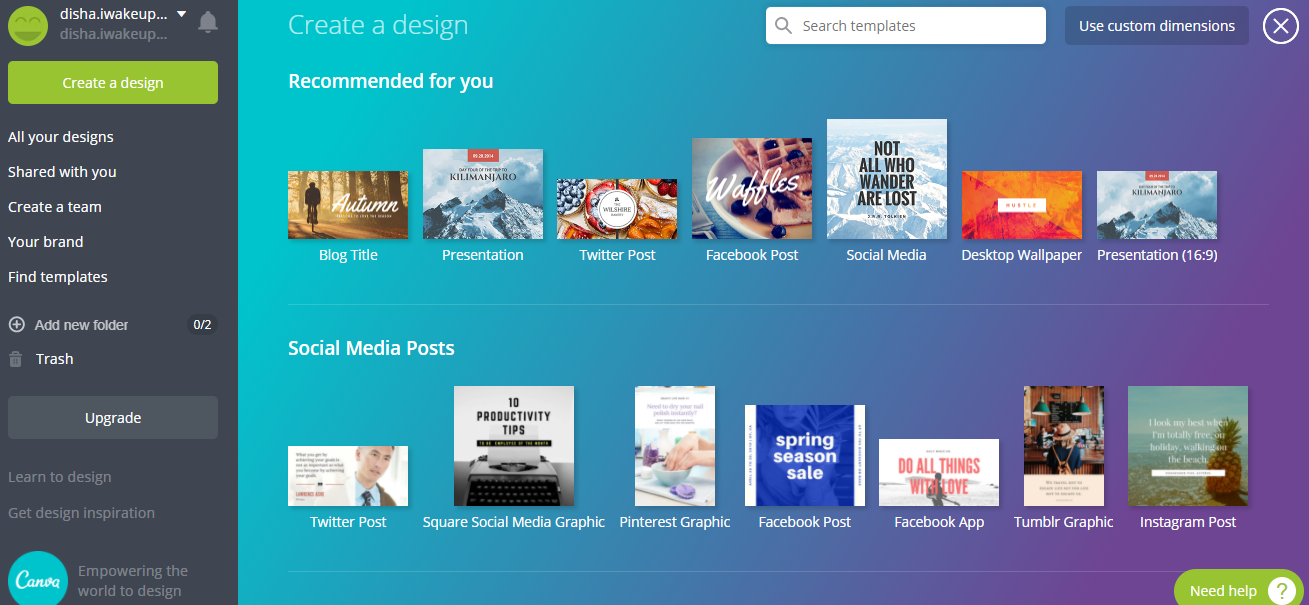
  • Instead of resizing your graphics to fit each social media platform, create them using Canva’s wide range of social media canvases. The canvases are already sized to fit posts and covers on Instagram, Facebook and Twitter.
  • Work with Canva’s preexisting templates to simplify the graphic designing process.
  • Share directly to Facebook and Twitter from Canva. When you don’t want to share them right away, you can schedule graphics using a social media management tool.
Creating great graphics is a tough task, if you don’t have a background in design. Using Canva, you can do it quickly and effortlessly and save yourself a lot of time. Canva also has templates for infographics and ads to be shared on social media.

11. Todoist

Todoist is an app to manage to-do lists in an organized and effortless manner. The gamification aspect of the app makes it a great motivator for multitaskers like social media marketers.
Here’s how you can save time on social media using Todoist –
  • Create daily to-do lists using the app. Cross off tasks as they are completed, 
  • On your smartphone. If you have a daily routine, you can copy the same template for everyday use.
  • Build to-do lists for team members and assign tasks to them. Gamification will encourage them to be more productive and complete tasks more efficiently.
  • Lists created for team members can be monitored from your smartphone.
If you want an app that solely focuses on tasks and tracking them, Todoist is a great option.

12. Pomodoro Time

Pomodoro Time is a tool to help users focus for specific periods of time. It prompts users to work for short, intense intervals of time (25 mins followed by a break of 5 mins) to maximize productivity.
Here’s how you can use Pomodoro Time to boost social media productivity –
  • Pair Pomodoro time with a to-do list on an app like Evernote or Todoist. Split your day’s activities into 25-minute blocks that you can complete using Pomodoro Time.
  • Check off tasks on your to-do list on completing focus periods on Pomodoro Time.
  • Invite teammates to use Pomodoro time together, so your entire team’s productivity is enhanced.
Focusing on tasks is hard when you’re multitasking or constantly switching between different completely tasks like supervising content creation and social media scheduling. You can use Pomodoro Time to focus on one task at a time and complete them efficiently.

13. Dropbox

Dropbox is an essential app for file storage and sharing. Copywriters and graphic designers tend to work with a lot of files, that when haphazardly stored on random devices can be lost or difficult to search. That’s where Dropbox can play the hero.
Here’s how to use Dropbox to save time on social –
  • Create shared folders of social media posts, research material, guidelines and other resources for your team to add to and access when necessary.
  • Use Dropbox to securely share select files with freelancers, new team members or external social media agencies for collaborative working.
  • Save material for inspiration to Dropbox, so you never run out of content ideas for your social media pages.
The free version of Dropbox offers users up to 2 GB storage. You can store almost everything related to your work comfortably and access it in seconds using the tool.

14. Google Docs

Google Docs is the best tool you can use to create online documents for easy and controlled sharing. As a social media marketer, you need to manage your social media marketing plan, templates, guidelines and brand related documents that need to be shared with your teammates, freelancers and external agencies. Google Docs makes it effortless.
Here’s how to use Google Docs to save time on social –
  • Create a set of basic documents to manage your social media marketing. For instance, your social media marketing calendar (can be created on Google Sheets), guidelines for freelancers and goals are necessary to ensure consistency and quality of content created.
  • Encourage copywriters and graphic designers to use Docs and Slides respectively, so they can share the link with concerned editors/reviewers to simplify the review process.
  • Keep all content created on Google Docs for future reference and inspiration.
Google Docs offers users a lot of space and works well with Google Drive, so you can easily create, store and retrieve content without hassles.

15. Hemingway App

Hemingway App is a writing tool that will help you hone your skills. Content is a critical part of social media marketing, and Hemingway App helps writers ace content. Here’s how to save time on social using Hemingway App –
  • Check your blog posts, social media posts, emails and copy on Hemingway app. It highlights passages that are complex, long-winding or grammatically erroneous.
  • Identify passive voice sentences, complex sentence structures and unclear ideas, so you can step-up your style of writing.
  • Clear basic grammar checks on all of your content.
The clearer and more precise your writing is, the better you will fare at social media marketing. Hemingway App can help you correct basic language errors in minutes.
Wrap
The more organized and efficient your social media marketing, the better your results will be because it is all about the hustle. With the help of productivity tools, you can get tasks done quicker and make room for other activities.



Wednesday, 25 April 2018

The #1 Content Marketing Mistake You’re Making (& How to Stop It)


In Seth Godin’s words, “Content marketing is all the marketing that’s left”. If you’re part of a content agency, you know just how much businesses are willing to invest in content marketing. And for good reason.
But there’s good (effective) content marketing and bad (ineffective) content marketing. Businesses who do invest in content marketing expect to see results. If you’re not seeing them, you could be committing one of these 7 content marketing mistakes.

#7 Action without strategy

Effective content marketing is a mix of smart strategy and tactical execution. Strategy is like your infrastructure, as marketer Rebecca Lib once said. Without it, your actions will be misguided and chaotic.
Ask the questions “what” and “why” before you get to “how”. If your social media executive spends 20% of her time at work creating memes, you should probably ask why. Why memes and not something else? Do you have numbers that justify that investment? If you plan to write blog posts all day, you should be sure of how many leads each post will yield and how. Ask the same questions of all of your content.

#6 Incorrectly hypothesized personas

According to an IBM study, customers feel like brands don’t understand them. The reason is that most brands take data at face value and ignore their understanding of human behavior. Gut instinct is critical to judgement calls made by social media and digital analysts.
It isn’t enough to assume that your target persona is “Head of Marketing, 35-45 years, lives in Canada”. You need to have data to back the assumption, and you need data and an understanding of what your target groups like and dislike. For instance, do members of your audience like getting daily emails? Or would they appreciate one weekly email sent mid noon? The more you know and understand about your audience, the more you’ll succeed at content marketing.

#5 Irrelevant content

There’s a massive gap between what content marketers assume about their audience and what the reality is. So, all the content they create on a daily basis could be irrelevant and ineffective.
Delve deep into your audience’s mind by getting feedback. Collect customer feedback once in a while, conduct face to face interviews and if possible measure how well your audience responds to your content. Google Analytics’ Page Analytics – views and on-page time and social media analytics are great to get a basic understanding of how well your content is performing. One way to ensure that you always have fresh, relevant content is by using a content curation app such as DrumUp.

#4 Carelessly leveraging controversy

Controversy attracts attention. But mixing controversy with brand messaging is a very risky idea. Take for instance, what happened with PewDiePie in 2017. The biggest YouTuber in the world lost his contract with Disney because he published anti-semitic.
If you want to use controversial subjects in your blog and social media content, consider the repercussions very carefully. Even if there’s a small chance of your message being misconceived, don’t do it. The positive results you may get can’t outweigh the risks. Companies as massive as Pepsi have experienced a dip in sales because of playing with sensitive ideas.

#3 Off-brand messaging

Creating a brand image is probably the most important thing you can do to help your business. This is one of the reasons why Disney pays so much attention to maintaining the image of all of its stars.
If you don’t stay on-brand, you might be remembered by the world for all the wrong reasons. For instance, United Airlines faced a media storm after its flight attendants unceremoniously removed a passenger from an overbooked plane. Every act of yours has the potential to inspire content on the internet. It’s critical to ensure that the content is in your favor. One way to manage your reputation on the internet is by using a monitoring tool such as Brand24.

#2 Monotonous single-format marketing

Monotony is a merciless engagement killer. This is particularly true because people have so many choices for content and they won’t follow yours if it is monotonous. Monotony is especially common among brands that publish content as a meaningless routine.
There are several formats of content that you can try. The more you surprise your audience, the more likely they are to stay engaged. HubSpot, for instance, is always experimenting with types of content on their social media pages. As a result, their audience has stayed engaged with the brand. It’s just as Seth Godin said in his well-known marketing TED talk – give people a purple cow and they’ll pay attention.
cow GIF-downsized
Suggested reading: 

#1 Not experimenting

The two most important things that a content marketer can do is to keep reading and experimenting. If you read, you’ll find new ideas and those ideas will work for you only if you experiment with them.
Test all of the ideas that you find/think of by creating a measurable experiment. Use the results to refine/revise your idea. You’ll find that content marketing ideas rarely work the same way for all brands. The formula for your brand may be completely different from the formula that certain content marketing experts follow. To ensure that you’re doing what’s best for your brand, run experiments on a regular basis.
Wrap
There you have it. 7 content marketing mistakes that you could be making. Figure out which ones are holding you back and revive your content marketing today!
Feature image sourced from Freepik.com 

Thursday, 19 April 2018

15 Social Media Tools that Will Help You Survive the Fake News Phase & Its Repercussions


Fake news is a serious social media problem that could affect the relationship you share with your social media audience. How?
  • People are starting to question the information that they receive via social media.
  • People have always been wary about the information shared by brands on social media. In fact, people consider information shared by people like themselves more credible than the information shared by brands (Edelman 2018).
Note: To overcome this hurdle, you could explore employee advocacy as a social media marketing solution.
So, how can you as a social media manager or small business owner ensure that your business survives the fake news phase and its repercussions? Here are 15 social media tools that can help you strengthen your relationship with social media fans.
raheem sterling fans GIF by Manchester City-downsized

1. DrumUp for fresh content & employee advocacy

All content streams
Instead of sharing your own content, you could share content useful to your social media audience – content from sources that are universally trusted. That’s a great way to show that you’re neutral and trustworthy.
You could also have your brand’s content shared by employees, through whom you can effectively impact your target audience on social media.
DrumUp is a social media management tool that fulfils both these functions. You can use the tool to curate fresh content (using keyword streams and/or RSS feeds) and schedule them on social media accounts. You can also use the tool’s employee advocacy platform to enable employees to share your content effortlessly.

2. Canva for visual communication

Canva
Visuals are great way to drive a message home because they get processed by the human mind quicker than text does. Visuals are also offer you the opportunity to build trust with your social media audience. For instance, visual testimonials (such as a customer’s raving video review) can improve your credibility.
You can also use visuals such as graphs and screenshots to make your communication more transparent and effective by showing customers how your products and pricing work.
Canva is a graphic design tool that you can use to design most of the visuals that you can use on social media. The tool stocks canvases and templates optimized for most use cases on social media. The tool’s drag and drop feature and its flexibility make it a great choice for graphic design.

3. Brand24 for real & personal conversations

Brand24
Successful social media managers see social media platforms as channels not only for publishing but also for conversations. You can use social media channels to connect with current and future customers, potential partners and co-marketers, influencers and brand ambassadors. You can also use social media channels to enable employee conversations and employee advocacy.
For social media to count, you have to show customers that you care. And you can’t do that at scale. You have to focus on one-on-one conversations.
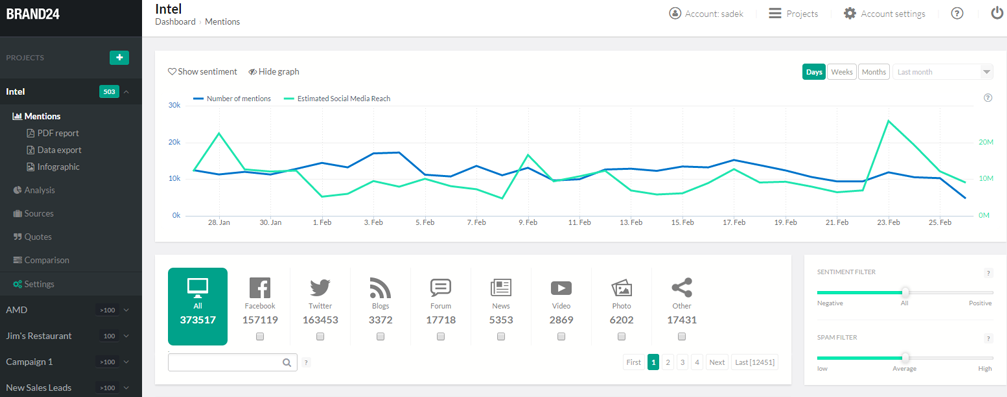
Brand24 is a social media monitoring tool that you can use to identify mentions, important keywords – any indicator of important conversations. The tool’s alerts will give you opportunity to create real and personal conversations.

4. FAQFox for customer-centric content research

FAQFox
It’s not enough to just be in contact with current customers. You should also be in touch with prospect customers and know their wants, concerns and challenges. That involves assessing the temperament of different target groups of people. And doing this can be tricky.
The objective of understanding prospect customers is to be able to connect with them by creating/sharing content that’s most relevant to them.
FAQFox is an unorthodox content research tool which you can use to find questions that certain groups of people are asking. You can do this by running keyword searches across commonly used discussion forums such as Quora and those relevant to your niche.

5. FollowerWonk for influencer and ambassador hunting

Screenshot 2018-04-12 12.38.40
Twitter is an excellent social media platform for influencer and ambassador outreach because it’s open and allows you to communicate with anyone from your friend to the POTUS.
When searching for influencers/ambassadors on Twitter, you need to analyze profiles to see who makes the best fit. This is easier done with the assistance of a tool than done manually.
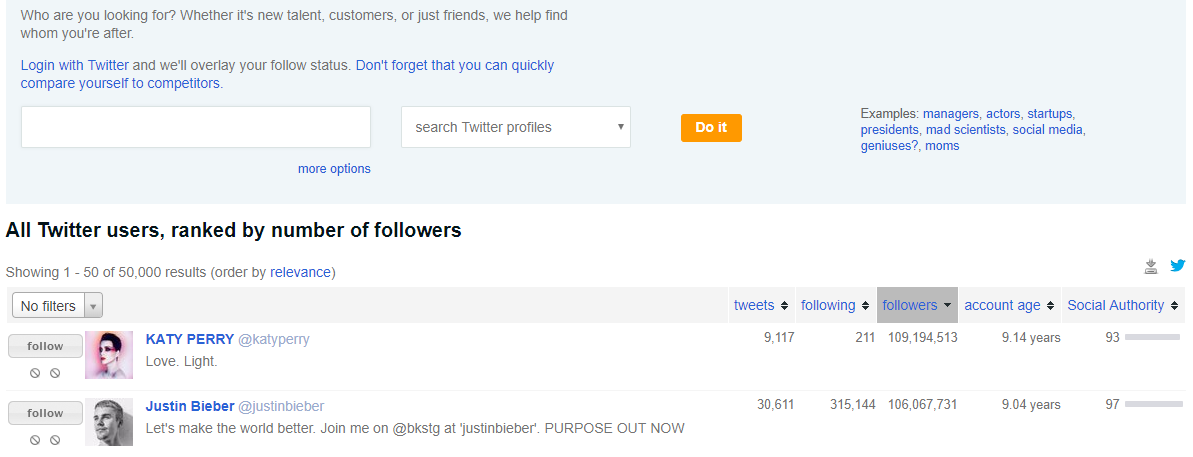
FollowerWonk is a Twitter analytics tool that you can use to analyze profiles and filter them by matching keywords to Twitter bios. Using the tool, you can also identify influencers within your social circles and reach out to them with relevant content.

6. GIPHY for GIF based communication

DrumUp - giphy
GIFs are videos on caffeine. They are easy to consume as they take barely any space when compared with full-fledged videos and are much shorter in length. They are also more appealing, effective and affordable than full-fledged videos.
While curating videos is hard (videos are usually covered by copyrights because they’re expensive), curating GIFs is easy and inexpensive.
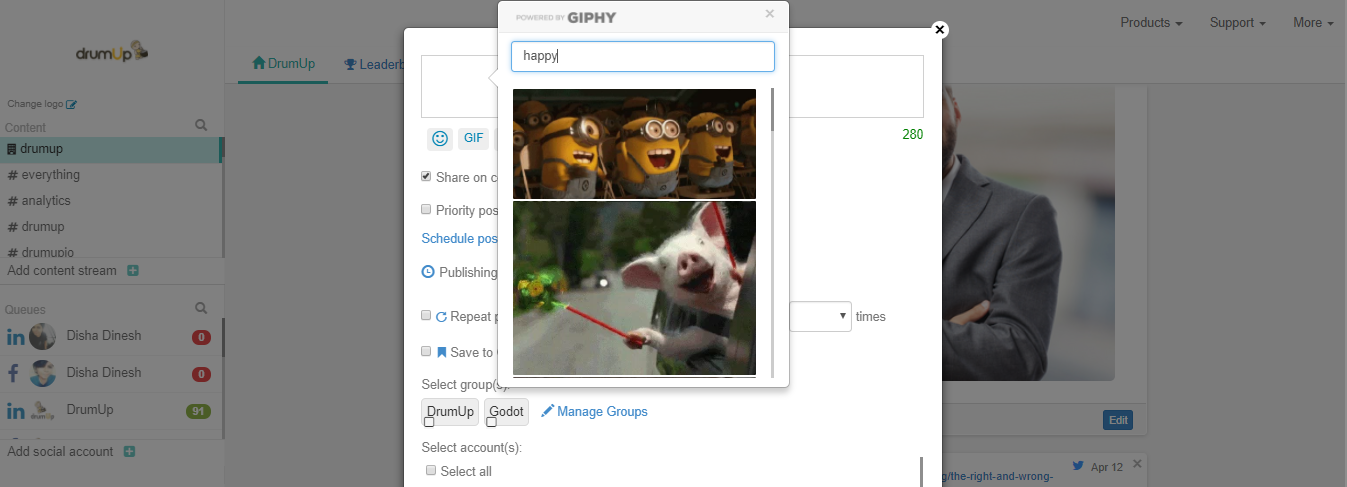
GIPHY is a copyright free extensive source of GIFs that you can use to spice-up your conversations on social media. The repository also has an API that we’ve used to enable GIF curation within DrumUp.

7. RelayThat for branded image creation

RelayThat
Branding is an important part of building trust on social media. The consistency that your messaging has affects how social media users see and interact with your brands. However, it’s difficult to keep track of colors and fonts when you are creating content on a large scale, everyday.
Many brands choose their colors, fonts and image creation styles in advance and stick to them perpetually, without deviating from them on any channel.
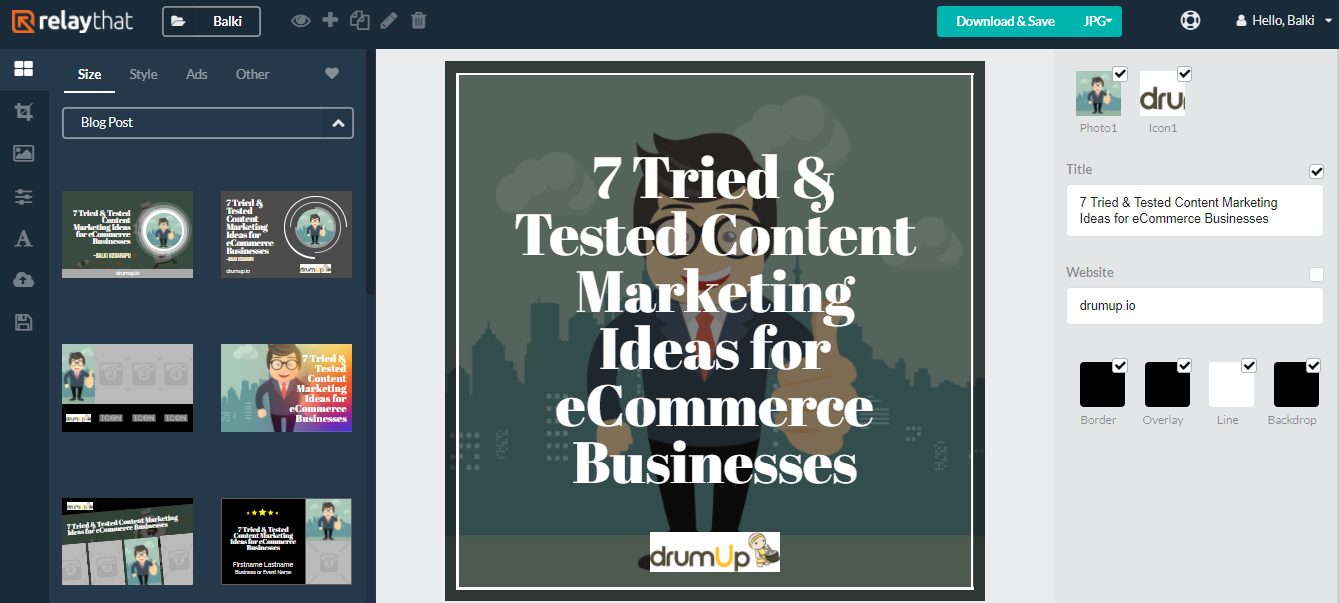
RelayThat is a graphic design tool that allows you to choose and maintain brand parameters that you can easily add to all of your social media images. RelayThat also allows you to add your logo and original images to standard templates effortlessly.

8. Rocketium for video content creation

Rocketium
Video is an indispensable part of social media marketing. An overwhelmingly large segment of social media users are beginning to consume video on a daily basis. Video has become everyone’s preferred format of content for consumption.
There’s a lot that you can do with video for social media, from creating How-to videos to conducting expert interviews and doing live QnAs.
Rocketium is a video builder that you can use to quickly put together videos for social media use. The tool has video templates that you can use to put together professional looking social media videos to make an impact on your target audience.

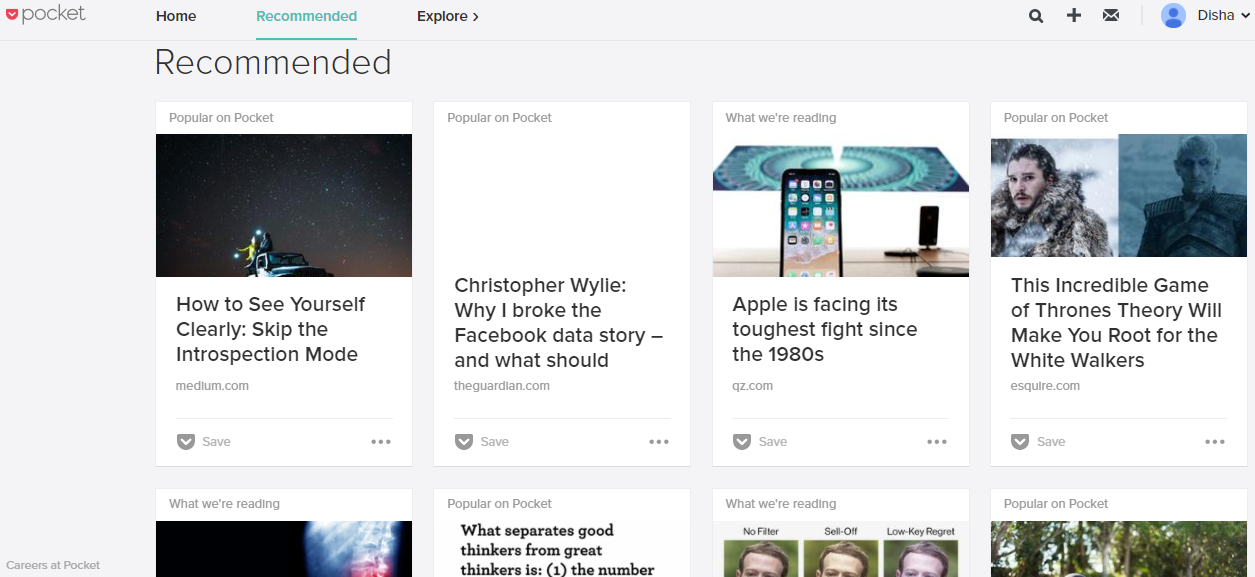
9. Pocket for niche content curation

Pocket
Content curation is a smart way to build a relationship with your audience without spending too much on content creation. By curating content, you can the best content in the industry with your target users without to create it yourself on a daily basis.
However, it can be really hard curating content manually. Imagine having to visit multiple websites to find the content that you want to share, every single day.
Pocket is a content collection app that helps curate content for you, based on your preferences. The tool is smart and adapts to the posts you choose to read, eventually omitting all the content that you wouldn’t want to read.

10. TweetChat for Twitter networking & conversations

Tweet chat 2
Yet another way to network with the right people is through Twitter chats. The people who participate in Twitter chats are usually very interested in specific niches and in meeting the right people.
Typically the format of Twitter chats allow you to exchange knowledge in areas within an industry and find others who are also doing the same.
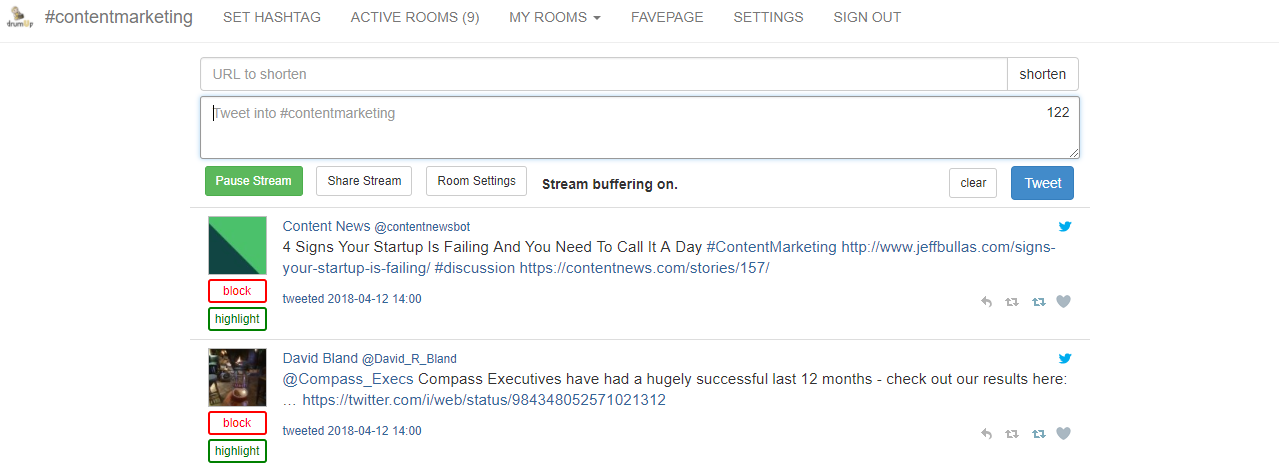
TweetChat is a Twitter chat tool that you can use to follow hashtag specific conversations and participate in them real-time, which can otherwise be a nightmare. Within the tool, you can experience Twitter chats at your pace and never miss a tweet.

11. Socedo for social media lead generation

Socedo
While social media conversations and content publishing are great for audience engagement, your social media efforts only affect your business when conversations turn into queries and eventually sales.
There’s plenty of opportunities on social media for you to turn conversations into business, but these opportunities usually take time to manifest.
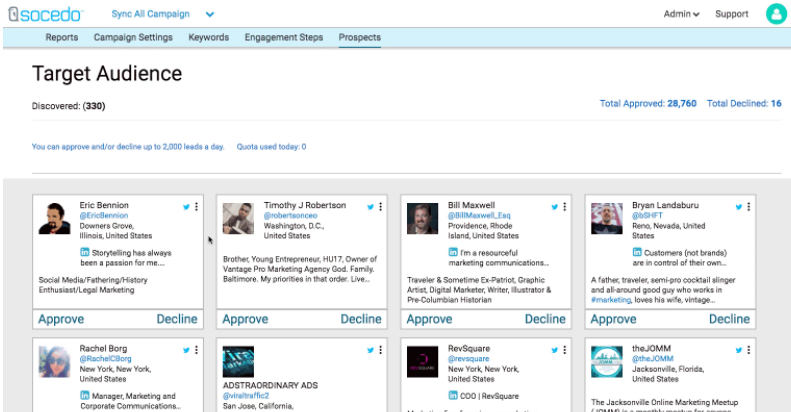
Socedo is a social media lead generation tool which automatically assesses social media profiles and identifies the people who are most likely to be interested in your business and the products/services that you have to offer.

12. PitchBox for blogger outreach and off-social PR

Pitchbox
Blogs are still relevant in many industries. If your company’s referrals are majorly driven through blogs and bloggers, building strategic relationships with them can be beneficial. And you don’t have to focus only on your niche. General blogs whose audience matches your target audience also count.
When building relationships with bloggers, it counts to make it as organic as possible. Identify individuals you admire and want to work with and let them know the same.
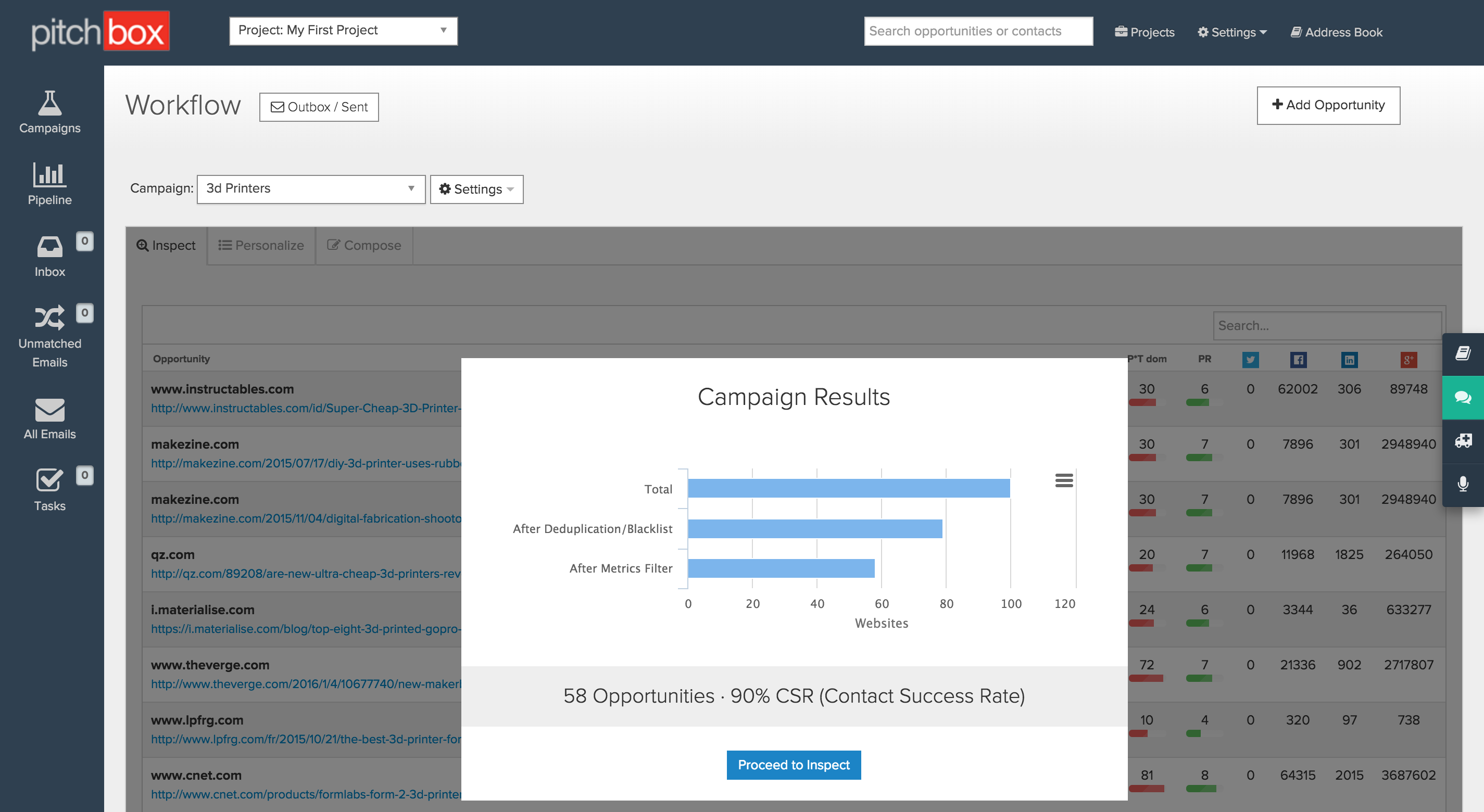
PitchBox is an influencer marketing tool that can be used to search for influencers and bloggers in your niche using keywords that you provide. The tool’s extensive search leverages integrations with major SEO tools such as Moz, SEMRush and Majestic.

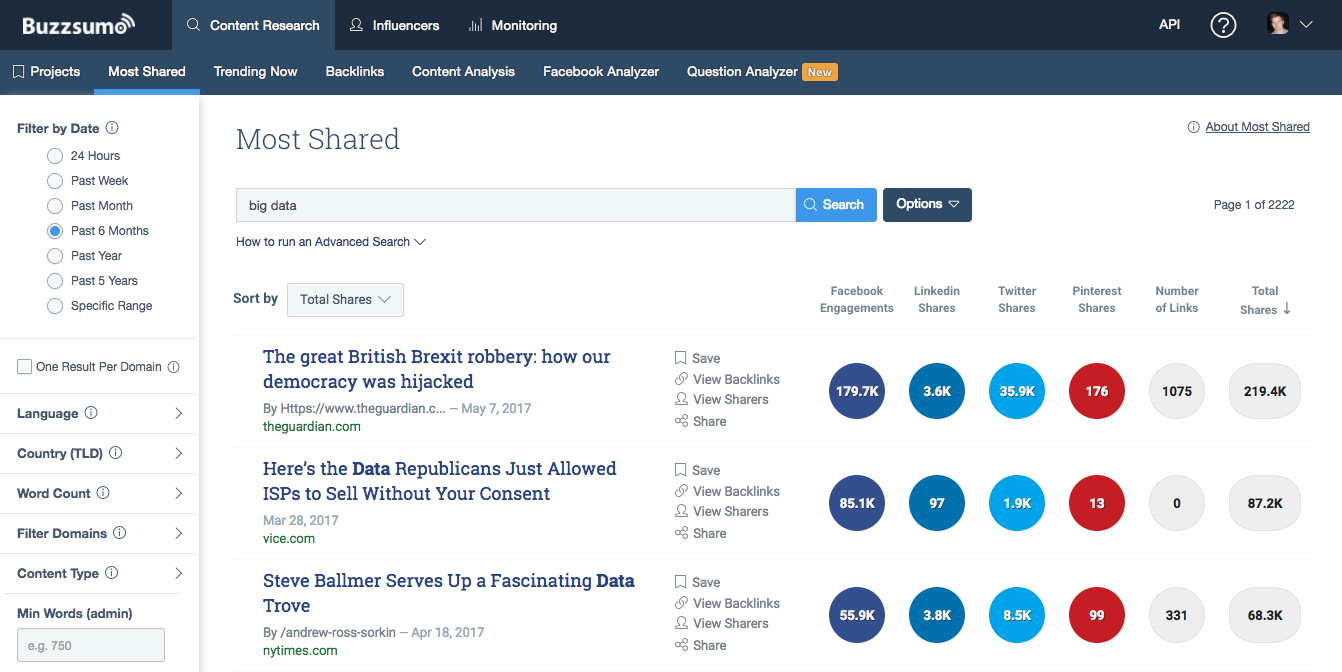
13. BuzzSumo for targeted content promotion

buzzsumo
One of the secrets of being successful on social media is building a network of loyal followers who engage with your content. However, building that network is a slow and time-consuming process.
The network of followers you build need not be restricted to just influencers. You can also work with micro-influencers or employees, customers and brand ambassadors.
BuzzSumo is a content research tool that you can use to identify people and blogs belonging to a certain niche, so you can reach out to the right people. Using the tool, you can breakdown the source of any article on the internet and access backlink and share data.

14. Twitter lists and Google Drive/Email for relationship building

IFTTT
Twitter lists are great for relationship building because you can create a context for every relationship that you build by adding people to certain lists. However, even Twitter lists can get messy once you have added too many people to too many lists. To ensure that the lists you create make sense, create small groups of people and limit your lists to only as many as you can handle.
One way to ensure that the Twitter lists you create have value, is by following up with Twitter list members away from the social media platform.
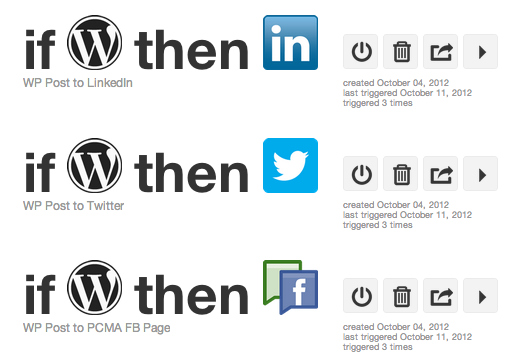
IFTTT is a cross-action app that has a few interesting recipes that you can consider using. One of them allows to store mentions in Drive or on email, after which you can personally make contact with the people who mention you.

15. SumoMe for social media referral based list building

Sumome
Social media referrals are probably one of the top three or four sources of traffic to your website. So, what do you do with the traffic that comes to your website from social media? If you’re not converting it at the moment, you should probably consider focusing on that.
There are tons of ways to convert the traffic that lands on your website. Most of it involves connecting the right content on social media to the right landing pages on your website.
SumoMe is a website traffic analytics tool and traffic conversion tool that you can use to optimize website traffic and conversion. The tool even has customizable email signup forms that you can instal on your website to convert incoming referrals.
Wrap
With social media platforms undergoing major changes to battle fake news and survive its repercussions, it’s critical to invest in social media tools and strategies that are likely to survive the fallout. This list includes a collection of some of the smartest investments that you can make to ensure that your brand isn’t affected by drastic algorithm changes. Over to you.


Thursday, 29 March 2018

The Top 25 Tools Every Successful Blogger Needs

If you’re trying to make money by blogging, you need to promote and drive traffic to your website through an online marketing strategy. Add these 25 tools to your blogging arsenal to create quality content and accomplish your marketing goals.

Blogging Tools

First and foremost, you need to craft content your audience will enjoy and share. These tools will help you create, edit, and analyze your content.

Google Drive

As a blogger, you’ll have several files, drafts, and ideas floating around your computer. Keep all of your media, documents, and content in one place with Google Drive. If you work with other bloggers or colleagues, this is an excellent tool for collaborating and organizing campaigns, as well.

Grammarly

No one is perfect, not even top bloggers. We all make mistakes, but we don’t want to publish our errors online. Before you hit the looming “Publish” button, run your content through Grammarly. This free grammar checker will catch glaring spelling, grammar, and punctuation mistakes and also offer suggestions to improve your work.

Hemingway App

In the world of blogging, you want your writing to stand out from the crowd. The Hemingway App helps you fine-tune your content and cut out the fluff. Those who want to improve their writing chops derive a great deal of value from using Hemingway.

CoSchedule Headline Analyzer

Arguably one of the hardest parts of blogging is finding the perfect headline. A headline must be catchy, SEO-friendly, and intriguing enough to drive traffic to your blog. Rely on CoSchedule’s Headline Analyzer to discover headlines that work for your audience and search engines alike.

BuzzSumo

Understanding what topics and types of content generate top social media engagement is vital information for bloggers. BuzzSumo is an in-depth blogging tool designed to help writers discover relevant topics, top influencers, and other key data including social media insights. Bloggers also use this tool for content inspiration by researching competitors and trends.

Canva

Everyone knows blog content must also be intriguing to the eye. Canva allows bloggers to easily create stunning visuals for blog posts, social media, and other content. The tool also provides simple tutorials for those who need help along the way.

SEO Tools

Once you’ve created your content, you must optimize it to rank well on search engines. These SEO toolsare used by blogging professionals to increase website traffic, improve search rankings, and analyze their content’s performance.

Google Analytics

Every blogger must have a Google Analytics account. This versatile tool offers insight into your website’s performance, traffic acquisition, and audience. Bloggers use Google Analytics to discover what channels their traffic is coming from, how long people stay on their website, and where their readers are located.

Yoast SEO

Yoast SEO is a popular WordPress plugin used to optimize a website and blog content for search engines. Everything from the technical aspects of SEO to improving the readability of a page can be accomplished using this handy plugin.

Google Keyword Planner

If you want to rank on Google, Bing, and DuckDuckGo, you need to know what your audience is searching for. Google Keyword Planner provides expansive information about keywords, search trends, and more to amplify your content marketing efforts.

Keywordtool.io

Another popular keyword research tool is Keywordtool.io. Using Google’s autocomplete feature, this tool assists bloggers in identifying potential keywords for their blog content. Best of all, this tool is completely free!

Moz Open Site Explorer

To generate a wealth of traffic to a blog, you must have quality backlinks directing people to your website. However, some of these links may also be malicious or damaging. Moz Open Site Explorer shows bloggers what links are pointing to their website along with other crucial link information.  

SEMRush

Bloggers looking to advance their search engine optimization efforts should subscribe to SEMRush. As one of the leading SEO tools, SEMRush provides in-depth analytics, competitor research, display advertising information, and so much more. Bloggers will have an abundance of search marketing information at their disposal with this tool.

Social Media Tools

Bloggers are especially active on social media platforms such as Pinterest, Twitter, Instagram, and Facebook. To maximize their audience engagement and content distribution on these platforms, bloggers rely on these tools:

Social Sharing Bars

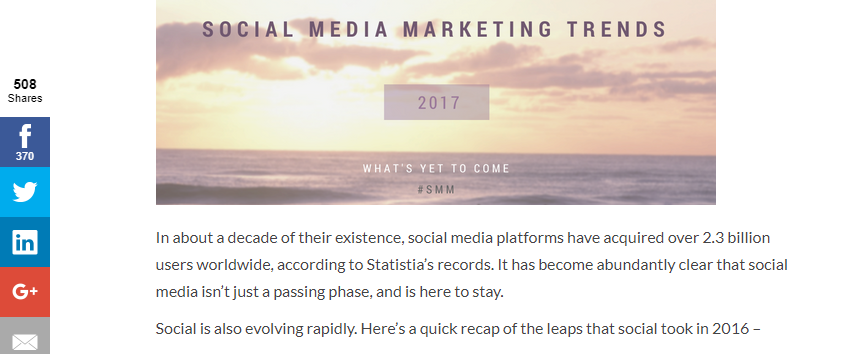
With the goal of offering readers a simple way to share content, the majority of blogs use a social sharing bar or buttons embedded in or near their content. If you look to the left of this article, you’ll notice a social sharing toolbar on our blog. These widgets entice readers to share the content with their friends and followers online.
To add this capability to your blog, use one of these social sharing tools and WordPress plugins:
Once you install any of these social sharing tools on your blog, remind readers to use it!

Social Media Scheduling Tools

Bloggers are also responsible for distributing their own blog content and engaging with fans on various social media platforms. As you might imagine, this can be quite cumbersome. To speed up the process, bloggers schedule their social media posts in advance using a variety of tools. These social media scheduling tools allow you to create posts for specific platforms and assign when you’d like it to publish.
Top social media scheduling tools include:
Take advantage of these tools by scheduling as much content in advance as possible. This leaves you with ample time to create more content and interact with your followers.

Email Marketing Tools

Another way to drive readers to your blog content is through email marketing. From regular newsletters to announcements, email marketing keeps your audience informed and engaged.
To start your email marketing campaigns, you must collect email addresses from interested readers. WP Subscribe and Optin Forms are both excellent choices for creating subscriber forms for your blog. These forms should be strategically placed throughout your website to entice readers to sign-up.
Once you’ve collected enough subscribers, you can create and send emails through tools like Constant Contact. Remember to only send your subscribers top quality content—never spam!

Bonus Tool: WordPress

We recommend that all bloggers use WordPress to create and manage their blog. WordPress is a versatile content management system that gives bloggers complete control over their content, tools, and website design.
Over to you! What blogging tools do you use? Share your thoughts in the comments below.