Showing posts with label Linkedin. Show all posts

Thursday, 19 July 2018

What’s the Ideal Social Media Post Length?


Social media post length is a definitive factor is deciding the impact of your social media content on its viewers. Any post that is wordsmithed to fit character limits will fully display your social media content to your fans, without obscuring any information. And that is integral to earning social media engagement. With the knowledge of ideal post lengths (mentioned below) and a reliable social media management tool, you can post optimized social media posts consistently.
This blog post is a curation of research concerning post length on various social networks. Let’s begin with the biggest and most popular social media platform – Facebook.
Note – This post discusses 2 numbers –
1. The ideal length of social media posts (recommended for optimum engagement), and
2. The maximum character limits that different social platforms allow
 
Screenshot 2018-06-05 13.34.45

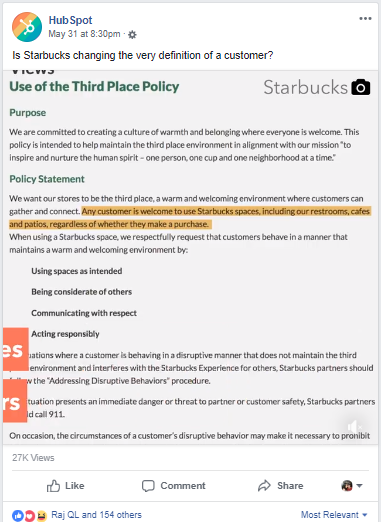
The ideal Facebook post length

There are different types of posts that you can publish on Facebook – organic, paid and video. Each of those types has its own layout on Facebook and ideal post length. Here’s a short summary of posts types and their optimal lengths.
Organic posts – Between 40 and 80 characters. According to MarketingProfs, Facebook posts that are under 40 characters get 86% engagement. Jeff Bullas corroborates that research but extends the ideal character limit by stating that Facebook posts with 80 characters or less get 88% more engagement.
Paid posts – Paid posts can be broken down into a headline, a body and a link description. Here are the ideal lengths for each of those elements, according to an Adespresso study.
Ideal length of Facebook ads
  • Headline – 5 words
  • Text – 14 words
  • Link description – 18 words
Facebook paid posts are about taking action, which is why it’s natural for copywriters to craft shorter headlines and descriptions. However, you should pay attention to copy on organic posts as well, keeping them crisp and action-prompting where possible.
If you’d like to learn more about copywriting for social media posts, here’s a useful read – 3 Secrets of Top Copywriters That Can Transform Your Content Marketing.
Facebook Character Limits or Maximum Character Lengths
If you wished to, you could publish a Facebook status that was 63,206 characters long! But that length is far from ideal. Here are a few other maximum character lengths that are noteworthy.
  • Facebook username character limit – 50 characters
  • Facebook Page Description – 155 Characters
  • Facebook Comments – 8,000 Characters


Facebook image ads –
  • Headline – 40 characters
  • Text – 90 characters
  • Link description – 20 characters


Facebook canvas ads –
  • Text – 500 characters
  • Button Text – 30 characters


Facebook lead generation ads –
  • Context card headline – 45 characters
  • Benefits text – 5 bullets with 80 characters each
  • Button text – 25 characters
  • Custom question text – 50 characters
  • Privacy policy link text – 100 characters
  • Custom disclaimer title – 60 characters


Facebook collection ads –
  • Headline – 25 characters

The ideal length of Facebook Videos 
Facebook support video upload of upto 120 minutes, but it’s advisable to steer clear from publishing anything that long unless it’s a Facebook exclusive feature film. 44% of 30-60 sec videos are viewed completely, according to a study conducted by Kinetic Social. Plus, 33% Facebook users prefer shorter videos that are between 30-50 secs long.
The ideal length of Facebook video ads –
  • Text – 90 characters
  • Headline – 25 characters
  • Link description – 30 characters
 
Screenshot 2018-06-05 13.37.46

The ideal Twitter post length

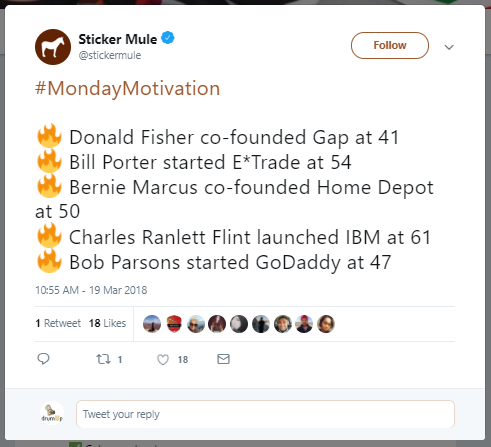
In 2017, Twitter increase the character limit of tweets to 280 characters. Since then, Twitterati have become more active on the social network claims product manager Aliza Rosen. This is probably because 280 characters allows more room for Twitter users to share their thoughts. But this added space doesn’t mean that other Twitter users want to see longer tweets.
According to a study conducted by Buddy Media, the ideal tweet is less than a 100 characters long. The study finds that such tweets receive 17% more engagement. So yet again, shorter content is better received by social media users. This is partly because shorter tweets are easier to read and comprehend, but also because shorter tweets give retweeters extra room to add their thoughts.
The ideal hashtag length
According to Vanessa Doctor from hashtag.org, hashtags that are 6 characters or one word long perform better. Once again, comprehension is the concern. Hashtags don’t allow spaces and exceptionally long hashtags are hard to read and comprehend.
Twitter character limits or maximum character length for Twitter posts
  • Tweets – 280 characters
  • DMs (Direct Messages) – 10,000 characters
  • Handle – 15 characters
  • Profile name – 20 characters


In short, concise content performs better on Twitter. Note that the character limits for Twitter have been extended to allow more content, but that doesn’t necessarily mean that longform content will ever be well received on the microblogging social network.
Screenshot 2018-06-05 13.39.40

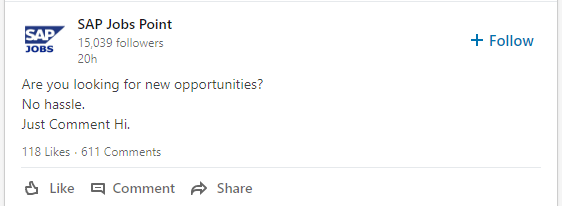
The ideal LinkedIn post length

At 500 million users and 10 million job postings, LinkedIn is a fairly noisy social media platform. As the social network grows its user base, social media marketers will find it tougher to earn organic attention via LinkedIn posts. Marketers should continue to optimize the quality, timing and delivery of LinkedIn posts so they can make the most of their brand’s LinkedIn presence.
There isn’t much research on ideal length of LinkedIn posts, so we have to rely on how posts appear on LinkedIn to decide ideal post length. For instance, if your LinkedIn status update is longer than a 100 characters, the excess text gets cut off and a Show More button appears. So it makes sense to keep your LinkedIn status updates under a 100 characters or 25 words.
  • LinkedIn status update – 50-100 characters ( organic and paid)
  • LinkedIn post titles – 40-49 characters (according to OkDork)
  • Number of images – 8 (Source – OkDork)
  • LinkedIn articles – 1900 to 2000 words (Source – OkDork)
  • Article subheads – 5 per post (Source – OkDork)
  • LinkedIn videos – under 30 seconds (Source – LinkedIn)


LinkedIn character limits or maximum character length for LinkedIn posts
  • LinkedIn Publishing post headline – 150 characters
  • LinkedIn Publishing content length ~ 120,000 characters *
  • Company update – 700 characters
  • Company name – 100 characters
  • About us (Summary) – 2,000 characters
  • Page name – 50 characters
  • Company leaders headline – 150 characters
  • Company leaders description – 150 characters
  • Employee testimonials – 400 characters
  • Custom module title – 150 characters
  • Custom module body – 500 characters
  • Custom module URL label – 70 characters
  • First name – 20 characters
  • Last name – 40 characters
  • Recommendation – 3,000 characters


* As per SproutSocial’s experiment, LinkedIn cuts you off once you reach 120,000 characters on LinkedIn articles.
Screenshot 2018-06-05 13.41.11

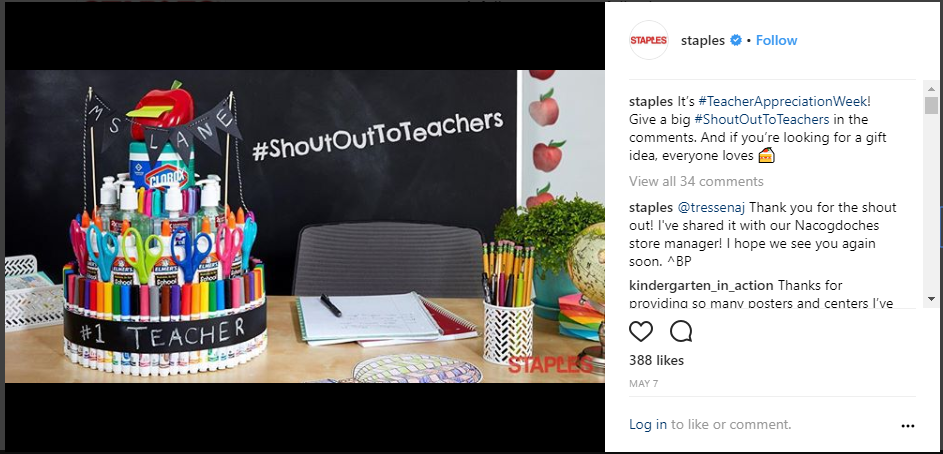
The ideal Instagram post length

Unlike the other social networks on this post, Instagram was built to promote visual content. However, the right combination of words and hashtags can help your Instagram posts maximum engagement, which can earn them the top position on users’ feeds.
  • Instagram captions – 138 -150 characters
  • Instagram ad captions – 125 characters
  • Number of hashtags for captions – 5 -10


However, it’s not a great idea to add irrelevant hashtags to your posts, just to increase its visibility. That may result in your shadowban on the social network. According to TrackMaven, posts with exactly 9 hashtags receive the most engagement.
  • Number of characters in a hashtag – 24 or less

If you notice the captions added by top brands on Instagram, you’ll notice that most captions run short. Most captions that perform well also create context, showcase the brand and prompt viewers to take action.
Instagram character limits or maximum character length for Instagram posts
  • Instagram caption – 2,200 characters
  • Bio – 150 characters
  • Username – 30 characters


Wrap
Social media post length is an important factor in deciding your social media engagement. WIth an optimally worded social media post, you can make an impact on your target audience on different social media platforms. Use the info shared on this post to decide what lengths of captions and post descriptions to incorporate in your social media content.


Sunday, 13 May 2018

How to Get More Twitter Followers (Without Creating Content)


Numbers matter. Influencers, current and future customers consider the size of your Twitter following when deciding whether to follow your or not. You probably won’t even consider your own brand a social media success unless you have grown a sizeable following on Twitter. Even though your number of Twitter followers isn’t indicative of the quality of your posts, the number matters. Here are 5 ways you can get more Twitter followers now.

1. Ensure that your brand is follow-worthy

Customers today want to connect with brands. It’s not enough to have a ton of content. Unless you are authentic and exceptional, customers won’t engage with you on Twitter. Millennials, for instance, are very brand-conscious, but they’re very difficult to engage. However, with the right content, partnerships and social outlook, you can catch their attention.
Start building a brand that speaks to your target groups on their level. In their language. And about things that matter to your audience.
1

2. Curate content from RSS feeds, the web and your resources

Instead of always creating your own content, you can curate content from strategic sources. What are strategic sources? Well, non-competing brands within your industry, customers and partners qualify as strategic sources. You can use this form of interaction to show these people that you are interested and that you care. At the same time, you can also get access to free, high-quality content that you can share with your audience.
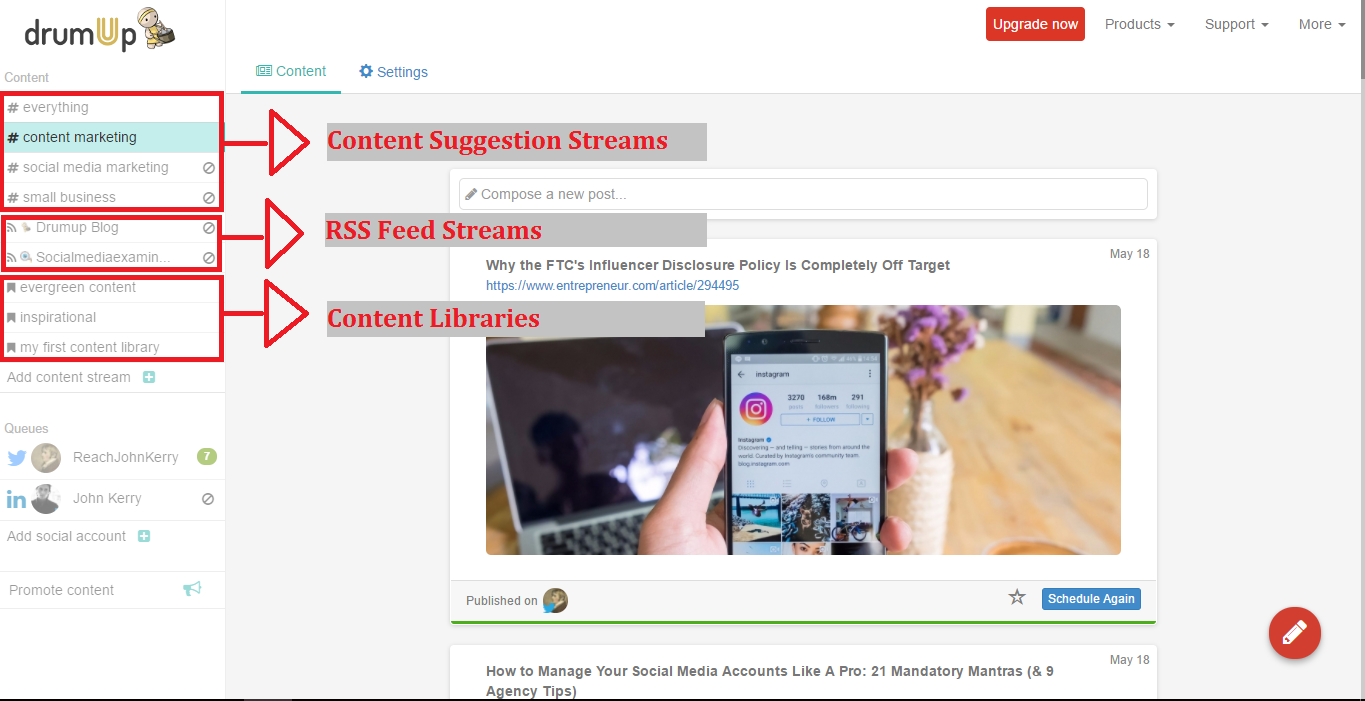
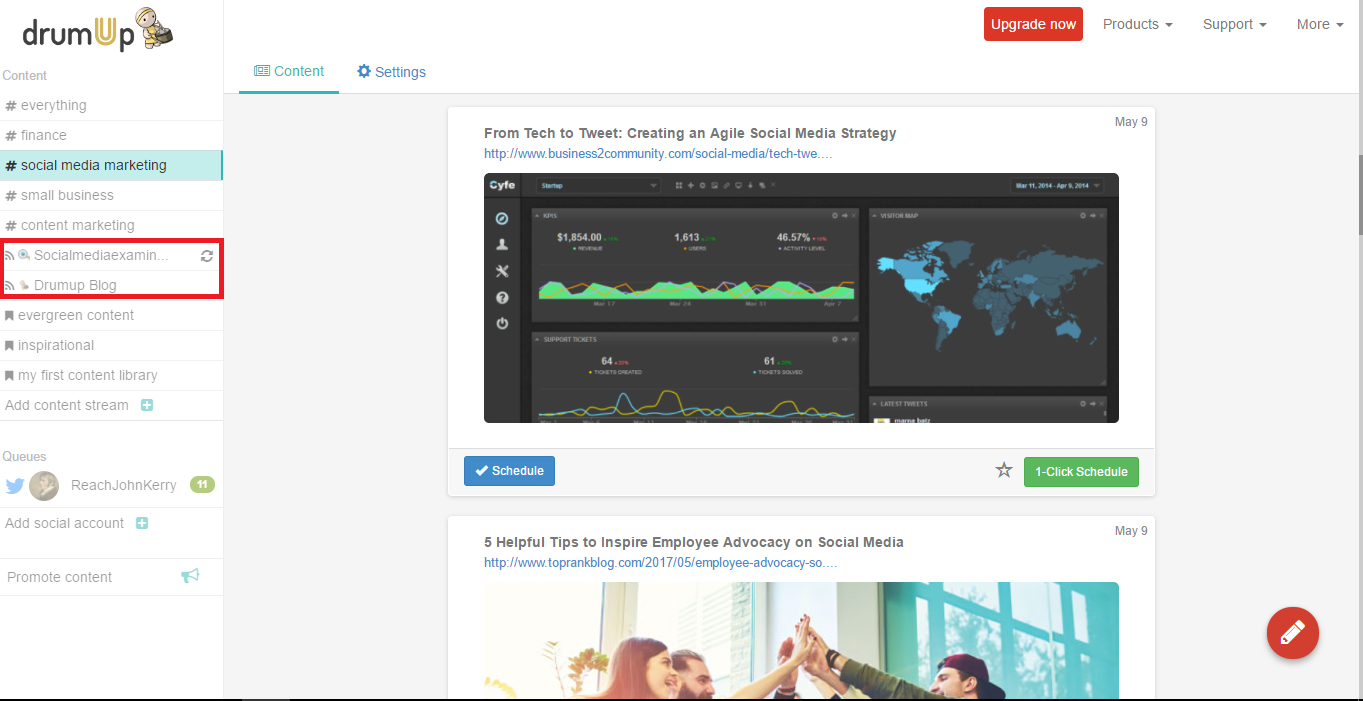
You could even automate curation using a content curation app such as DrumUp, which has RSS feed reading and keyword based content curation activities.
2

3. Craft well-organized automation queues

Once you have curated content, you can save posts in smart social media automation queues to avoid publishing manually. Social media automation queues are great for engagement because they allow you more control over quality of posts and publishing. You can save posts according to themes, dates and partners and set the publishing schedule to match your audience’s content consumption.
DrumUp’s social media management dashboard has “content libraries” using which you can create smart automatic queues.
7

4. Follow influencers, partners and potential customers

The point of following people on Twitter is to get genuine and active people to engage with your brand. So, it’s not a good idea to follow people at random. Instead, you can create distinct and definite groups of people worth following. Influencers, other brands, customers – current and potential, and event managers can, for instance, be groups of people whom you can follow.
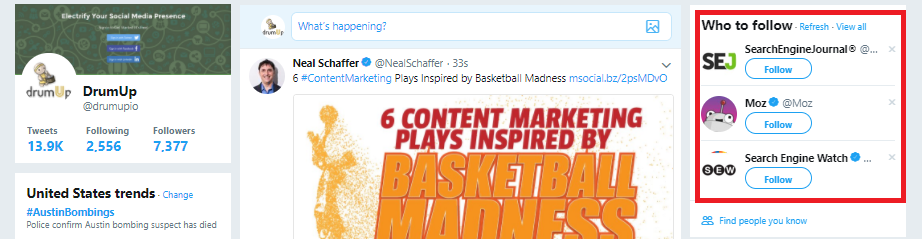
Most social media sites already give you suggestions of people to follow based on your network and interests.
Screenshot 2018-03-21 17.49.50

5. Interact with prospects via Twitter lists

When you follow a bunch of people you are left with a cluttered Twitter feed and no way to manage their content. Twitter lists offer you means to organize the people you follow in groups, so you can consciously engage with them on a daily basis. Lists can be made public or kept private based on what you want to do with them. Private lists can’t be seen by other people, including those who are a part of those lists.
Instead of creating your own lists, you can also subscribe to other people’s lists. It’s a good idea to subscribe to lists created by influencers in your niche.
Bonus

Answer questions.

The best way to attract Twitter followers is to become an active part of communities to which they belong. These communities don’t have to be on Twitter. They can be on LinkedIn, Facebook or any other social platform. Participate in conversations on these platforms and answer questions that are important to other participants. This is a great way to both build your credibility and Twitter following.
Wrap
There are tons of ways to build a Twitter following organically. The key is to focus on scaling your results without having to scale your efforts. This post provides examples of great ways to begin.


Thursday, 12 April 2018

LinkedIn for Business: 9 Unfailing Ways to Connect with Ideal Clients


LinkedIn could connect you to future customers. Yet, how many of your current customers are converted LinkedIn leads? If your answer is a few or none, you are yet to unlock the potential of your LinkedIn presence.
John Nemo build his business on LinkedIn. It took him 90 days post-quitting to match his old job’s 6 figure salary with the revenue generated via LinkedIn leads by his marketing agency.
Everyone who matters to your business is approachable on LinkedIn. But how?
shake hands superman GIF-downsized

1. Create client-centric profile descriptions

Most LinkedIn users have profiles that resemble online resumes. While this format works for employees who want a job change, it does nothing for business owners, agency partners, business development executives and consultants.
How do you address client concerns and solve their problems?
Don’t fall into rut of writing about your achievements in third-person. Instead, try proactive storytelling. Clients care about how you can solve their problems.
Who can you help and how?
Begin by identifying whom you can assist with your abilities – CEOs? Marketers? Models? Then, make a note of the different ways in which you can help them. So, you should be able to say that, for example, you can help small business owners set-up their web presence by building them websites.
How are you different from other service providers like you?
Tell this story on your LinkedIn profile. You can expand this story by filling in the details, which can be more of how you assist clients and why your services work better than others. Establish clear-cut differentiators here, so you can make an impression on profile visitors and stay top of mind for a long interval of time.
Can other people substantiate your claims?
You can also increase the credibility of your claims by curating testimonials on your LinkedIn profile. Ask your most satisfied clients and partners to share their experience as testimonials. You could even share testimonials in the video format.
Text vs video – how visitor-friendly is the content on your LinkedIn profile?
LinkedIn doesn’t yet support native video upload in the profile section, but you can use YouTube and SlideShare video links under [Link to Media] to provide access to video. Apart from testimonial videos, you can also share how to videos, advice, information and tips, or impressive company news and updates. In fact, if your profile itself provides value to visitors, they’re more likely to follow you and approach you for advice and services.

2. Leverage LinkedIn’s Advanced Search

LinkedIn’s search engine works wonders with profile hunting. You can find anyone (who’s on LinkedIn) on LinkedIn – if you know your target and have the right keywords. On both the web and mobile apps, you can search for people using Job Roles.
Who are you looking for?
You can’t drum up business by barking up the wrong tree. That’s why it’s critical for you to know exactly whom to target. Social media managers? Marketing VPs? Or Digital Analysts? Who is it that makes the calls on decisions related to your business?
What’s the right Job Title?
LinkedIn’s search is keyword-specific. So if you’re hunting for [Social Media Manager], only the profiles listing that exact Job Title and the profiles that include those words as part of their Job titles will appear. When searching for someone in particular job role, it makes sense to try a few variations so you don’t miss any prospects.
Which filters can save you time?
Location and Industry filters can help you narrow-down your prospect list to only high-potential prospects, so you don’t have to waste time and energy reaching out to those who are not likely to convert.
Should you use InMail or send a Connection Request with a custom message?
Either works, but if your business has long sales cycles, it probably makes sense to turn prospects into connections. Longer sales cycles demand more contact between a business and it’s prospects. So, you’ll probably need to send 2-3 cycles of messages with some time in between them and that’s easier done when the prospect is a contact.

3. Craft compelling custom invites

LinkedIn’s inbox is where you build relationships. And your invite can help make an impactful first impression. That’s why it’s super-important to customize every invite/message that you send out.
How can you personalize invites?
The more you know about a prospect, the more you can personalize the invites that you send out. In fact, even viewing a profile on LinkedIn can have some impact. I’d even suggest viewing profiles first, taking notes and going back to send invites a few days later. Try and use details that prospects have revealed on their profiles to customize the invites that you send to them.
Can you initiate live-chats with prospects?
LinkedIn messaging is now real-time. You can see little dots next to a person’s chat window when they’re online and typing. If you have warm leads who you’d like to convert, you can always initiate non work-related chats when they’re online from time to time.
What value can you offer within messages?
Again, LinkedIn prospecting is all about what value you bring to the table. Can you show prospect clients transformation even before they turn into clients? The transformation doesn’t have to be great and it certainly shouldn’t cost you money. But if there’s something substantial that you can share with prospects in the initial invite or later messages, you should.
Are you being intrusive?
Just because someone has accepted your invite, doesn’t mean that they want you to send them messages. Ask for permission, always. Get feedback, always. And try and craft your messages so they’re genuine and noticeable.

4. Consciously share conversion-oriented content

What you share on LinkedIn matter a lot because it’s the only contact that prospects have with you away from messages. Sharing content because everyone says you should can be more counter-productive than anything. Everything you share should have a purpose.
How can you curate exceptional content?
Everything you share should ideally be exceptional. But finding exceptional content on a daily basis can be taxing – unless you have a team of people just for the job. However, you can simplify the task with the assistance of a content curation app such as DrumUp.
What are the types of content that you can share on LinkedIn?
Remember Seth Godin’s purple cow principle when curating content for LinkedIn. Unless it’s a purple cow, people won’t pay attention. They’ll continue scrolling through their feed without giving your post a second look. What are the types of content that will make them stop and look?
Videos? Content in story-form? Content with powerful visuals? Content with a catchy copy?
Take your pick and ensure that you choose well for every post.

How can you simplify content sharing and engagement on LinkedIn?
By using a social media management tool like DrumUp, you can organize your content assets within your scheduling tool and create an engaging content queue using analytics data and themes that you can get an overview of in calendar-form.
Whose content can you share for additional engagement and relationship-building?
It’s a great idea to share other people’s content on LinkedIn for extra-engagement and exposure. Anything you share with attribution will earn you goodwill and trust from your audience and the people whose content you share.

5. Collaborate with your community via LinkedIn Groups

LinkedIn Groups are where professionals in the same industry network, share content and opinions. There are tons of active LinkedIn Groups that you can join to build rapport with people in your industry.
How many relevant types of LinkedIn Groups can you work with?
You don’t have to stick with one type of LinkedIn Group to attract the attention of prospects. You can also join Groups in similar niches, within your industry (to find co-marketing partners) and in parallel niches (so you can find potential advocates).
What can you do in Groups to build relationships?
Every marketer who joins LinkedIn Groups typically just uses them as extra channels to share the content that they create. Again, think purple cow. What can you do on the Group that will initiate conversations with its members?
How can you convert Groups conversations into business conversations?
It’s not enough to just have conversations in Groups. You also need to figure out a way to take your prospects from Groups to business discussions. It’s best to have these routes planned in advance. For instance, you could share/comment on conversion-focussed content – view someone’s profile – leave a few days of time in between – and then send them a connection request with a personalized invite.
Can you create/manage your own LinkedIn Group?
Managing LinkedIn Groups is effort-intensive. Unless you can invest that kind of time and effort, it doesn’t make sense for you to own a LinkedIn Group. If you have decided to go ahead and create one, you need to have a core-objective, rules and a moderator to monitor Group activity. As it’s not advisable to create a Group just promotion, you have to decide how you will connect participants of that Group to your business eventually. If your Group adds value, chances are that people will inquire about services/products on their own.

6. Get employee advocacy right

Employee advocacy can reduce the length of your sales cycles, promote more conversions and increase your customer retention rate if implemented properly. Client-facing employee advocates can help you boost such business goals if they are given the right content to share.
What content can you get client-facing employees to share on LinkedIn for maximum impact?
The success of your employee advocacy program depends on your content, among other factors. Considering LinkedIn is the platform, the best types of content you share are – client success stories, how to articles and tips that also feature your products and services.
Which employees can you get to be a part of the program?
While you can get just about anyone to participate, some selective participation can do your program a lot of good. For instance, you can get sales executives to share content useful to people in the last stage of your sales cycle. Other employees can share content that’s targeted at the rest of your conversion funnel.
What this means is basically this. Sales executives can share something like – 5 Factors to Consider When Purchasing Riding Gear while other employees can share something like – 6 Safety Measures to Take When on a Ride in which one point can be about riding gear and feature your products.
How can you convert the attention you earn via employee advocacy?
What’s the point in having people share content at random if it doesn’t amount to anything? Every piece of content you share should have a purpose, a road back to your products and means to measure its impact. Custom URLs can help with two out of three of those requirements.

7. Enhance your brand’s personality

When there are tons of LinkedIn Pages to follow, why should audience members follow yours? Even if you’re giving people value, you can’t expect them to follow you if you’re not very interesting. That’s why it’s important for you to enhance your brand’s personality, so audience members have the opportunity to connect with you.
What personality traits can you associate with your brand?
When building your brand’s personality, you have to assign it certain traits. And these traits need to have an impact on your target groups. What kind of humor suits your brand? Will you be sassy, quiet and meek or outspoken? The answer to these questions will shape your brand.
How can you express your brand’s personality via the content you share on LinkedIn?
It isn’t enough to just assign traits to your brand. You also have to figure out how you will express those traits through LinkedIn content. Will you share jokes? Will your post text exhibit humor? Will you reproach people making the wrong choices in terms of products?
Is it necessary to regulate content shared by employees to ensure it matches your brand?
Some companies strictly regulate employee activity on social media while others take a more relaxed stance. The choice is yours. I would recommend requesting employees to share more on-brand content without enforcing them to do it. Usually, when you get employees in at the grassroots level as in the case of employee advocacy, employees are more enthusiastic about cooperating.

8. Converse with relevant LinkedIn users

Listening is a critical part of building relationships, on LinkedIn and otherwise. One way to show your connections that you are listening is by reading their content and engaging with it. That’s why commenting becomes so important on LinkedIn. Even the marketing greats like Brian Dean still dedicate time to this activity.
What are the different ways in which you can strike conversations with LinkedIn users?
You could initiate conversations by asking questions. The questions don’t have to be related to your work. They can always be casual questions that everyone wants to answer. But, if you’re seriously looking for leads, you can post more conversion-focussed questions and content.
How do you ensure that the conversations you have on LinkedIn are goal-oriented?
Every conversation you have on LinkedIn need not be goal-oriented, but you can earn business on LinkedIn only when you make conscious conversations. Ensure that you know exactly whom you’re conversing with and which conversations you’re joining. Also, be sure that the conversations you’re having are pushing you towards a specific goal.
How do you turn conversations into conversions?
Firstly, it’s important to keep track of the conversations you have using a CRM or an excel sheet. CRMs work better because you can classify leads as cold and warm leads on some of them. When you’re keeping track of conversations, you’re more likely to achieve goals through them.

9. Publish stories instead of regular updates

Stories generally perform very well on LinkedIn. People share success stories of clients and other people to inspire their connections and give them actionable insights. Storytelling enables you to grab attention, awaken emotions and create memories, all of which are a critical part of making an impact on your target groups.
What kinds of stories can you share on LinkedIn?
Client success stories are probably the best form of content that you can share on LinkedIn. By sharing client success stories, you can show prospects your ability to help companies achieve their goals. However, you can also share employee success stories to attract the right talent and success stories of people in your industry, in general, to provide your audience with insights.
How can you place your products and services in stories?
While you can’t make your products and services the heroes of LinkedIn stories, you should definitely mention them strategically. It’s always best to make your target audience members the heroes of LinkedIn stories and place your products as the tools that can assist them in achieving their goals.
How can you add visuals to your storytelling on LinkedIn?
While the rest of social media has already been taken over by visuals, LinkedIn remains a primarily textual platform. That gives you the opportunity to experiment with visuals and begin to capture the interest of your target audience before your competition.
Wrap
Everyone important to your business is available and accessible on LinkedIn. With the right idea for content and the right outreach strategies, you can make invaluable connections on LinkedIn that can help you generate substantial revenue.
Feature image: asierromero / Freepik