Thursday, 12 April 2018

LinkedIn for Business: 9 Unfailing Ways to Connect with Ideal Clients


LinkedIn could connect you to future customers. Yet, how many of your current customers are converted LinkedIn leads? If your answer is a few or none, you are yet to unlock the potential of your LinkedIn presence.
John Nemo build his business on LinkedIn. It took him 90 days post-quitting to match his old job’s 6 figure salary with the revenue generated via LinkedIn leads by his marketing agency.
Everyone who matters to your business is approachable on LinkedIn. But how?

shake hands superman GIF-downsized

1. Create client-centric profile descriptions

Most LinkedIn users have profiles that resemble online resumes. While this format works for employees who want a job change, it does nothing for business owners, agency partners, business development executives and consultants.
How do you address client concerns and solve their problems?
Don’t fall into rut of writing about your achievements in third-person. Instead, try proactive storytelling. Clients care about how you can solve their problems.
Who can you help and how?
Begin by identifying whom you can assist with your abilities – CEOs? Marketers? Models? Then, make a note of the different ways in which you can help them. So, you should be able to say that, for example, you can help small business owners set-up their web presence by building them websites.
How are you different from other service providers like you?
Tell this story on your LinkedIn profile. You can expand this story by filling in the details, which can be more of how you assist clients and why your services work better than others. Establish clear-cut differentiators here, so you can make an impression on profile visitors and stay top of mind for a long interval of time.
Can other people substantiate your claims?
You can also increase the credibility of your claims by curating testimonials on your LinkedIn profile. Ask your most satisfied clients and partners to share their experience as testimonials. You could even share testimonials in the video format.
Text vs video – how visitor-friendly is the content on your LinkedIn profile?
LinkedIn doesn’t yet support native video upload in the profile section, but you can use YouTube and SlideShare video links under [Link to Media] to provide access to video. Apart from testimonial videos, you can also share how to videos, advice, information and tips, or impressive company news and updates. In fact, if your profile itself provides value to visitors, they’re more likely to follow you and approach you for advice and services.

2. Leverage LinkedIn’s Advanced Search

LinkedIn’s search engine works wonders with profile hunting. You can find anyone (who’s on LinkedIn) on LinkedIn – if you know your target and have the right keywords. On both the web and mobile apps, you can search for people using Job Roles.
Who are you looking for?
You can’t drum up business by barking up the wrong tree. That’s why it’s critical for you to know exactly whom to target. Social media managers? Marketing VPs? Or Digital Analysts? Who is it that makes the calls on decisions related to your business?
What’s the right Job Title?
LinkedIn’s search is keyword-specific. So if you’re hunting for [Social Media Manager], only the profiles listing that exact Job Title and the profiles that include those words as part of their Job titles will appear. When searching for someone in particular job role, it makes sense to try a few variations so you don’t miss any prospects.
Which filters can save you time?
Location and Industry filters can help you narrow-down your prospect list to only high-potential prospects, so you don’t have to waste time and energy reaching out to those who are not likely to convert.
Should you use InMail or send a Connection Request with a custom message?
Either works, but if your business has long sales cycles, it probably makes sense to turn prospects into connections. Longer sales cycles demand more contact between a business and it’s prospects. So, you’ll probably need to send 2-3 cycles of messages with some time in between them and that’s easier done when the prospect is a contact.

3. Craft compelling custom invites

LinkedIn’s inbox is where you build relationships. And your invite can help make an impactful first impression. That’s why it’s super-important to customize every invite/message that you send out.
How can you personalize invites?
The more you know about a prospect, the more you can personalize the invites that you send out. In fact, even viewing a profile on LinkedIn can have some impact. I’d even suggest viewing profiles first, taking notes and going back to send invites a few days later. Try and use details that prospects have revealed on their profiles to customize the invites that you send to them.
Can you initiate live-chats with prospects?
LinkedIn messaging is now real-time. You can see little dots next to a person’s chat window when they’re online and typing. If you have warm leads who you’d like to convert, you can always initiate non work-related chats when they’re online from time to time.
What value can you offer within messages?
Again, LinkedIn prospecting is all about what value you bring to the table. Can you show prospect clients transformation even before they turn into clients? The transformation doesn’t have to be great and it certainly shouldn’t cost you money. But if there’s something substantial that you can share with prospects in the initial invite or later messages, you should.
Are you being intrusive?
Just because someone has accepted your invite, doesn’t mean that they want you to send them messages. Ask for permission, always. Get feedback, always. And try and craft your messages so they’re genuine and noticeable.

4. Consciously share conversion-oriented content

What you share on LinkedIn matter a lot because it’s the only contact that prospects have with you away from messages. Sharing content because everyone says you should can be more counter-productive than anything. Everything you share should have a purpose.
How can you curate exceptional content?
Everything you share should ideally be exceptional. But finding exceptional content on a daily basis can be taxing – unless you have a team of people just for the job. However, you can simplify the task with the assistance of a content curation app such as DrumUp.
What are the types of content that you can share on LinkedIn?
Remember Seth Godin’s purple cow principle when curating content for LinkedIn. Unless it’s a purple cow, people won’t pay attention. They’ll continue scrolling through their feed without giving your post a second look. What are the types of content that will make them stop and look?
Videos? Content in story-form? Content with powerful visuals? Content with a catchy copy?
Take your pick and ensure that you choose well for every post.

How can you simplify content sharing and engagement on LinkedIn?
By using a social media management tool like DrumUp, you can organize your content assets within your scheduling tool and create an engaging content queue using analytics data and themes that you can get an overview of in calendar-form.
Whose content can you share for additional engagement and relationship-building?
It’s a great idea to share other people’s content on LinkedIn for extra-engagement and exposure. Anything you share with attribution will earn you goodwill and trust from your audience and the people whose content you share.

5. Collaborate with your community via LinkedIn Groups

LinkedIn Groups are where professionals in the same industry network, share content and opinions. There are tons of active LinkedIn Groups that you can join to build rapport with people in your industry.
How many relevant types of LinkedIn Groups can you work with?
You don’t have to stick with one type of LinkedIn Group to attract the attention of prospects. You can also join Groups in similar niches, within your industry (to find co-marketing partners) and in parallel niches (so you can find potential advocates).
What can you do in Groups to build relationships?
Every marketer who joins LinkedIn Groups typically just uses them as extra channels to share the content that they create. Again, think purple cow. What can you do on the Group that will initiate conversations with its members?
How can you convert Groups conversations into business conversations?
It’s not enough to just have conversations in Groups. You also need to figure out a way to take your prospects from Groups to business discussions. It’s best to have these routes planned in advance. For instance, you could share/comment on conversion-focussed content – view someone’s profile – leave a few days of time in between – and then send them a connection request with a personalized invite.
Can you create/manage your own LinkedIn Group?
Managing LinkedIn Groups is effort-intensive. Unless you can invest that kind of time and effort, it doesn’t make sense for you to own a LinkedIn Group. If you have decided to go ahead and create one, you need to have a core-objective, rules and a moderator to monitor Group activity. As it’s not advisable to create a Group just promotion, you have to decide how you will connect participants of that Group to your business eventually. If your Group adds value, chances are that people will inquire about services/products on their own.

6. Get employee advocacy right

Employee advocacy can reduce the length of your sales cycles, promote more conversions and increase your customer retention rate if implemented properly. Client-facing employee advocates can help you boost such business goals if they are given the right content to share.
What content can you get client-facing employees to share on LinkedIn for maximum impact?
The success of your employee advocacy program depends on your content, among other factors. Considering LinkedIn is the platform, the best types of content you share are – client success stories, how to articles and tips that also feature your products and services.
Which employees can you get to be a part of the program?
While you can get just about anyone to participate, some selective participation can do your program a lot of good. For instance, you can get sales executives to share content useful to people in the last stage of your sales cycle. Other employees can share content that’s targeted at the rest of your conversion funnel.
What this means is basically this. Sales executives can share something like – 5 Factors to Consider When Purchasing Riding Gear while other employees can share something like – 6 Safety Measures to Take When on a Ride in which one point can be about riding gear and feature your products.
How can you convert the attention you earn via employee advocacy?
What’s the point in having people share content at random if it doesn’t amount to anything? Every piece of content you share should have a purpose, a road back to your products and means to measure its impact. Custom URLs can help with two out of three of those requirements.

7. Enhance your brand’s personality

When there are tons of LinkedIn Pages to follow, why should audience members follow yours? Even if you’re giving people value, you can’t expect them to follow you if you’re not very interesting. That’s why it’s important for you to enhance your brand’s personality, so audience members have the opportunity to connect with you.
What personality traits can you associate with your brand?
When building your brand’s personality, you have to assign it certain traits. And these traits need to have an impact on your target groups. What kind of humor suits your brand? Will you be sassy, quiet and meek or outspoken? The answer to these questions will shape your brand.
How can you express your brand’s personality via the content you share on LinkedIn?
It isn’t enough to just assign traits to your brand. You also have to figure out how you will express those traits through LinkedIn content. Will you share jokes? Will your post text exhibit humor? Will you reproach people making the wrong choices in terms of products?
Is it necessary to regulate content shared by employees to ensure it matches your brand?
Some companies strictly regulate employee activity on social media while others take a more relaxed stance. The choice is yours. I would recommend requesting employees to share more on-brand content without enforcing them to do it. Usually, when you get employees in at the grassroots level as in the case of employee advocacy, employees are more enthusiastic about cooperating.

8. Converse with relevant LinkedIn users

Listening is a critical part of building relationships, on LinkedIn and otherwise. One way to show your connections that you are listening is by reading their content and engaging with it. That’s why commenting becomes so important on LinkedIn. Even the marketing greats like Brian Dean still dedicate time to this activity.
What are the different ways in which you can strike conversations with LinkedIn users?
You could initiate conversations by asking questions. The questions don’t have to be related to your work. They can always be casual questions that everyone wants to answer. But, if you’re seriously looking for leads, you can post more conversion-focussed questions and content.
How do you ensure that the conversations you have on LinkedIn are goal-oriented?
Every conversation you have on LinkedIn need not be goal-oriented, but you can earn business on LinkedIn only when you make conscious conversations. Ensure that you know exactly whom you’re conversing with and which conversations you’re joining. Also, be sure that the conversations you’re having are pushing you towards a specific goal.
How do you turn conversations into conversions?
Firstly, it’s important to keep track of the conversations you have using a CRM or an excel sheet. CRMs work better because you can classify leads as cold and warm leads on some of them. When you’re keeping track of conversations, you’re more likely to achieve goals through them.

9. Publish stories instead of regular updates

Stories generally perform very well on LinkedIn. People share success stories of clients and other people to inspire their connections and give them actionable insights. Storytelling enables you to grab attention, awaken emotions and create memories, all of which are a critical part of making an impact on your target groups.
What kinds of stories can you share on LinkedIn?
Client success stories are probably the best form of content that you can share on LinkedIn. By sharing client success stories, you can show prospects your ability to help companies achieve their goals. However, you can also share employee success stories to attract the right talent and success stories of people in your industry, in general, to provide your audience with insights.
How can you place your products and services in stories?
While you can’t make your products and services the heroes of LinkedIn stories, you should definitely mention them strategically. It’s always best to make your target audience members the heroes of LinkedIn stories and place your products as the tools that can assist them in achieving their goals.
How can you add visuals to your storytelling on LinkedIn?
While the rest of social media has already been taken over by visuals, LinkedIn remains a primarily textual platform. That gives you the opportunity to experiment with visuals and begin to capture the interest of your target audience before your competition.
Wrap
Everyone important to your business is available and accessible on LinkedIn. With the right idea for content and the right outreach strategies, you can make invaluable connections on LinkedIn that can help you generate substantial revenue.
Feature image: asierromero / Freepik

Tuesday, 10 April 2018

Facebook Management Tips for Small Businesses: Everything You Need to Know


Over 50 million small businesses use Facebook pages for marketing. But 96% of the people who discuss brands online, don’t follow the Facebook pages of those brands. That’s a massive disconnect between small businesses and their target audience. A massive disconnect that many Facebook management agencies tend to discredit. It’s no wonder that such agencies and small businesses, who simply rely on posting “creative content” on Facebook, never see an ROI.
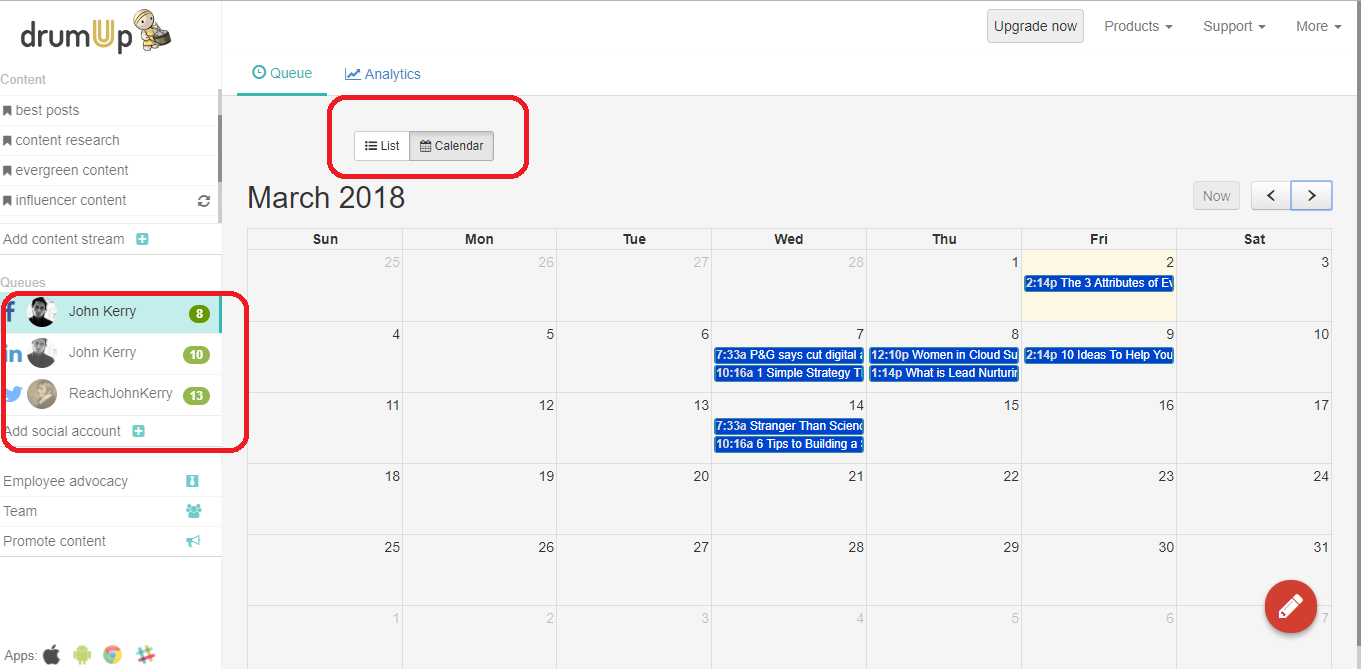
To reach and influence target groups, you need the right Facebook marketing strategy and a social media management tool (like DrumUp) that can help you execute it.
calendar view - du

Common challenges that social media agencies and small businesses face when managing Facebook pages

HubSpot recently conducted a study and identified common challenges that marketers today are facing. Here’s a summary of what they found.
1. 63% marketers identified traffic and lead generation as top challenges. Before the internet boom, businesses had limited marketing options. Today they have millions, and the ones the choose have got to count (produce referrals and leads).
2. 40% marketers said proving the ROI of marketing activities was their top challenge. If you’re a social media agency with small businesses as clients, you have probably faced this problem. Unless you can prove the effectiveness of your work, you can’t expect to keep clients loyal.
3. 28% marketers struggle to secure enough budget to manage their marketing activities. With limited budget, marketers are forced to choose between many potential marketing channels and give assurance of an ROI for their investments.
When marketing on Facebook, it’s commonplace for social media agencies and small businesses to face the same issues. Here’s how you can deal with them.

21 Facebook management tips for small businesses and social media agencies

Everyone who reads this blog post has probably made some effort to market a business using Facebook. This guide is meant to summarize as many ideas as possible that such social media marketers and small business owners can try in addition to what they’re already doing.

#1 Explore Facebook marketing tools that can make your life easier

Why’s this #1? Because marketing automation tools can save you time and money, irrespective of whether you’re a small business or a large enterprise. In fact, over the last few years, more small businesses have begun to adopt marketing software – and this trend is growing.
So, what are the different kinds of Facebook management tools that you can use? Well, they’re a dime a dozen (forgive the cliche), but what you should focus on is functionality. The most common types of tools enable Facebook scheduling (such as DrumUp), Facebook monitoring(such as Trackur) and graphic design (such as Canva).
With DrumUp, you can automate your Facebook marketing completely, without compromising on content quality or engagement, by spending 15 minutes a week or an hour a month.

#2 Hire the right talent and provide access to necessary resources

Step #2 is obviously to decide who your designated Facebook page manager will be. Small businesses typically choose to either outsource the job to an agency or hire an in-house multi-functional resource person who will manage Facebook using automation tools.
Irrespective of which category you fall into, it’s critical to ensure that your Facebook manager knows his/her stuff and has enough resources. What resources? Well, the basics include access to your Facebook page and management tools, but you can do more. Set-up a communication channel or a project management space (such as Trello) to track and communicate details. Give your Facebook page manager ideas, insights and an understanding of your brand.
Here’s a post about how you can manage Facebook Page roles and optimize Page settings.


Here’s a post about the skills that social media managers need – skills that you should consider when hiring your social media management team.

#3 Keep tabs on audience personas and behaviors

For effective Facebook marketing, you need to know your audience. And not just know them in an abstract way. You need to have audience demographics, interests and browsing habits – real data. Random Facebook posting can leave you with inactive Facebook pages and zero engagement.
If you want to size-up your audience post-publishing, you can simply visit your Facebook Insights > Posts to see which ones have interested your audience members most. You can also view Insights > People to get basic information of the gender, age, location and language of your Facebook followers.
Ideally, what you should pay most attention to is conversion-based content. On Facebook, your conversion-based content can be shares of blog posts, web pages (for contests/webinars/eBook downloads), or direct promotions and purchase links. Instead of tracking engagement on such posts, you can track clicks and conversions as they’re more relevant to business goals.
DrumUp has an inbuilt URL shortener that you can activate to automatically tag and track all the posts you schedule from the tool. These clicks can be invaluable indicators of audience interests and purchase behavior.

#4 Outline and document a formal Facebook content strategy

How often are you going to post on Facebook? At what times of the day will you schedule content for publishing? What types of content will you share? The answer to all of these questions form your Facebook marketing strategy.
Deciding on a strategy is critical because it can help you manage your budget better. Formalizing a strategy is even more important when setting expectations between a small business and a marketing agency. Split your budget optimally across items that will cost you, such as running contests, boosting posts, retargeting, sidebar ads, main feed ads, original content creation (posts & videos), branding and social media management tool subscriptions.
How you split your budget depends on what works best for your business. You could set aside small budgets for Facebook marketing experiments before you decide to invest heavily in any one strategy. Either way, it’s best to set a strategy in stone before beginning.

#5 Leverage your Page Layout & its special features

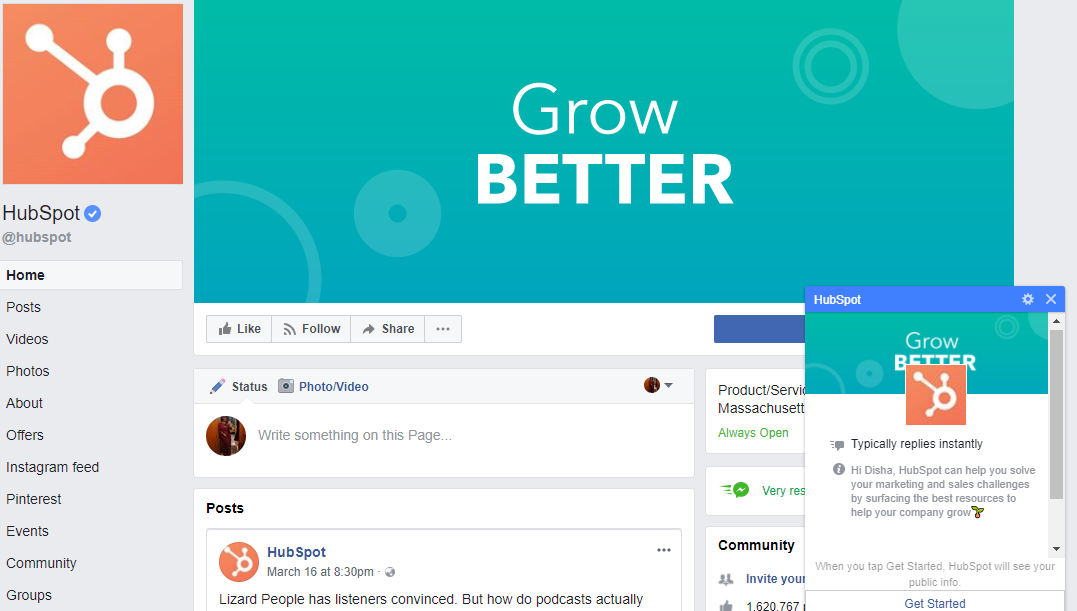
The first thing that your Facebook Page visitors see is your cover photo. And you can use that space to really make an impression on them. Apart from your cover photo, there are several special features such as your Facebook shop and even the “Pages liked by this Page” section that you can exploit to create a positive experience.
Did you know that your Facebook Page can be customized? Yes, you can reorder your tabs – photos, videos, posts, about and likes. You can reposition your Shop and Services tab to appear right at the top. You can even work with different Page templates to redesign the structure of your Facebook Page. When designing your Page structure, choose your featured visuals and the visuals that appear in your timeline boxes carefully.
A complete Facebook Page has all fields filled, even the less-used ones such as Partner Apps and Services and the Write Something box. Here’s a detailed post about optimizing your Facebook Page.

#6 Create a CTA driven Facebook shop to drive sales

Your Facebook Page can be a rich source of referrals, and when properly designed, a rich source of revenue. However, to drive referral traffic and generate revenue, you need to have a functioning CTA button leading to a conversion-optimized landing page.
Depending on what your business does and how your customer life cycle is, you can choose the text for your CTA button. It could be “Shop now”, or “Call now”, “Learn more” or “Make a reservation”. What action do you want your Facebook Page visitors to take? If your company’s product is an app, you can even build an accessory app into Facebook Messenger to show visitors what it can do.
5
When creating your Facebook Shop, spend some time thinking about how you can engage your visitors and turn them into paying customers. And ensure that all URLs connected to your CTAs have tags, so they can be tracked.

#7 Organize your content efficiently to maximize ROI

How do you currently account for the money you invest in content and social media marketing? Here’s how Hootsuite has suggested that it be done – Profit / total investment (people hours, ad budget, etc.) X 100 = social media ROI (as a percentage).
Based on this formula, most of the content you create is probably not worth the investment. Unless, you increase the referral traffic and subsequent business that you get through your content. Several factors affect how much referral traffic you generate from content, content quality, time of posting and frequency of posting being some of them. Most content marketers spend hours creating content only to share it once and forget about it.
On DrumUp, you can save evergreen posts in libraries and set them up on an automatic and long-term publishing schedule.

#8 Visually highlight your product with powerful storytelling

The popularity of social media apps such as Instagram and Snapchat are a clear indication of how visuals are preferred over text based content in today’s world. Visuals, particularly those that have powerful stories behind them, perform better on social media. Visual stories are an upgrade on still images and can transform the way you connect with customers.
Facebook Stories is a great way to apply visual storytelling. Stories not only pushes you to communicate via visuals, but it also gives you premium space in people’s feeds. Facebook Stories appear on the top of mobile screens and on the right of desktop screens, spots which commands a lot of attention. As Stories are temporary and disappear within 24 hours, you can use them to run timely promotions and contests.
1
Facebook Stories isn’t the only place where you can apply visual storytelling. You can also work on visual storytelling in your regular Facebook posts and updates, by using different forms of visual content.

#9 Get creative with Facebook ad strategies

Facebook ads are now mainstream. Large business and small, every type of business uses Facebook ads to increase brand exposure, drive referrals and even attract business. However, not everyone is successful with Facebook ads. Businesses are always in between agencies, desperately trying to get their ads to work.
The key to running successful Facebook ads is understanding your conversion funnel and how it connects to the different formats of Facebook ads. Every company needs different messages and ad strategies for different stages of their conversion funnel. If you sell Saas products, for instance, you would do better creating your own custom audiences than you would do using Facebook’s parameters for targeting.
Several companies run Facebook ads using their own email lists and leads. This type of ad usually performs better, as it consists of people who are already aware of your product and how it works.
Now that we’ve discussed the major concepts in detail, we can move on to smaller concepts that you can apply to your Facebook marketing to get better results.

#10 Use negative comments to build an amiable brand presence

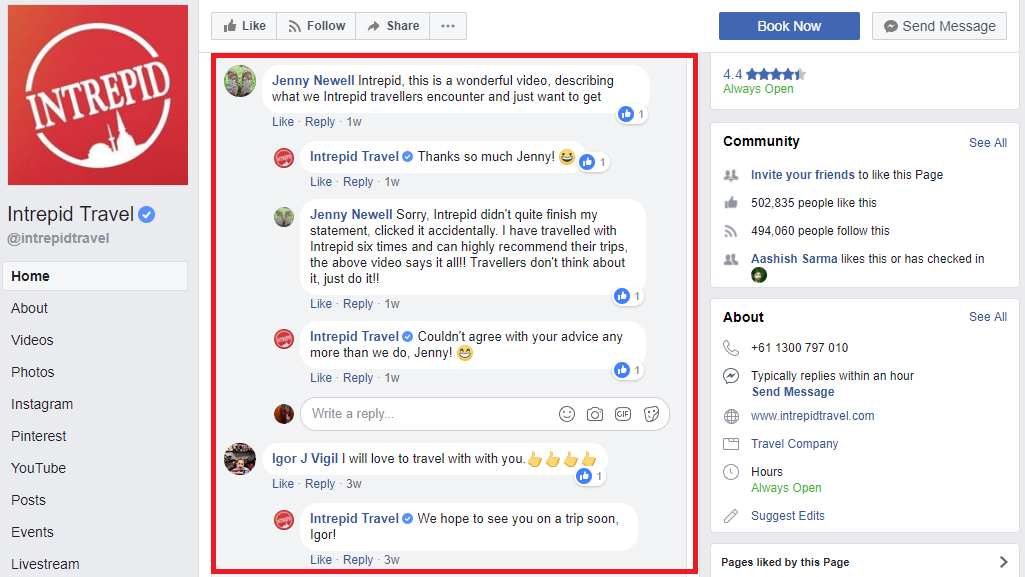
Never leave negative comments unaddressed on social media. Such comments can affect the way your current and potential customers perceive your brand. Instead, hunt for negative comments and use them as opportunities to exhibit your brand’s personality and quality of customer experience.
One of the things you should do anyway is to engage with everyone who leaves a comment on your page.
1


#11 Experiment with Facebook Local Search abilities

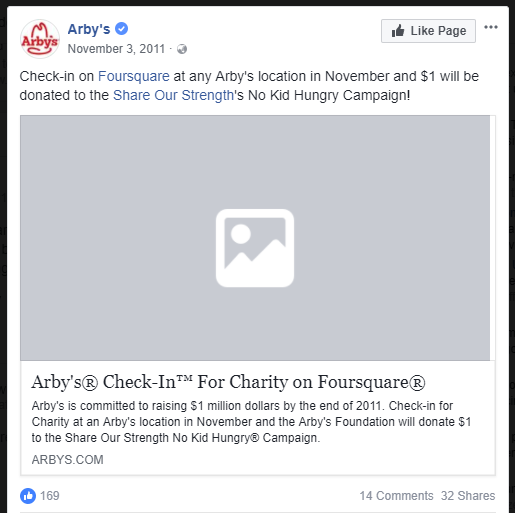
Local businesses can attract a lot of local customers by leveraging Local Search. Facebook’s Check-in and Location features allow you opportunity to be placed before potential local customers. How do you make use of this? Design a selfie corner in your store so visitors can click and upload visuals which will then appear on their connections’ feeds.
You could also run a campaign for check-ins. Here’s one that Arby’s ran.
2


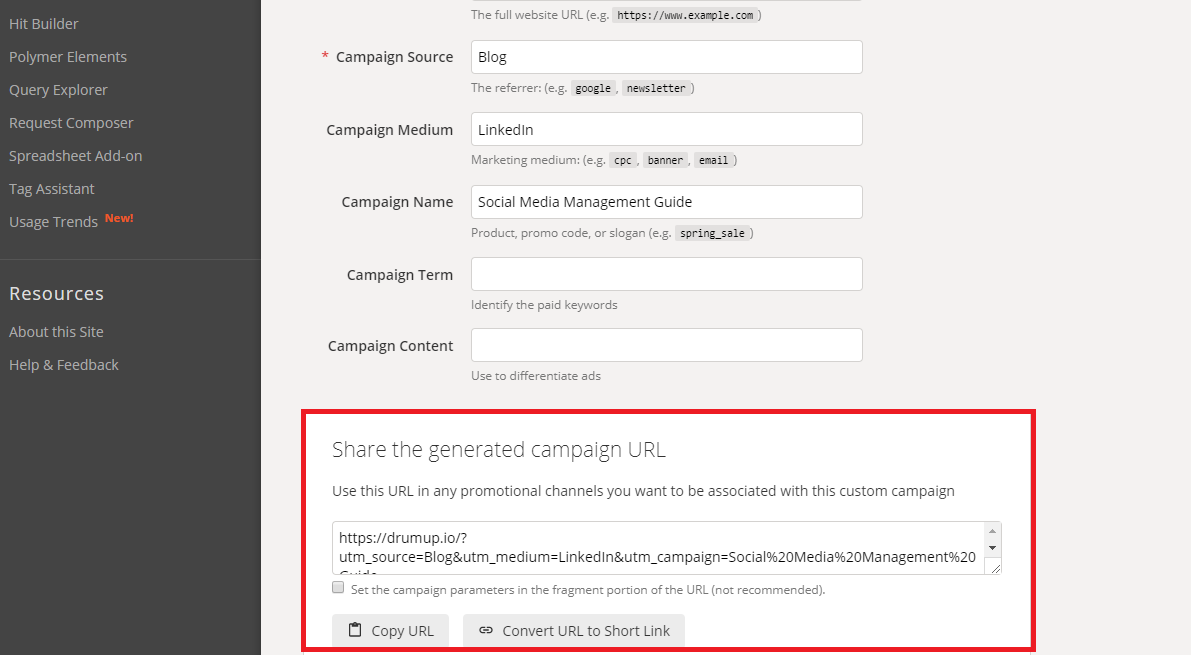
#12 Use custom URLs to track conversions from Facebook traffic

It’s advisable to use custom URLs (with unique tags) for every social media post, if you intend to track it. You could use Google’s URL builder to convert regular URLs into customer trackable URLs each time you post OR simply turn on the URL shortener in your DrumUp dashboard.
3


#13 Invest in CRMs that leverage Facebook profiles and data

If you want to connect Facebook marketing to business goals, you need to make your marketing and sales efforts meet at a point. CRMs are the perfect place to make such a collaboration happen. Some CRMs such as FreshSales allow users to connect Facebook profiles of leads to the software, so you can leverage a prospect’s Facebook profile data when making sales calls.
Tools such as Socedo (social media lead generation) and LeadWorks (website lead generation) are also work considering.

#14 Encourage content re-sharing via employee advocates & other brand advocates

Facebook has drastically reduced organic reach for Pages. As a result, it’s difficult for commercial Pages on Facebook to get organic social media engagement. One way to workaround this issue is by getting employee and brand advocates to share your content. If you can’t do this manually (an doing it manually is hard), you can consider using an employee advocacy platform (like ours).

#15 Collaborate with brands – guest cuate & guest post content

Another way to get past the reduced organic reach hurdle, is by working with other well-established brands on Facebook. The easiest way to work another brand is to guest-curate content for them, in exchange for a mention or a feature. It goes without saying that you’ll get featured on a brand’s social media page if you have written for their blog.

#16 Run Facebook contests, quizzes and QnAs geared for virality

Contests, quizzes and QnAs are super-interactive ways in which you can interact with your Facebook fans. The easier a contest is to participate in, the more likely you are to get engagement. Even if you don’t directly get business from running a contest, you can get publicity from well-designed contests, quizzes and QnAs. You can even design them to grow your Facebook following or collect leads (ask for emails in exchange for the opportunity to participate).

#17 Custom-build your audience

What’s the point in having millions of followers if they rarely engage with you? The more selective you are about your fans, the better and more valuable your Facebook engagement is likely to be. You can custom-build your audience by inviting people on your email list to follow you and then following their connections (people tend to follow back) when you have followed them.

#18 Optimize your landing pages to receive Facebook fans

Invest in designing the best possible landing pages optimized for conversions – email sign-ups, purchases or downloads – based on what your goals are. Bear in mind where your referrals are coming from – Facebook – and use that information to build pages that can engage such an audience.

#19 Leverage video & Facebook Live

Video is slowly becoming the most consumed form of content on social media. By sharing video content on Facebook and live-streaming via Facebook Live, you can engage Facebook fans real-time. When using Facebook Live, remember to promote before broadcast, time it right and offer context for your video constantly, because you never know when someone might join.
Here’s an example of what you can do with Facebook Live, inspired by Tastemade UK.
4
As for creating Facebook videos, you can use 3rd party tools to make the task easier. I’m currently testing a few tools myself, and will write about my findings soon.

#20 Don’t ignore behind-the-scenes content and Facebook Stories

If you don’t have a lot of time or resources to create Facebook content, you can always use behind-the-scenes content to share with your audience. Behind-the-scenes content isn’t only easy to create but it’s also great for audience engagement. People connect more with other people than they do with faceless brands.

#21 Respond to people who engage with your page

When running a Facebook Page, you’re very likely to run into prospect customers. And when a prospect customer makes a genuine comment on your wall, it’s essential that you respond. Posts on your Page may be informative and representative of your brand, but to give your brand a personality you have to personally interact with fans.
Wrap
There’s a large disconnect between small businesses on Facebook and their target audience. To engage the right people on Facebook, social media managers need an understanding of how Facebook works and what strategies can yield the most engagement. The ideas listed in this post are worth trying.
Feature image – Raw Pixel via Unsplash.com 

Source

Tuesday, 3 April 2018

5 Common Mistakes Email Marketers Make


Make a simple google search using the terms “Email Marketing Mistakes to Avoid” and you’ll be met with approximately 1.6 million results. Oh, so you don’t have a few years to set aside for some light reading? Good, let me sum it up for you. There are do’s and don’ts and best practices and recommendations for every intricacy of email marketing. These range from clear, distinct guidelines, to ambiguous ideas. Most are helpful, most are lengthy. So, how do you know if you’re making one of these common mistakes? You might be if…. 


1. Your content is irrelevant
In an age where we can make a simple search for a pair of black snow boots, and have said snowboots show up in our targeted ads on all social media platforms for a week, you better believe subscribers are expecting mail that makes sense for them. If someone lives in Anchorage, Alaska, chances are they aren’t regularly looking to buy those cute flamingo pool floats. So do you ensure that you’re sending your subscribers content that is relevant to them? Start at the beginning! Does your sign-up process include a chance for subscribers to give their geographical location and preferences about what they would like to receive? If not, this is probably a great place to start in order to make sure that your mail is relevant and targeted to your subscriber’s needs. 

2. Your creative needs a refresh
So often, email marketers focus on the subject and preheader of a message that the actual creative content falls to the wayside. The reality is that people are more likely to engage with your mail if something in the body of your message catches their eye. Be sure to include a call to action! Let your users actually engage with your mail by adding in easily found links to your website, a sale, or a special offer. You CAN have fun with your email! For example, below we see Apple is sending a campaign that is relevant to the quickly approaching Valentine’s Day. In their message, they keep the user invested with bold colors, holiday specific emojis, and links to shop the featured products in a subtle, yet easily identifiable way throughout the entire message. 


3. You haven’t optimized for your mobile subscribers
Studies show that 43 percent of subscribers are checking their emails on a mobile device, and that number will only grow since mobile devices aren’t going anywhere anytime soon. Make sure that your images, links, and text are rendering in a coherent, eye-catching way to ensure that your mobile users are having a positive experience with your mail. An easy way to do this is to test in our Inbox Preview tool. This tool gives you exact renderings of your mail across multiple platforms and shows you the issues you need to fix before you hit send. Another useful tool is Email Client Monitor. This tool allows you to gain insight into how long subscribers spend reading your email and geographically where they are opening it to help in targeting and segmentation. It also gives you data about which platforms, browsers, and email clients your subscribers use most often to optimize your email for the most used platforms.

4. You aren’t asking for permission
Permission-based email is vital for an email program to be successful and maintain a healthy reputation with mailbox providers and subscribers. How do you know if you’re deploying these types of emails? I’m glad you asked. First, make sure that users are fully aware of the type of mail they’ll be receiving from you at the point of sign up. Do you only send a monthly newsletter? Let them know! Be straightforward about your relationship going forward and I promise, it will be a long and fruitful one. Also, make sure you’re allowing your subscribers to opt-out of your email whenever they may decide. Meaning, don’t bury the unsubscribe button! Doing so will only increase complaints. Much like it is better to have loved and lost than never loved at all, same goes for your email program. An unsubscribe is better than a complaint any day of the week. Next, make sure you’re keeping subscriber’s contact information up to date. Give your subscribers an easy way to update any changes in their email addresses, so that you always stay in their most relevant inbox. Lastly, don’t buy or rent a list. It is difficult to obtain consent from these types of lists, not to mention some of those addresses may be spam traps, landing you on a blacklist.

5. Signing up for your emails is hard
People like convenience, no one likes to jump through hoops, especially when it comes to getting on an email list. More often than not, I see sign up processes that look more like the format a doctor’s office than a mailing list to hear about sales on my favorite sweaters. Keep your sign up process on one page, make the information you need from them an easy click, not a long form in which they need to write in a great deal of personal information.