Showing posts with label Content creation tools. Show all posts

Wednesday, 19 September 2018

What Should You Post on Social Media for Your Startup?


The best news about starting-up in today’s digital landscape is that you grow at practically no cost. All you need is the right idea, at the right time and to be at the right place at the right time. Today’s army of social media bloggers and micro-bloggers are constantly looking for exciting things to post, and you can be the subject of their social media conversations. But the first things you should think about are employing a social media management tool and building a smart social media marketing strategy. While building a social media strategy, here are the kinds of questions that you should ask yourself.
Who are you trying to reach?
What are the characteristics of these people? What drives them? What concerns them?
Where do they live?
What gender, economic level, education level do they belong to?
Are they homeowners or renters? Students or working professionals?
Do they play football? Are they bikers? Do they attend music concerts regularly?

Once you know exactly who you’re targeting, you will know exactly what to post. Here are 12 types of content that you should post on social media for your startup.


1. Humorous content

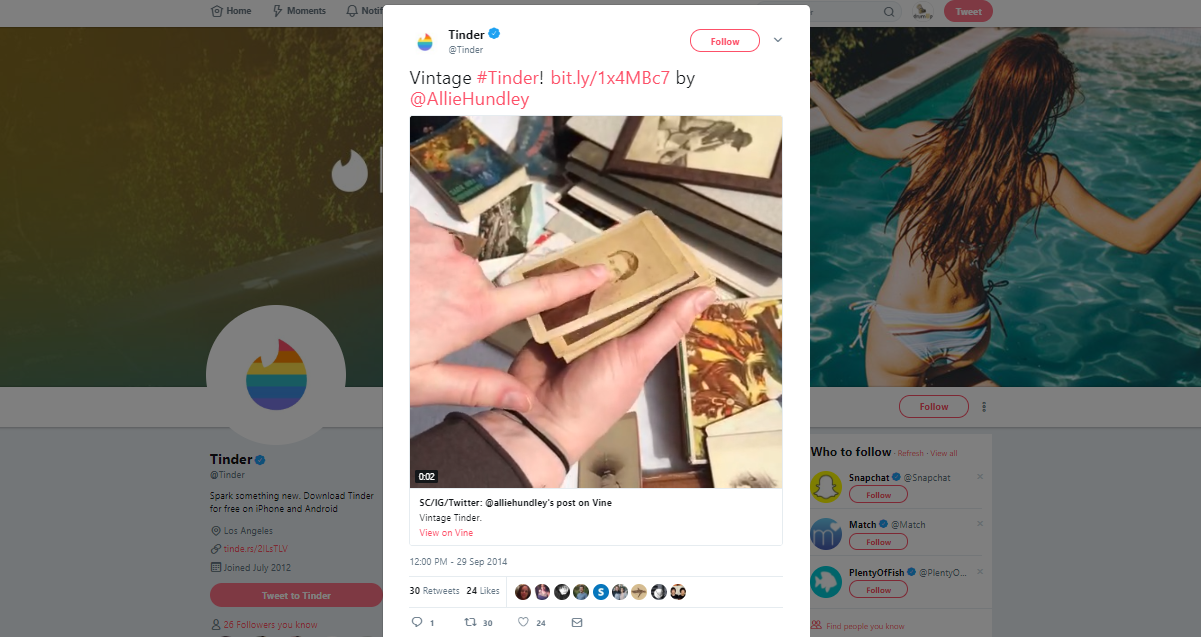
Funny always works. If you can make your audience laugh, they’ll want to know who you are and what you do. It’s natural to be curious about someone who surprises or entertains you. So make your audience laugh. You get extra brownie points for sharing humorous content that’s directly related to your brand, so your audience will both be entertained and made to think about your brand. Here’s an example of that strategy in play on Tinder’s vintage #Tinder post.
Screenshot 2018-06-20 17.47.46
The reference to your brand could also be more subtle and playful, like how Birddogs does it. Look at how they’ve showcased their product (men’s shorts) in your face in such a bold yet charming manner.

Screenshot 2018-06-20 17.56.18
Another alternative is one where you simply post a “joke of the day” or “meme of the day” by curating content from other sources. Remember to always provide necessary attribution when curating/sharing content.


2. Your product/service updates

What are the latest features on your product? What services have you restructured or added to your business? Both your customers and social media fans eagerly await new and exciting offerings that can make a difference to their lives. And that’s how you must portray your latest updates – as novel solutions to real problems. Your feature/service update in itself could be a powerful social media marketing strategy when designed and timed right. Consider, for instance, Slack’s latest emoji tweaks in the spirit of the FIFA World Cup.

Screenshot 2018-06-21 07.08.25
How you present products and features matters. Getting presentation right requires a certain seamless coordination between your product development and social media marketing teams. Microsoft CEO, Satya Nadella, has stressed the importance of interdepartmental collaboration in his book “Hit Refresh”, supporting the suggestion with his own examples and experiments. In 2015, Satya Nadella was spotted using an iPhone at Salesforce’s Dreamforce conference, where he introduced his audience to the iPhone Pro – an iPhone that supports all Microsoft applications. This partnership was unexpected by welcome by the press and customers, making Nadella’s bold presentation an instant hit. Try and plan all your business activities with marketing in mind. You’ll see that it will pay off, big time.
No update is too small to share. Even design changes can make for great social media posts if you design them to be so.


3. Success stories

Just landed a well-known client? Get them onboard with your marketing. Request their permission to construct a case-study or success story using their experience with you. More often than not, clients are excited about such an opportunity considering it free press, but they usually have concerns about the safety of their confidential information. Address their worries by disclosing your marketing plan in detail, leaving no room for ambiguity. When designing your client success stories, try and get creative. Do a video case-study or success story. Conduct an interview. Keep in mind what your social media audience would want to see.
Screenshot 2018-06-21 07.32.14
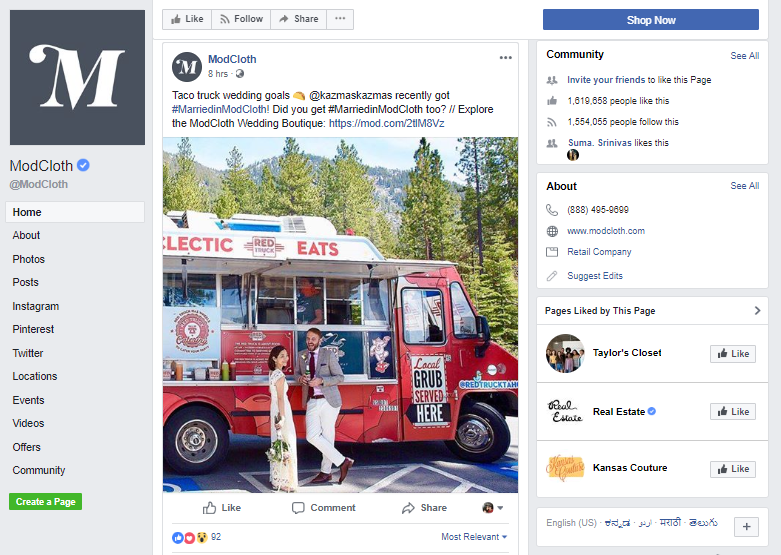
Even if you’re not B2B, you can have customer success stories of sorts. Look at clothing retailer ModCloth’s #MarriedinModCloth social media initiative. It features a brilliant collection of photographs of customers who picked ModCloth for their wedding boutique. Few strategies work as well as social proof does on social media. Enable social media fans to envision working with you or using your products.
Success stories could also entail your company’s success stories. Just got featured on a predominant publication? Share your pride and happiness with your social media audience. Just employed new interns? Introduce them to your social media audience. People love seeing the faces and minds behind any brand.


4. Customers’ opinions

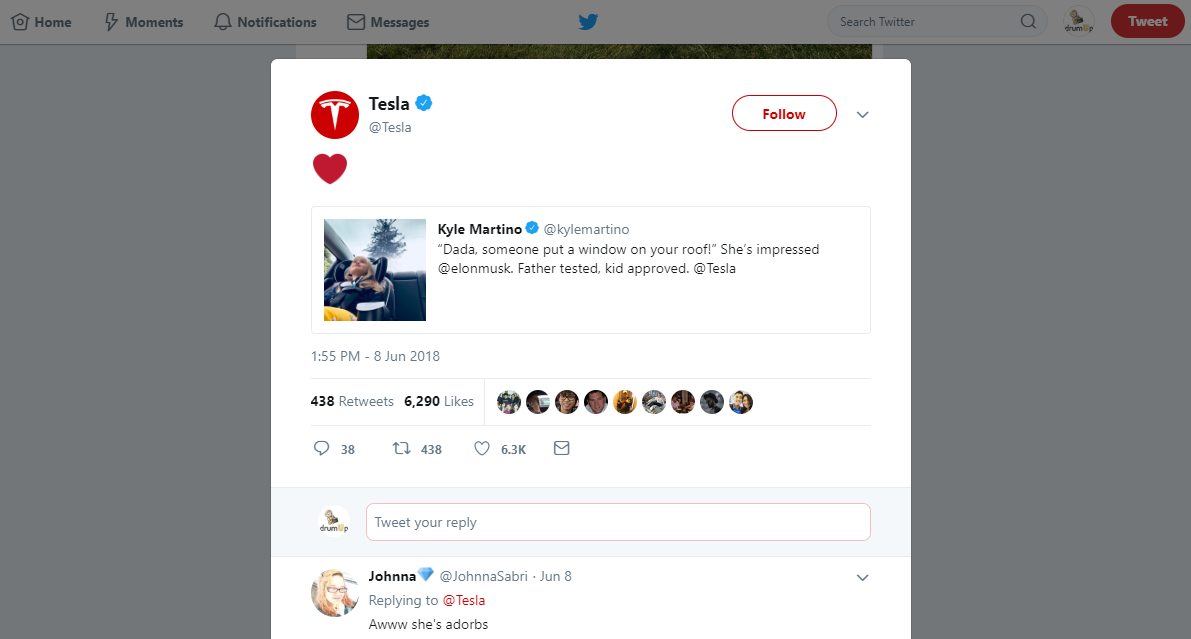
People are more likely to trust the words of other people, much like themselves. And trust is an important factor for startups, especially those that are new in the market or selling novel concepts or products. For instance, Tesla, despite the overwhelmingly positive press, has always faced issues in actually selling their vehicles. This amusing review that they retweeted could be influential in convincing other potential buyers.
Screenshot 2018-06-21 10.34.27
Sharing the opinions of happy clients emphasizes on the fact that you’re capable of taking care of clients and fulfil their needs. But it’s also equally important to find and respond to negative experiences from clients. Every negative comment that you leave unattended is a sign of your brand’s indifference to customer feedback. The great news is that negative feedback can be an opportunity to build trust with your existing and future customers.

1
Observe how SizzorS salon has responded to one of their customers. It’s important to be respectful while addressing your customer’s queries in the most detailed and specific way possible.


5. Tips & news for your industry

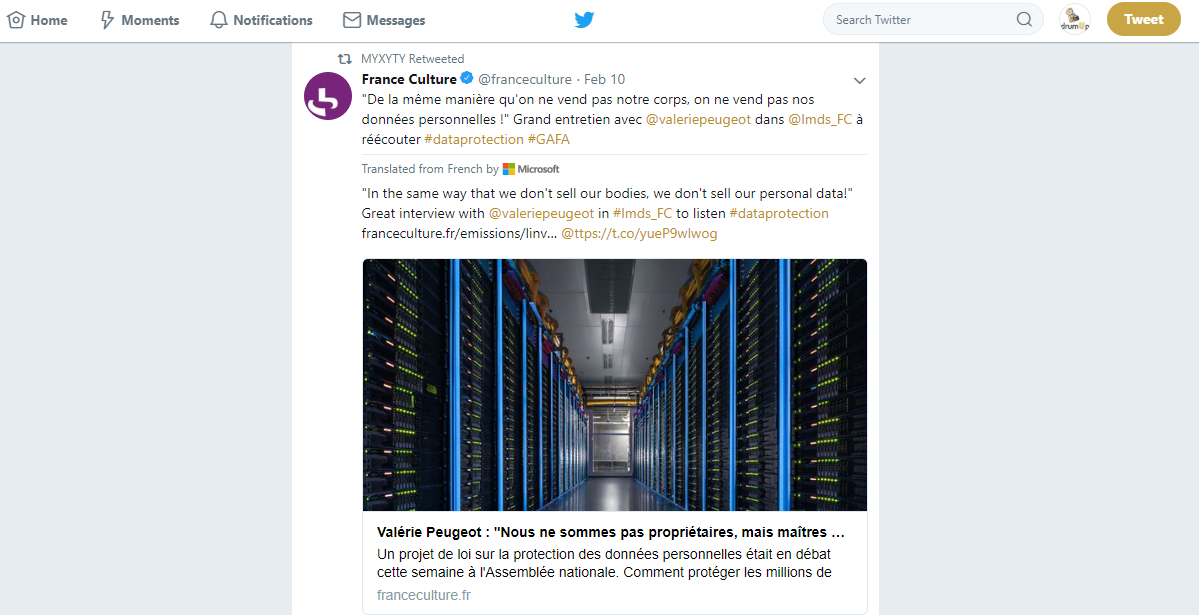
People generally appreciate updates related to their industry, because they want to stay up to date. By providing them with such news, you can become the go-to source for news and tips in the industry. Many startups invest a lot of money in having content marketers create high-quality industry related content so it can help them get search engine and social media traffic. Instead of creating 100% of your content, you can curate top-class content that has already been created. For instance MYXYTY, an internet security solutions company, often shares news and updates related to internet security in a way that appeals to their social media followers.
Screenshot 2018-06-21 12.13.27
If you can’t spend enough time manually curating this type of content, you could curate it using a content curation app such as DrumUp. Curate relevant content on DrumUp by setting-up keywords and RSS feeds of your favorite content sources. The content you share can be anything – useful tips, major discoveries, changes in an important law – you know your industry best. Share whatever your audience would like to follow.
When sharing, if you are the first to share and attribute the source using @mentions and #tags, you are likely to benefit from the resulting exposure. DrumUp helps you execute all of this.


6. Data & insights

Data and insights are another great form of social media content to consider sharing. Data and insights are particularly nice when shared in a visual format – as graphs or infographics. They’re not very hard to create either. With the graphics editing apps available in the market today, you can easily turn research and surveys into graphical offerings for your social media audience. Even if you don’t turn it into a graph, you could use the stat to create a compelling headliner connected to your brand.

News mention
Check out, for instance, this post that Uber shared in May this year. It gives Uber users in those cities a powerful reason to consider using the service permanently instead of buying a car. Uber’s popular for sharing really interesting stats collected vis Uber rides with their social media fans.
Explore different areas in which you collect data and can turn them into interesting and engaging social media posts. Then, use them wisely.
Alternatively, you could conduct research on areas that interest your target audience and create graphs and insights that can assist them.


7. Brand mentions in media, articles etc.

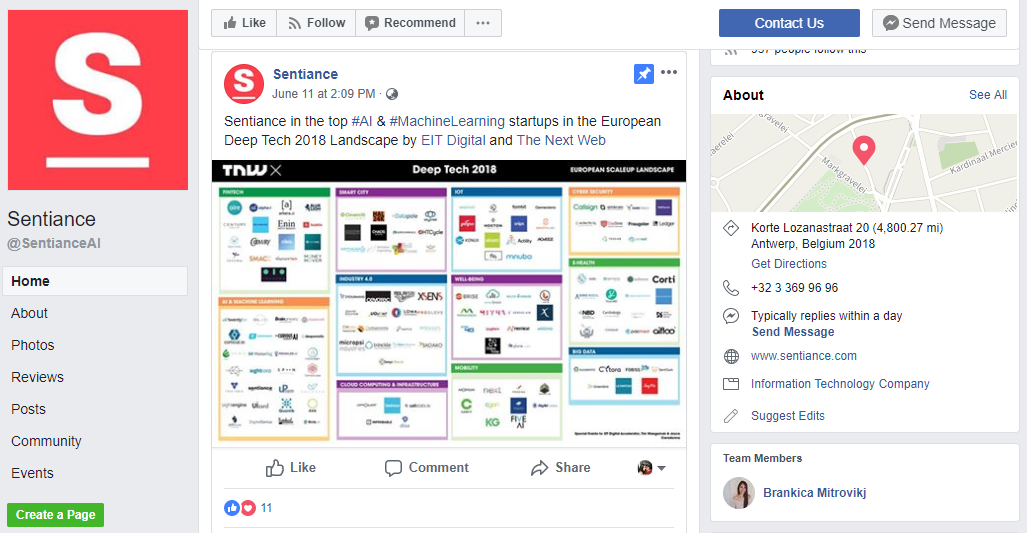
“Trust is a key enabler for economic value creation,” says Philipp Kristian Diekhoner, a German entrepreneur from Singapore. And to build trust, you need to carefully design social media content that can support those goals. Brand mentions in trusted media and publications are an excellent way to build trust with the cross-section of your target audience and readers of that publication. You may also share interviews that your company’s executives participate in to establish the knowledge and expertise of your leadership and management.
Screenshot 2018-06-21 14.19.35
It pays to mention the publication and author when they mention you, just to build relationships with journalists and publications in your industry. When creating your own blog and social media posts, you could feature these journalists and their work in turn. You could also make room for top industry websites, magazines and news agencies in your content to catch their attention.
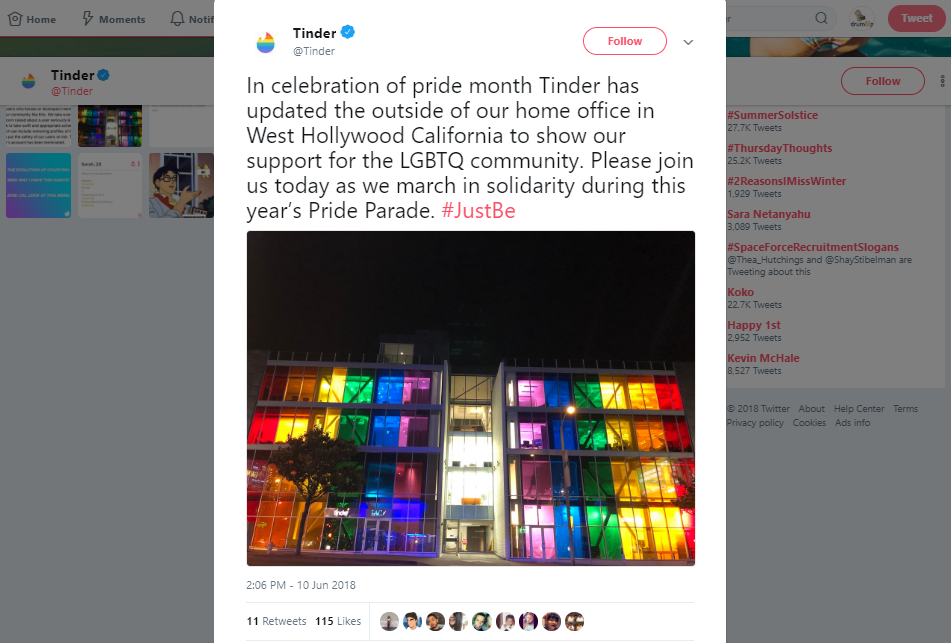
Finally, you could design and promote PR stunts to get covered by various publications. However, ensure that it’s genuine and in tune with your brand. To celebrate Pride month, Tinder turned their office multicolored to support the Pride movement.
Screenshot 2018-06-21 17.17.21


8. Behind the scenes content

With people as the face of your brand, your target audience is likely to connect with you more. Your target groups are also more likely to trust you when you transparently share the process or functioning of your business with them. That’s why it’s important for you to share behind the scenes content with your social media fans. So, what qualifies as behind the scenes content? A photo of you or your team at work, preparation for an event, preprocessing of your product, a photograph of your company at an offsite event are all great examples of behind the scenes content.

Behind the scenes
Here’s a particularly cute photograph of a company’s latest recruit, Piki, the so called VP of motivation. The best part about behind the scenes content is that it allows you room to share yours and your brand’s personality. So you can share whatever’s on your mind, unless it’s offensive to someone’s sentiments.
The more transparent and free-flowing your content is, the more likely your audience is to connect with it.
Note: This post will be updated to include more types of social media content for you to post for your startup. Please watch this space for more.

Feature image via Freepik.com 


Source

Saturday, 5 August 2017

19 Tools to Create Social Media Content


Are you looking for new ways to create content?
Interested in tools that can help you?
In this article, you’ll discover 19 tools to create and share content on social media.


#1: Convert Long Form Content to Slides

Presentations are great for readers who need a little more time to digest bigger pieces of content. They also let you introduce your business in a more visually appealing way. Break your content into slides and share your professional presentations with these tools.
SlideShare

LinkedIn’s SlideShare gives you a platform to build, upload, and edit presentation decks and share them on social media. The list of sharing sites includes Facebook, Twitter, Google+, and of course LinkedIn. Email, links, WordPress shortcodes, and iframe embedding are also available to share your work.
Cost: Free


SlideBoom
SlideBoom can convert your PowerPoint presentations to Flash so you can share them with colleagues, prospects, and customers. As private or public, SlideBoom lets you share your presentations with just the right audience.
Cost: Free and paid versions

slideboom
Convert your PowerPoint presentations to Flash with SlideBoom.

Prezi
Prezi is available for your desktop or as an online editor. It makes creating an effective presentation a snap. Browse the knowledge base or upload your own presentations. You can add animations and share your content on Twitter, LinkedIn, and Facebook.
Cost: Public accounts are free and will be viewable, searchable, and reusable. Pro accounts run from $5-$20 per month.

prezi
Create dynamic presentations with Prezi.

SlideSnack
SlideSnack is a presentation-sharing tool that lets you easily upload presentation slides accompanied by voice overlays. You can share them with Blogger, Facebook, WordPress, My Webs, Weebly, Jimdo, Tumblr, Hi5, Orkut, and YouTube.
Cost: Free

slidesnack
Upload slides and add voice overlays with SlideSnack.


#2: Present Your Business on Video

Video is perhaps the most important medium for sharing and presenting content online. YouTube is the top dog with over 1 billion unique users each month, but other top video-sharing services look to take some of the market share.
Could your bustling business benefit from these top online video tools?

PowToon
PowToon features a user-friendly presentation interface and minimalist design. You can use it to create branded video and share it with prospects and customers.
Cost: Free and paid versions available

powtoon
PowToon lets you create branded video that you can share on
your social channels.

Magisto
Magisto lets you synchronize audio and visual aspects to make an emotional connection with the viewer. Share your videos on Facebook, Google+, Twitter, YouTube, or your own blog.
Cost: Free and paid versions available

magisto
Magisto lets you turn images and video into short movies.

WeVideo
With WeVideo, you get worry-free cloud access to your media, Ken Burns-style animations, voiceover capabilities, and a library of licensed music to make video editing stress-free. Sharing capabilities include Facebook, Twitter, Vimeo, and YouTube.
Cost: Free and paid versions available

wevideo
WeVideo is a cloud-based video editor.

Wideo
Wideo works in tandem with your marketing strategy to create videos in minutes. You can create professional videos online and share them on your blog, Twitter, Facebook, and Google+. If you prefer to have Wideo create your video, graphic designers are on hand to assist with your marketing needs.
Cost: Free and paid versions available

wideo
You can create video in minutes with Wideo.

Share Your Video Content
Once you create your video, here are some places to upload and share it:
YouTube
Just about everyone is familiar with YouTube for its public and private video upload freedom, customizable thumbnails, and monetization capabilities. An incredible 300 hours of videos are uploaded every minute, and according to a recent report from Digiday, there is something for everyone.
Cost: Free and paid versions available
Vimeo
Vimeo’s platform is similar to YouTube and is ideal for video sharing, discovery, and sparking creativity. You can get inspired by individuals and businesses that are passionate about video.
Cost: Free and paid versions available
Dailymotion
Live and on demand, Dailymotion is the place to watch videos of sporting events, hilarious bloopers, fashion shows, and more.
Cost: Free
Metacafe
With a youthful tone and appearance, Metacafe showcases short-form videos, gaming, television, and music.
Cost: Free

#3: Show Your Story With Infographics

Give your content a huge boost with infographics, which encourage engagement. According to Content Desk, an infographic is 30 times more likely to be read than a purely text article.
In fact, the state of visual content has grown in importance from key marketing decision-makers worldwide, supported by a recent report from eMarketer and the communications firm Lewis. They report that 94% of marketing decision-makers produce visual content.
The reasons behind the popularity of visual content may come as a surprise. According to the study, the top reasons for visual content production are not its aesthetic appeal, but its ability to encourage engagement, the social media requirements, and the customer’s reduced attention.
There are easy and affordable ways to stand out visually on social media. With minimal training, these top infographic websites let you create and share craveworthy content.

Easel.ly
Easel.ly lets you easily edit and customize infographic templates. You can share your new canvas immediately on Facebook, Twitter, and Pinterest.
Cost: Free

easel.ly
Easel.ly lets you edit and customize a variety of
infographic templates.

Piktochart
Piktochart lets you create innovative, design-intricate infographics complete with icons, images, charts, and interactive maps. Once finished, save and publish your newly minted content directly to Facebook, Twitter, Google+, and YouTube, and even convert long-form infographics to multi-slide presentations on SlideShare.
Cost: Free and paid versions available

piktochart
Design innovative infographics with Piktochart.

Canva
With Canva, you can quickly create infographics, along with presentation covers, social media images, online advertisements, flyers, and more. Canva lets you share your work on Facebook and Twitter.
Cost: Free and paid versions available

canva
Choose from Canva’s library of design sizes and styles.

Visme
With Visme, you can easily create beautiful presentations, infographics, reports, web content, and wireframes all in one place. Share your content online as a URL or on social media, embed it on your website, or download it for offline use.
Cost: Free and paid versions available

visme
Visme lets you create presentations, infographics, reports, 
web content, and more.

Share Infographic Content
Here are some platforms where you can share your infographics:
Cool Infographics
Cool Infographics is free to marketers in the design community who want to submit their work to a forum for review. In addition, the service lets you self-publish, connect, and discover visual content. It’s a way to drive more traffic to your business.
Cost: Free
Submit Infographics
Do you have an infographic you’re proud of and want to submit it for review? On Submit Infographics, you can publish and share branded designs to be stored in the site’s visual content library, which is available for the viewing pleasure of the site’s large audience.
Cost: Free and paid versions available

#4: Build Buzz With Quizzes

Want to gain interaction? Try a quiz!
Personality quizzes are fun for readers and informative to marketers. Marketers should expect to see an 80% completion percentage, so set your sights high. If your results drop below the 80% mark, consider shortening or reworking your message.
Pro tip: If you want to build your email list, remember to give your readers the option to have their results sent directly to their inbox. Quizzes give readers an incentive to share information such as email addresses, and give marketers another way to collect audience data.
Start building and sharing your own quizzes with these five sites.

BuzzFeed
BuzzFeed is one of the most popular quiz-sharing websites to date. The site’s editorial style makes it easy to create, view, and share quizzes. You can share your content on practically every device and network.
Cost: Free

buzzfeed
BuzzFeed lets you create, view, and share your own quizzes.

Playbuzz
Playbuzz is a digital publishing platform where you can create content and embed quizzes directly on your website. The goal is to share stories that people love, and it seems to be working. Playbuzz is one of BuzzFeed’s biggest competitors. Just as with BuzzFeed, Playbuzz lets you share your content on practically every device and network.
Cost: Free

playbuzz
Playbuzz lets you choose from a number of quiz formats.

Quizworks
With Quizworks, you can choose from multiple question types, view statistics, and get access to sharing tools that allow you to engage with your audience in a highly shareable way on Facebook and Twitter.
Cost: Free and paid options

quizworks
Quizworks lets you create an online quiz in minutes.

Qzzr
Qzzr is an exciting tool that lets you create personalized quizzes based on your website’s look, feel, and language. Qzzr’s sharing capabilities include Facebook, Twitter, and LinkedIn. You can also embed code directly to your blog or website.
Cost: Free and paid options
qzzr
Qzzr lets you customize your quizzes to fit your website’s 
look and feel.

4screens
4screens is a responsive platform that lets you create quizzes, polls, and surveys. You can engage with readers and track leads in real time on Facebook, Twitter, LinkedIn, or from the embedded quizzes on your website.
Cost: Free and paid options

4screens
4screens lets you track leads in real time.


#5: Share Your Voice With a Podcast

Podcasting is bigger than ever. With the rise of smartphones and tablets, podcasts have become a required accessory for any long road trip or gym session. In fact, the podcast audience is now close to 60 million people in the United States, and according to Edison Research, podcast listening grew an impressive 23% between 2015 and 2016.
Podcasting will continue to grow and become easier for marketers to create, edit, and share. Try these top tools and make your podcasting dreams a reality.

Audacity
Audacity is open-source audio software that lets you record audio, convert tapes and records into digital recordings or CDs, and add your own audio effects to cut, copy, and mix your own podcasts.
Cost: Free
audacity
Audacity makes it easy to record audio for your podcast.

Podbean
Podbean lets you create and share professional podcasts in minutes without any programming knowledge. You can publish directly to Facebook, Twitter, Pinterest, Tumblr, or Instagram accounts. You can also listen for free, or upload, publish, manage, and promote your podcasts with one of Podbean’s paid plans.
Download availability: iOS and Android
Cost: Free and paid options

podbean

Podbean makes it easy to create, manage, and 
promote your podcast.

Share Podcasting Content
Here are some places where you can upload and share your podcast:
SoundCloud
You can record and upload audio content to SoundCloud. You can share your work privately or publicly to blogs, sites, and social networks such as Twitter, Tumblr, Facebook, and Foursquare.
Download availability: iOS and Android
Cost: Free
Podomatic
Podomatic lets you create and discover thought-provoking podcasts and share your favorites with your friends on Facebook.
Download availability: iOS and Android
Cost: Free
Archive
Internet Archive is a non-profit library of free books, movies, software, music, websites, images, concerts, and podcasts. You can upload content, donate, watch, and listen.
Download availability: Web only
Cost: Free
Stitcher
Stitcher boasts the ability to stream the latest in news, sports, talk, and entertainment radio anywhere, on demand. Stitcher is the easiest way to discover the best of over 65,000+ radio shows, live radio stations, and podcasts. You can “stitch” together your favorite shows into customized station playlists and save them for easy access later.
Download availability: iOS, Android, and Kindle Fire
Cost: Free
Conclusion
Achieving higher reader engagement is all about knowing your audience. After you get a better grasp of your readers’ habits and online routines, you can begin to target them properly in ways they want to interact.
Consider this: According to Salesforce, almost a quarter of all adults online are on at least two social media networks. It’s no surprise that each social networking site is unique in its audience and content, making it crucial to diversify your marketing strategy to interact with your customers where they are in the medium that best fits the network.
Whether you’re looking to convert outdated or overused content, or think a complex piece of content would be best served in bite-sized pieces, don’t miss out on an opportunity to reach a larger audience by presenting content in a new way.

What do you think? Can you use these five content formats and multiple tools to reach your audience and improve engagement? Please let us know in the comments below!

Source

Thursday, 3 August 2017

How to Write with Power and Authority, Even if You Feel Like a Nobody


In this overcrowded online world, do you ever wonder why people would listen to your advice?
I used to feel the same way.
I didn’t understand why people would read my writing tips when the web is awash with writing advice from people more experienced, more knowledgeable, and more authoritative than me.

Why would anyone listen to me?
I’ve learned that mindset was flawed.
When I learned how to write well, a new world opened up. I connected with people across the world. I built a thriving blog. People started listening to my advice — and more importantly, they acted on it.

Can you make an impact with your words?

As writers, our toolbox may seem limited. We can’t shout. We can’t use body language. We can’t even bang on a table to add weight to a message.
We only have our words to communicate with passion and power.
But written words are enormously powerful. You know that. When was the last time words made you smile? Or cry? Or inspire you to take action?

Once you learn how to write with power, readers start listening to your ideas, acting on your advice, and buying your products and services. You can inspire change — even if you feel you don’t have the required clout or authority right now.
Want to learn how?

Step #1: Write with clarity and substance

Weak writing rambles, rattles, and prattles.
Powerful writing, in contrast, is simple and to the point.
Many writers misunderstand this …
Writing with substance is not about writing longer articles. It’s not about word count. It’s not sharing as many tips as possible. The opposite is true. Often long articles lack substance; too many superficial ideas that compete for the reader’s attention weaken the content.
Substance is not about the breadth of your ideas; it’s about the depth of your arguments. Even an email of 100 words can have substance. A nugget of wisdom. A super-practical tip. A spark of inspiration.
Substance is about adding value, exceeding your readers’ expectations, and moving beyond the echo chamber.

“If you’re not adding value, you’re taking up space. The more space you take up, the more difficult it becomes to continuously earn your spot, and the more likely you are to become ignored and irrelevant.” – Sally Hogshead
So, how do you write with substance?

  • Have a clear purpose for each piece of content — how will you help your readers?
  • Create a list or mind map of what you want to include in your article.
  • Review your ideas and narrow down your topic — an initial mind map is often too unwieldy, so cull irrelevant ideas that lead readers astray.
  • Revisit your content’s purpose — will your content deliver on your promise? Will you solve a problem?
Becoming an authority is not about you. It’s about your readers. About their lives, their worries, their challenges, and their dreams.
Powerful writing starts with empathy, generosity, and a passionate drive to help your readers.

Step #2: Boost your authority with these content tricks

Focusing on a narrow topic may feel scary. Can you write enough? Will your article seem flimsy?
Don’t panic.
And don’t start adding irrelevant ideas and semi-related trains of thought.
Instead, use the three content tricks below to turn flimsy writing into persuasive and authoritative content.

Authority content trick #1: use specific examples

My favorite way to boost authority is using examples. They are an undervalued tool in your authority tool box.
Examples demonstrate how you translate theory into practice. Examples breathe life into your content by making abstract concepts concrete. Readers can visualize your ideas, and you show you’re not just talking the talk; you know what you’re talking about.
Want examples?

Each post discusses one narrow topic (writing in a conversational tone, writing sales copy, writing with substance) with a series of examples.

Authority content trick #2: add compelling statistics

Statistics are not my favorite type of content. I find numbers boring.
But it’s a mistake to ignore numbers.
Because numbers add substance to an argument. They show you know your field. They instantly make your content more factual.
For instance, for my own Enchanting Marketing blog, I wrote a post about 10 proven headline formulas. First, I present figures to explain how important headlines are:

“The average click through rate on Twitter, for instance, is only 1.64% (source, 2012), so 98 out of 100 people may read only your headline, and fewer than 2 of them click through.”
Then, for each of the headline formulas, I provide examples of popular headlines and support my points with facts:

“The ‘Burning Question’ formula is probably the most underused formula on the list. But its attraction is undeniable: the third most popular post on Moz (8.2k shares) and the fifth most popular post on HubSpot (13k shares) use this formula. We also know from research that questions get more clicks on Twitter than statements, and that subject lines with question marks get 44% more opens than those with exclamation marks (source).”
Statistics boost your credibility and appeal to rationality. But be careful: Don’t let the numbers undermine the clarity of your message. Only add research results and other numbers if they help clarify your ideas.

Authority content trick #3: support with quotes from experts

Can’t find any statistics to back up your argument?
Try using quotes from well-known experts. A quote demonstrates you’re familiar with other work in your field. Notice how I quoted Sally Hogshead earlier?
Strategically selected quotes support your claims. They help you “borrow” other people’s authority to grow your own.

Step #3: Inject power into your words

Does power make you think of dictators, bullies, and other dominant personalities?
As Sally Hogshead explains in her book How the World Sees You, power lives on a spectrum. Power’s gentle side manifests itself in the parental nudge and in the sports coach who motivates you to train harder.
Powerful writing inspires readers to take action. An effective sales page, for instance, encourages readers to click and buy. Strong social media updates make people click to read more. And authoritative blog posts motivate readers to implement your tips.
How?
Embrace your inner bossiness by using the imperative form and shorter sentences.
For instance, read this paragraph aloud:

Your job as a blogger is not simply to write tutorials that share tips, facts, and advice.
A useful tip that’s not implemented is like a riveting book that’s never opened. It’s forgotten and useless.
Instead of acting solely like a blogger dishing out your tips, you should become a mentor for your readers, a chief of your village, a leader of your tribe. You should fire up your tribe and jump-start their actions because your readers are waiting for you.
It feels a little flat, right? That’s because the sentences are long and the final sentences use “you should” instead of the imperative.
The alternative version below (from A Rabble-Rouser’s Rules for Writing Kick-Ass Closing Paragraphs) is more inspirational because it uses shorter sentences and the imperative form (“Fire up your tribe” instead of “You should fire up your tribe”):

Your job as a blogger is not simply to write tutorials.
Your job is not to share tips and facts and advice.
A useful tip that’s not implemented is like a riveting book that’s never opened. It’s forgotten and useless.
You’re not simply a blogger. You’re a mentor for your readers, a chief of your village, a leader of your tribe.
Come on. Fire up your tribe. Jump-start their actions.
Your readers are waiting for you.
Does that inspire you more?

The magic of writing

When I started writing, I didn’t think of myself as a writer. I doubted my skills. I didn’t know whether I had enough ideas.
But every time I had to write an article, I learned more about writing. I followed my curiosity. I discovered what I’m passionate about, and I learned what resonated with my audience.
You might think you don’t have enough to share. Or you might doubt your writing skills.
This is what I’d like to tell you:

You’re unique. You have unique experiences. And you’ll discover your voice and your passions when you write more. Writing brings clarity, deepens your understanding, and strengthens your ideas.
So, commit to writing. To creating valuable content. To being helpful to your readers.
Start making tiny ripples.
That’s how change begins.


Source

Monday, 31 July 2017

23 Content Creation Tools Every Affiliate Marketer Needs


 Are you spending way too much time on creating content for your site/ social media/marketing campaigns?
Content creation takes up huge chunks of time for most affiliate marketers. Unfortunately, there is no way around this.
However, there are definitely some great content creation tools that can make life much easier for you.

These are some of my most-used tools. I've separated them into categories to make it easier to find the type of tool you need the most. 

Tools For Generating Ideas

If you're running low on ideas for content and don't know where to look, these tools are worth checking out. 

1. Portent Title Maker

This is one of my favorite tools, purely because it's so much fun and often makes me laugh.
Enter a keyword to see a suggestion for a blog post title. If you don't like it, hit refresh to get a new title.
Usually, I don't use the exact titles suggested by Portent, but use them as ideas for writing future posts. Try it! 
portent title maker

2. Buzz Sumo

Buzz Sumo is a great tool to understand and analyze what content is working in your niche. Enter a topic to see what sort of content others are writing, what is getting shared on social media and more. It's a handy tool when you have a topic but are stuck on which direction to take. Buzz Sumo can help you find the right angle.

3. Blog Topics Generator

Hubspot also has a blog topic generator that I find very useful. It works in a similar way to the Portent tool. Enter in three keywords, and the tool will return five topic ideas for you to work with.
hubspot blog title generator

Tools For Writing 

Make your content writing better and error-free with these web content creation tools. 

4. Hemingway

The key to writing good content that engages your users? Keep it simple. But this is often easier said than done. 
Most of us get caught up in long sentences and complicated words. Hemingway is a great tool to help you simplify your writing. It points out complex sentences and other common errors. Simply paste in your content to see what the app thinks.
hemingway app

5. Grammarly

Don't trust yourself to proofread your own work? Grammarly helps you by catching your grammatical errors before hit the Publish button. No more silly typos! 

6. WordPress Distraction-Free Editor

Most of you are probably using WordPress as your site's CMS. However, I find that sometimes the sidebars and everything else on the page can be pretty distracting. Add some Zen to your writing space by using the built-in distraction-free editor. Simply hit the four-way arrow icon to eliminate everything but the content area of the post .
wordpress distraction free wrtign

Tools For Visual Content

Visual content is the king of content marketing. Here are some great tools to help you create quality and engaging visual content with ease. 

7. Canva

I'm no designer, so a tool like Canva has made life SO much easier for me. There are pre-made templates, social media-ready images and lots of funky fonts. The best part is the drag and drop interface means you never have to worry about understanding Photoshop layers again. 
Other similar tools include Pablo by Buffer and PicMonkey.
canva

8. Infogr.am

If you like to create infographics, and other data visualization charts, Infogr.am is your tool. 

9. Giphy

GIFs rule the internet. Find the perfect GIF for every emotion on Giphy.
I spend way too much time on this site. You probably will too, once you discover they have GIFs for everything from your favorite TV shows and movies to fashion and food. And your favorite celebrities.  

10. Jing

Jing is my favorite tool for taking screenshots (e.g., the ones in this article). You can add arrows, highlight and circle parts of the image. You can also record videos of your screen (useful for instructional videos). You can then upload it and share the link with others, or save the file to your computer and add it to blog posts (like I have). 
Camtasia is another popular tool in the same category. You can create high-quality videos of your screen and easily upload videos from your hard drive as well. 

11. Meme Generator

No matter how many memes you see online, they never stop getting funny. If you want to create your own memes, this is the tool you should be using.
meme generator

Tools For Getting Help

If you find you're running out of time to create the content you want and need, have you considered getting help?
By help, I mean finding a freelancer who can help you fill the gaps. This could mean finding a writer to help you keep your blog up to date or a talented designer who will create that infographic that has been on your mind for a while. You could even find someone to do all your instructional videos. 
Whatever you need, it's likely there's a freelancer who can help you out. 
upwork categories
Some popular places to find the freelancers you need include:
12. Upwork (formerly known as oDesk. Elance has also merged into Upwork.)
13. Fiverr (All jobs done for $5, but you can pay for extras, too.) 
15. 99designs
17. Visual.ly (This one is great for infographics.)

Tools For Social Media Content

Spending a lot of time creating social media content? To be honest, there are so many social media tools out there that it would probably take me all day to list them. I like two pieces of software for content creation. They help me create better content, but also more of it. 

18. Buffer

There are a lot of social media scheduling tools out there, but Buffer is one of my favorites these days. It's an especially good tool for adding third party/curated content to your social media feeds. 
You can share to Twitter, Facebook, Google+ and LinkedIn with the free plan. Definitely download the Chrome plugin for Buffer. That way, every time you find a piece of content you think your audience will enjoy, simply hit the button and it goes into your Buffer feed. 

19. Twitshot

Tweets with images definitely get more attention than text-based tweets alone. But until I discovered Twitshot, it was quite a painful process to do this. You had to manually save each image from an article and then upload it as a Twitter image.
Twitshot simplifies this process so much. Just add the link in and it will give you a selection of images from the article to add to your tweet. Plus it integrates with Buffer, which makes life even easier. 
twitshot   twitshot 2

Other Useful Content Creation Tools

20. Evernote

Evernote is the perfect tool to collect and curate all your ideas in one place while you put a piece of content together. You can add text, images, video, screen grabs, hyperlinks and more. I find it very useful at the research and draft stage of writing any piece of content. It's also great for creating checklists, saving links from the web, and more. 

21. Audacity

If you're a podcaster, Audacity is an excellent tool for recording, editing and publishing your podcasts. 

22. Prezi

Easily create presentations that are visually appealing and engaging. Plus it syncs with all your devices, so you can create on the go and share when you're ready. 

23. List.ly

Lists work very well online. List.ly allows you to easily create lists and add them to your blog. You can also make it a crowd-sourced list, so your readers can add to it and your list keeps growing. 
Regularly creating content is hard work, there's no doubt about that. So put these content creation tools to work for you and make your life a little bit easier. 
Of course I haven't managed to list every content creation tool available. There are thousands! Let me know if you have a favorite and tell me it helps with your content creation process.