Sunday, 13 May 2018

How to Get More Twitter Followers (Without Creating Content)


Numbers matter. Influencers, current and future customers consider the size of your Twitter following when deciding whether to follow your or not. You probably won’t even consider your own brand a social media success unless you have grown a sizeable following on Twitter. Even though your number of Twitter followers isn’t indicative of the quality of your posts, the number matters. Here are 5 ways you can get more Twitter followers now.

1. Ensure that your brand is follow-worthy

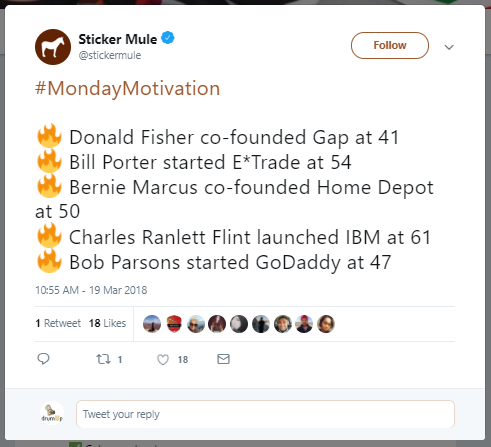
Customers today want to connect with brands. It’s not enough to have a ton of content. Unless you are authentic and exceptional, customers won’t engage with you on Twitter. Millennials, for instance, are very brand-conscious, but they’re very difficult to engage. However, with the right content, partnerships and social outlook, you can catch their attention.
Start building a brand that speaks to your target groups on their level. In their language. And about things that matter to your audience.
1

2. Curate content from RSS feeds, the web and your resources

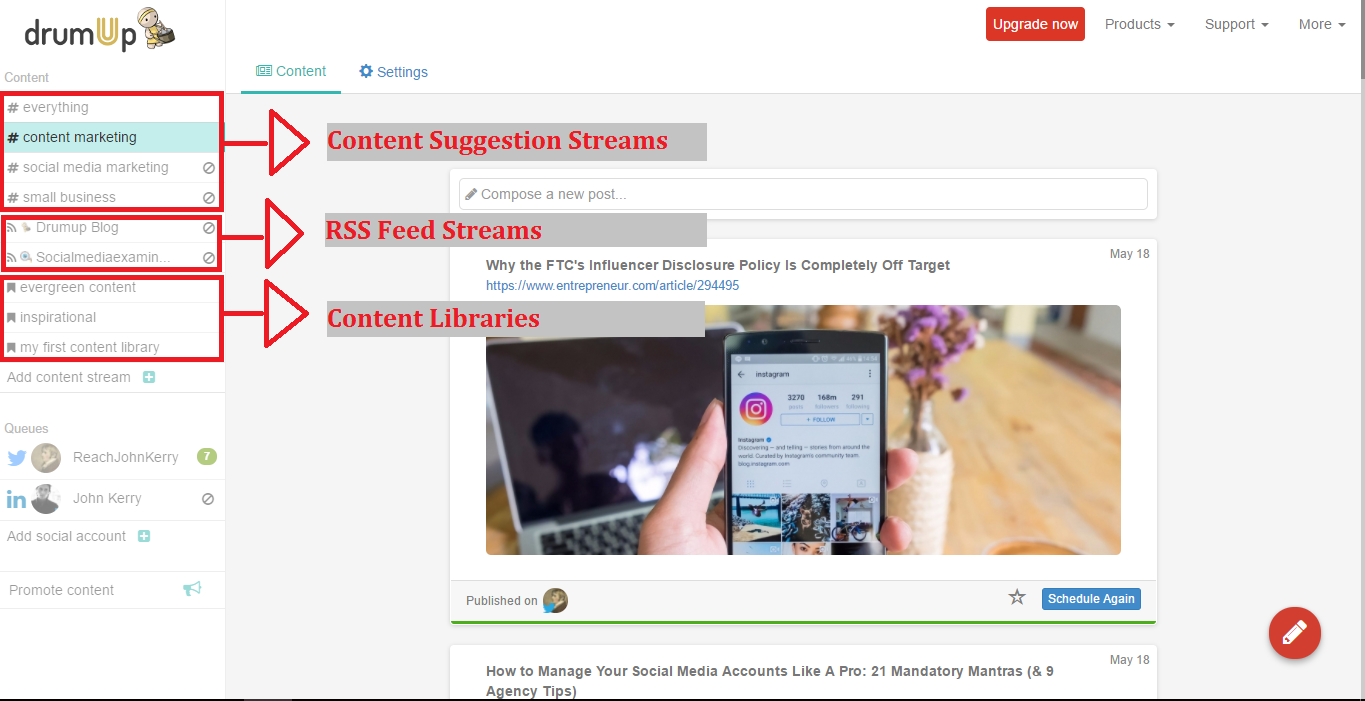
Instead of always creating your own content, you can curate content from strategic sources. What are strategic sources? Well, non-competing brands within your industry, customers and partners qualify as strategic sources. You can use this form of interaction to show these people that you are interested and that you care. At the same time, you can also get access to free, high-quality content that you can share with your audience.
You could even automate curation using a content curation app such as DrumUp, which has RSS feed reading and keyword based content curation activities.
2

3. Craft well-organized automation queues

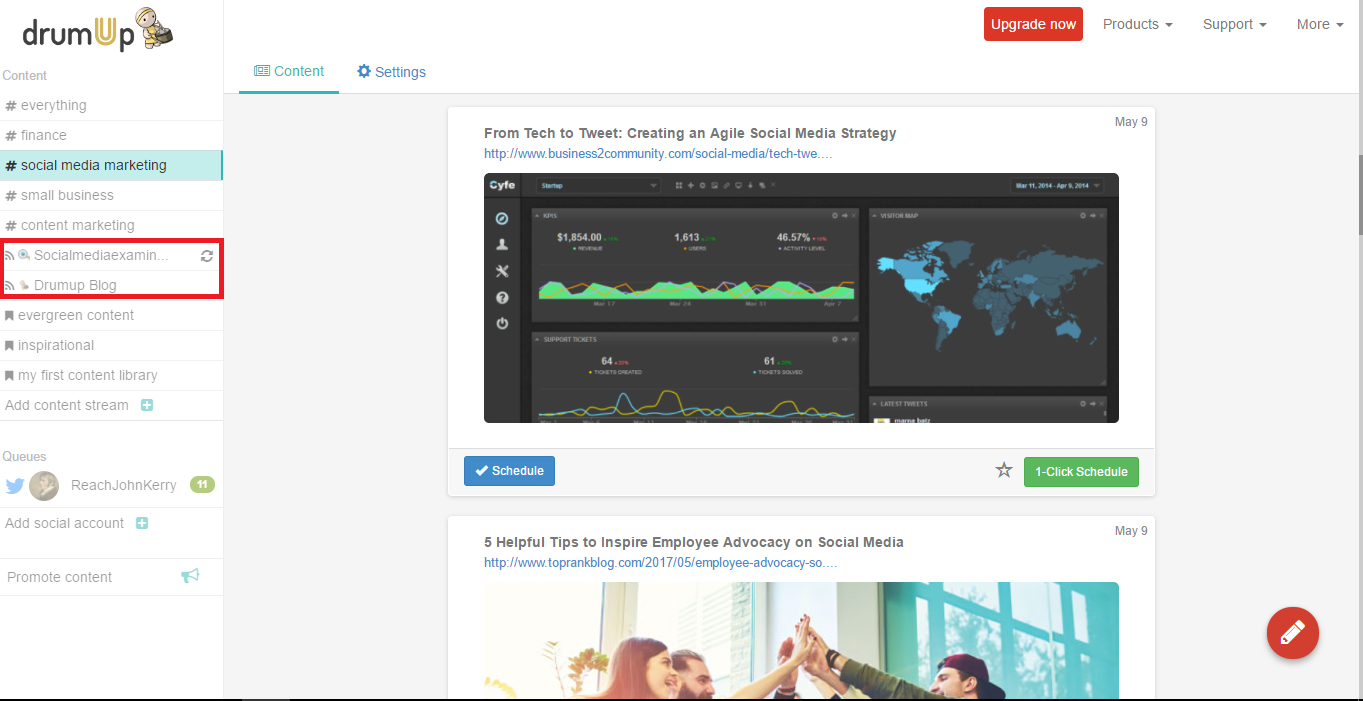
Once you have curated content, you can save posts in smart social media automation queues to avoid publishing manually. Social media automation queues are great for engagement because they allow you more control over quality of posts and publishing. You can save posts according to themes, dates and partners and set the publishing schedule to match your audience’s content consumption.
DrumUp’s social media management dashboard has “content libraries” using which you can create smart automatic queues.
7

4. Follow influencers, partners and potential customers

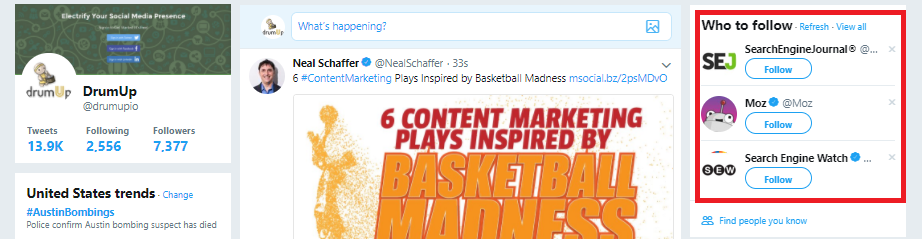
The point of following people on Twitter is to get genuine and active people to engage with your brand. So, it’s not a good idea to follow people at random. Instead, you can create distinct and definite groups of people worth following. Influencers, other brands, customers – current and potential, and event managers can, for instance, be groups of people whom you can follow.
Most social media sites already give you suggestions of people to follow based on your network and interests.
Screenshot 2018-03-21 17.49.50

5. Interact with prospects via Twitter lists

When you follow a bunch of people you are left with a cluttered Twitter feed and no way to manage their content. Twitter lists offer you means to organize the people you follow in groups, so you can consciously engage with them on a daily basis. Lists can be made public or kept private based on what you want to do with them. Private lists can’t be seen by other people, including those who are a part of those lists.
Instead of creating your own lists, you can also subscribe to other people’s lists. It’s a good idea to subscribe to lists created by influencers in your niche.
Bonus

Answer questions.

The best way to attract Twitter followers is to become an active part of communities to which they belong. These communities don’t have to be on Twitter. They can be on LinkedIn, Facebook or any other social platform. Participate in conversations on these platforms and answer questions that are important to other participants. This is a great way to both build your credibility and Twitter following.
Wrap
There are tons of ways to build a Twitter following organically. The key is to focus on scaling your results without having to scale your efforts. This post provides examples of great ways to begin.


Does GDPR Apply To You?


There is a general sense of panic and impending doom as the 25th May 2018 deadline draws closer for the new General Data Protection Regulations (GDPR)!

It's not a topic that I would generally get excited about BUT this time we don't have a choice, it pretty much impacts everyone and you need to be prepared!

Knowing the answers to basic questions like these are important if not critical.

- What is it ?
- Does it effect me?
- What if I don't have a business?
- Can I ignore it?
- What do I need to do to be compliant?
- Can I make money from this?

....Don't fret! .... We've got this covered :)

I want to give you access to a training where two of the UK's leading GDPR experts who work directly with some of the largest organisations in the UK and with the regulatory bodies themselves break down into simple terms the new GDPR regulations :)

The training is a must see before the new legislation comes in on the 25th May 2018!

Watch the training here!

WHY will is this so important for your business? ... because knowing how to be GDPR ready is not optional, this is a legal requirement.

In the training, questions in plain and simple English allow you to get a grasp on what its all about, exactly what we need to do to be ready and best of all how you can cash in on this news!

This is going to be extra special so please catch the training now!


Looking forward to seeing you there....


Saturday, 12 May 2018

7 Ways to Avoid an Email Blunder


Have you ever quickly sent off an email and were mortified to discover an error after you’d hit send? We’ve all been there and in order to avoid that awful feeling, we’ve created a handy list of seven ways to avoid an email blunder. Here’s what to do before you hit send.
1. Get permission
If you’re sending an email with say, customer quotes, or a newsletter in which you’re writing about another person, have you gotten their permission first? Business relationships take work to build and maintain, and the loss of trust from sharing what was supposed to be a private story publicly without permission can be difficult to rebuild. Play it safe by asking first; there may be factors at play of which you are unaware.
2. Make sure your images are legal to use
Just because you have attribution and a backlink to a site where you’ve obtained an image doesn’t mean you’re in the clear. Unless you have permission to use an image, you could risk a fine or have your site shut down. Wikimedia Commons and morgueFile provide copyright-free images you can use in your blog posts and online articles. iStock Photo will sell them to you at a reasonable fee. If you’ve got a bit of a budget, you can get a subscription to ThinkStockGetty Images or other similar services.
3. Double-check your hyperlinks
It’s easy to go in and fix a broken hyperlink in a blog post, but after you’ve hit send on an email, it’s often too late. Make sure to double-check all of your hyperlinks to ensure they work properly. Doing this as close to your send time as possible is preferable, so that you’re not linking to a YouTube video that’s already been privatized or removed due to copyright infringement.
4. Check your font and font size
Accidentally cutting and pasting from various sources sometimes leads to mismatched text. In general, it’s a good idea to type into a text editor rather than, say, a Word document, which sometimes adds unnecessary formatting. In any case, double-check your font and font size, and even font color, to make sure everything is consistent before hitting send.
5. Check for typos
News flash: It’s not easy proofreading your own writing, but there are a few strategies that can help. One involves taking some time away from the email or newsletter so that you’re a little more detached when viewing. Or, try reading your entire email out loud. This will help you find errors you may have missed. If you’ve got a co-worker with a good eye, ask them to proofread your message. Getting an extra set of eyes is priceless for avoiding unnecessary errors. And fortunately, there are multiple tools online that can help you with your proofreading efforts with a human eye (which is more effective than spellcheck). If you use the collaborative software program Draft to compose your messages, you can pay a small fee to have your work proofread under a strict NDA. Revision Fairy is another option.
6. Check your subject line
We’e discussed the importance of having a compelling, clickable subject line, but length is important, too. If your readers are checking their email on the way to work, or taking a quick glance at their smartphones on the way to a meeting, they’re not going to see your entire subject line unless you keep it short. If possible, stick to 30 characters or less. When you can’t do that, make sure that the first 30 characters make sense even when your subscribers can’t see the rest.
7. When scheduling an email, check your AMs and PMs
It’s always good to test various times of days to send your email, but make sure you’re doing it deliberately. Double-check your AMs and PMs when you’re scheduling your email, so you’re not inadvertently sending something at 2 in the morning when you were hoping to catch your readers in the early afternoon. Also be considerate of your time zone. If you’re sending an email at 5 pm Pacific time, your east coast friends may not engage with it like you want them to. 
Have any other things you like to check and double check before you hit send? Share with us.